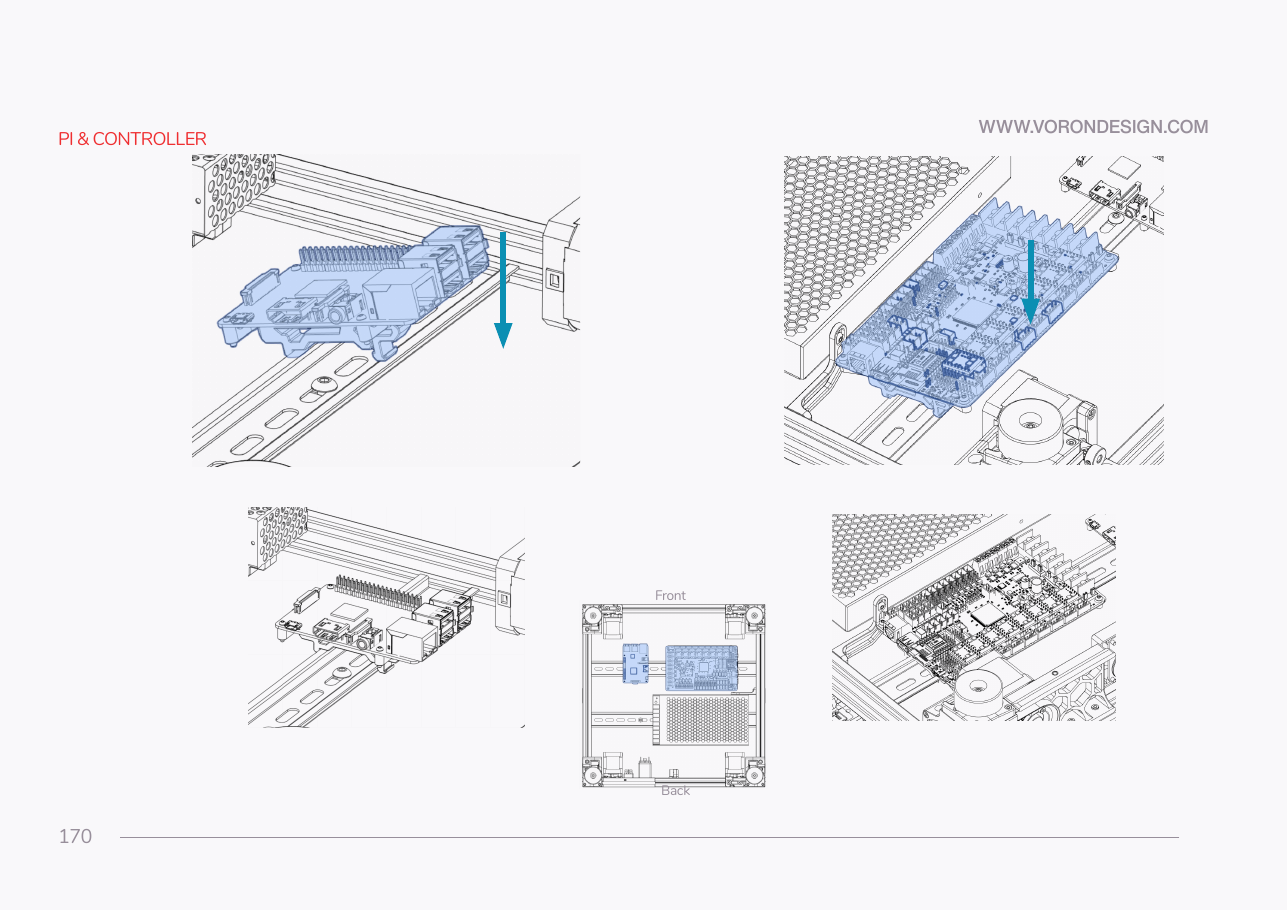
Step 09.24 — Clip the Leviathan and Pi onto the front rail¶
Step 24 of 36 · Chapter 09 — Electronics bay
Tap to enlarge
Parts:
- the Leviathan and Pi assembly · already on the bench
Do: Hook, rotate and snap the assembly onto the front DIN rail, biased left so the right-hand end stays free for the USB adapter. Keep the high-current terminal block facing the PSU.
 Check
Check
Both clips latched, board square, no part of the Pi or Leviathan touching a duct, the deck or the frame, every connector bank reachable.
What you're looking at
Hook, rotate, snap for the third time, now with the Pi on the board. Biased left so the right-hand end of the front rail stays free for the USB adapter, high-current terminals facing the PSU so the 24 V wires run short.
Caution
Rev D+ / LDO: SKIP the manual's arrangement on p.170–171. LDO: "Refer to the wiring guide for Leviathan and electronics general placement." The manual puts a Pi and an Octopus on the same rail as separate items; you have one clipped assembly. src
 Good stopping point · ~30 min since the last one
every voltage-selection jumper off the Leviathan and bagged, board on its brackets with the Pi and its HAT adapter, the whole stack clipped to the front rail. Do not put a jumper back: they go in one at a time in Ch 10.
Source: Voron manual p.170 · LDO wiring guide § General Placement · LDO Build Notes § Voron 2.4 build FAQ