Chapter 09 — Electronics bay
Start the chapter · Resume · Read the whole chapter on one page
Before — end of Ch 08: toolhead on the carriage
After — end of Ch 09: the bay populated
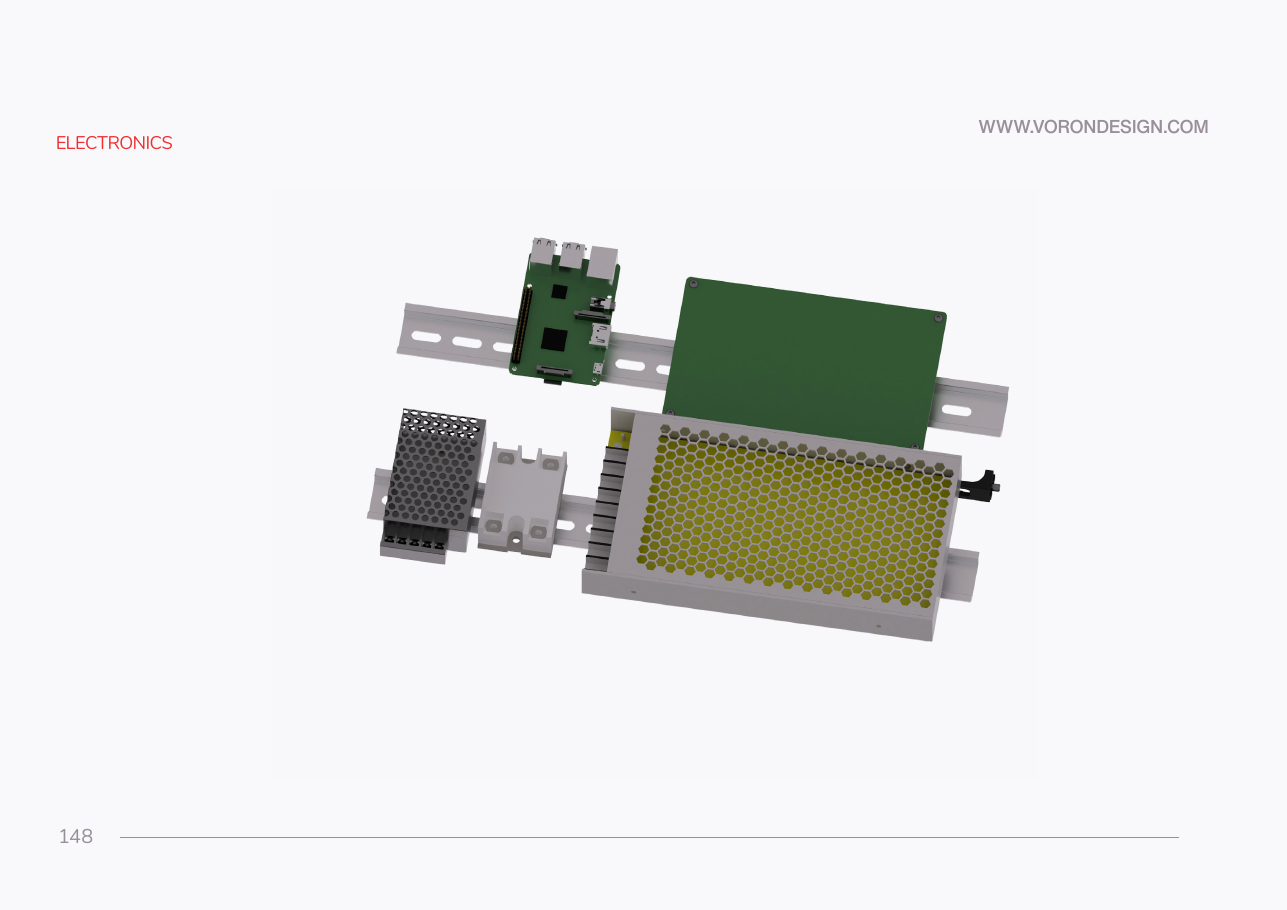
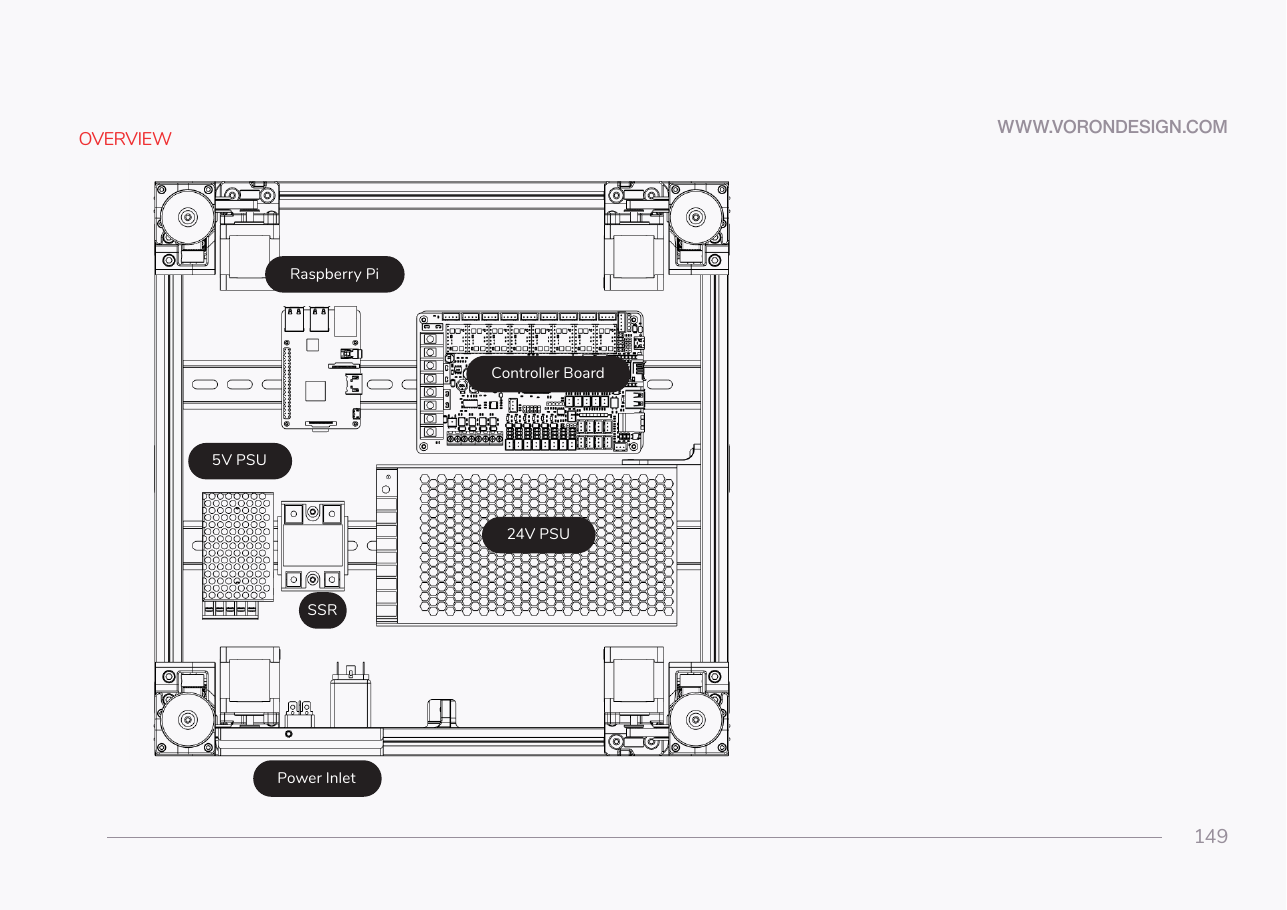 Step 09.2Read the placement you are actually buildingwith a helper
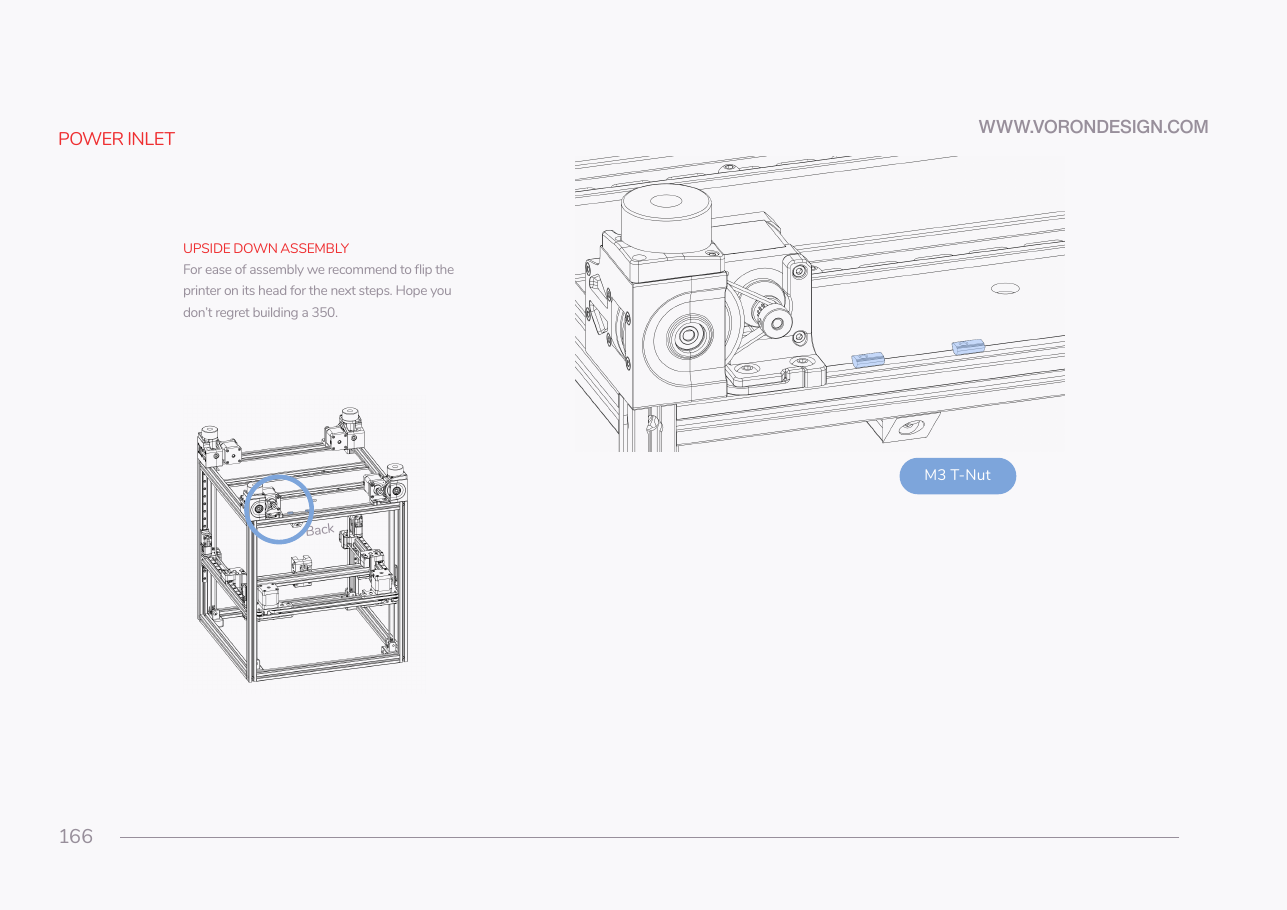 Step 09.3Turn the printer over and pre-load the rear T-nutswith a helper
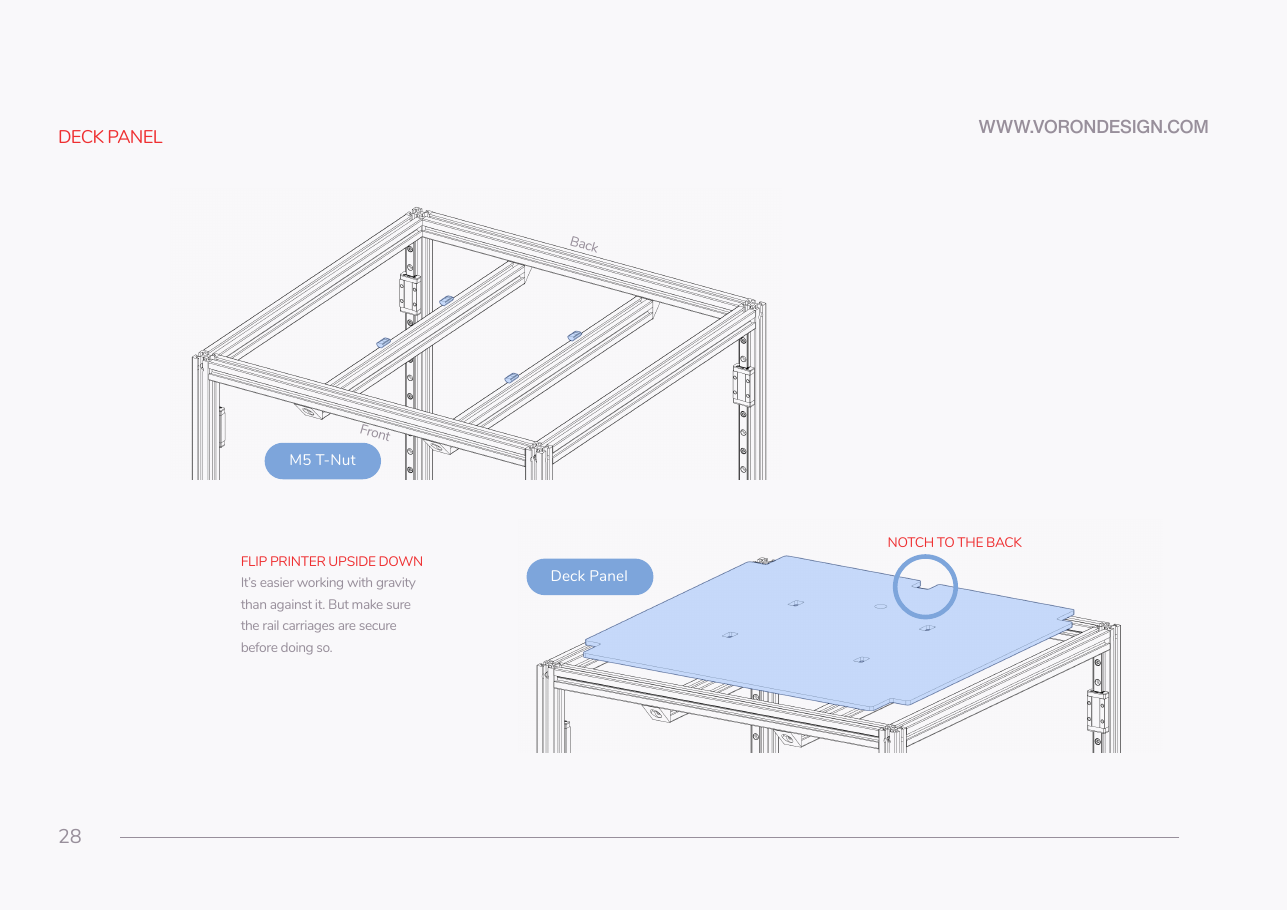 Step 09.4Verify the deck panel before you drill anything into the layoutwith a helper
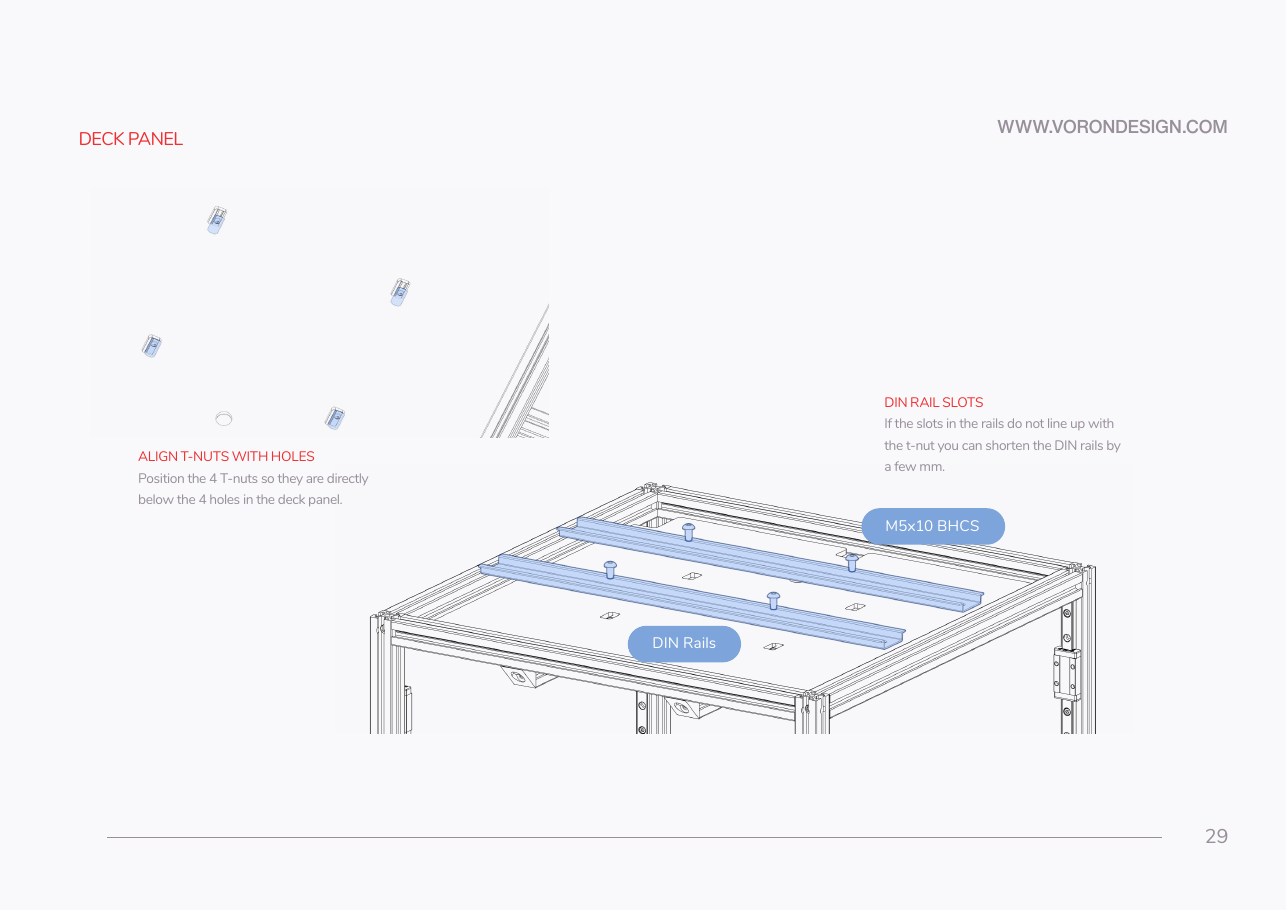 Step 09.5Fit the two DIN rails, running left to right
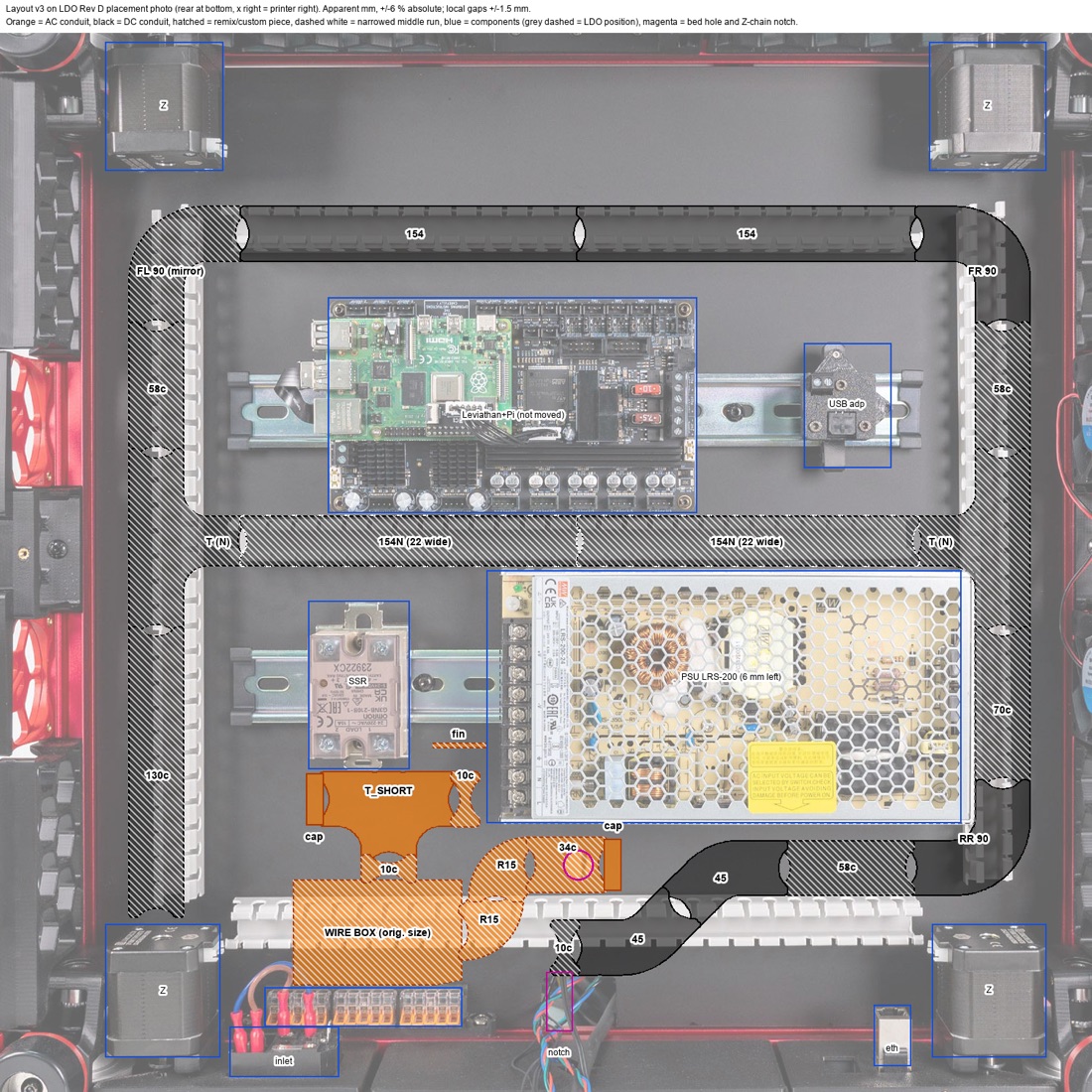 Step 09.6Lay the printed DC conduitwith a helper
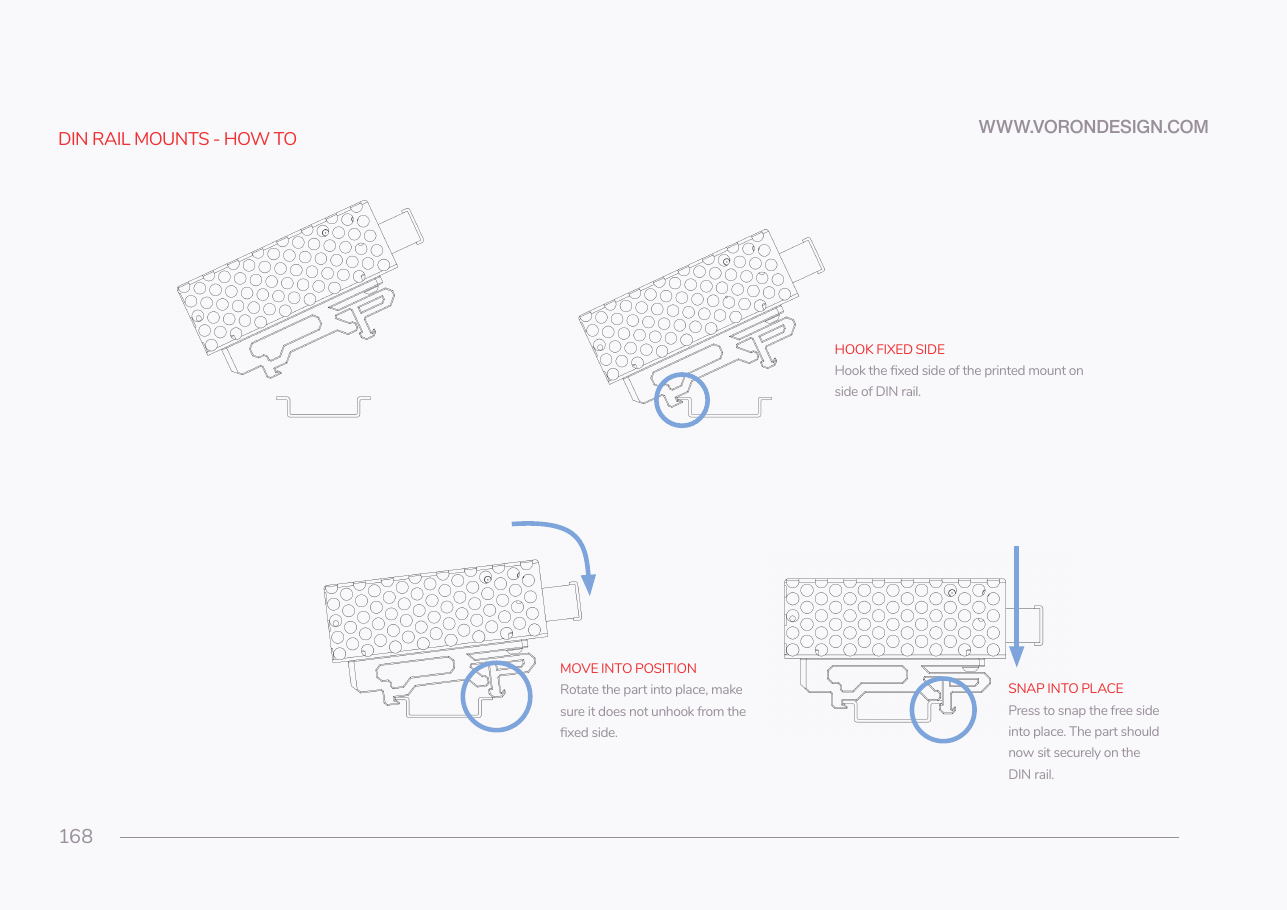 Step 09.7Learn the DIN clip motion oncewith a helper
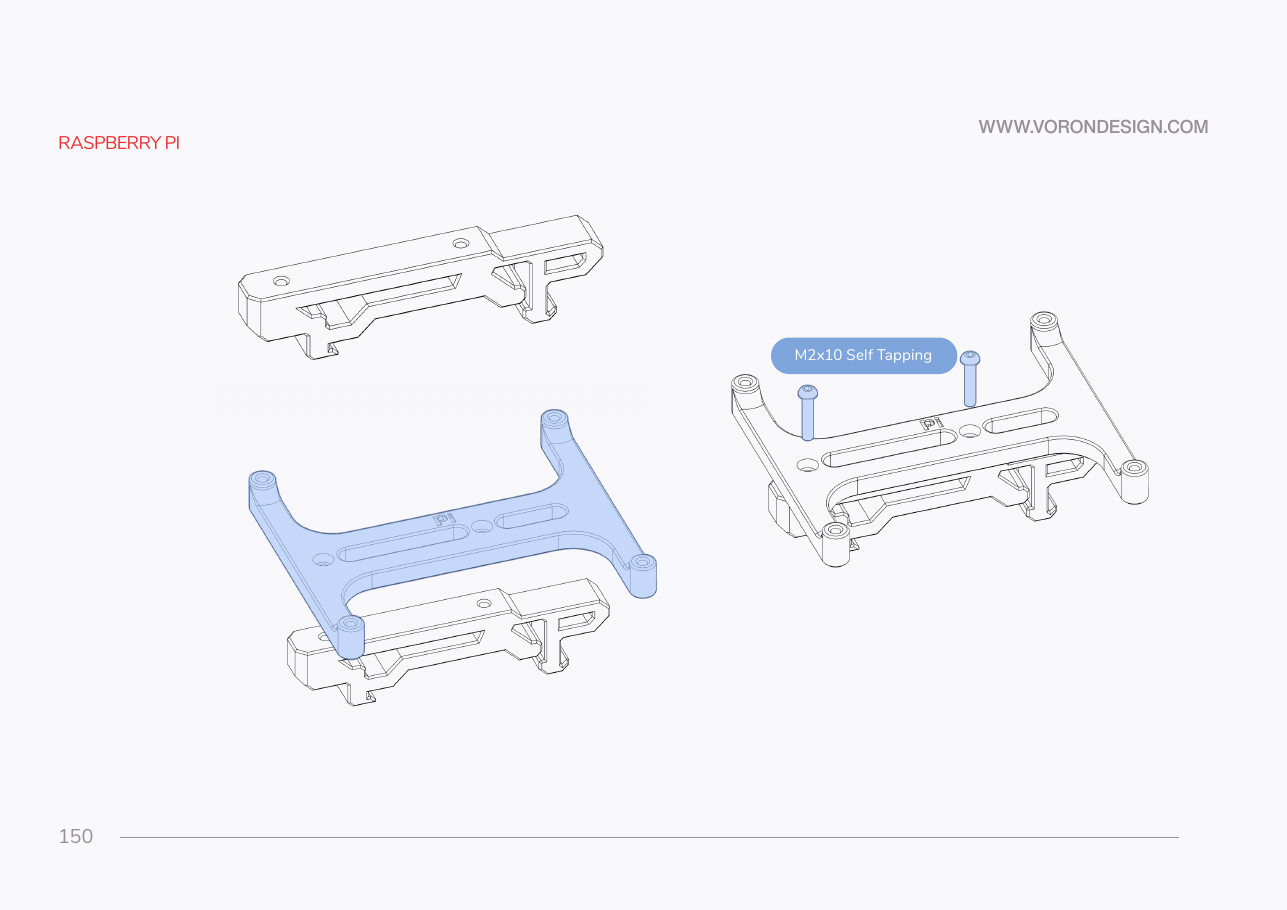 Step 09.8Do not build the Pi bracket
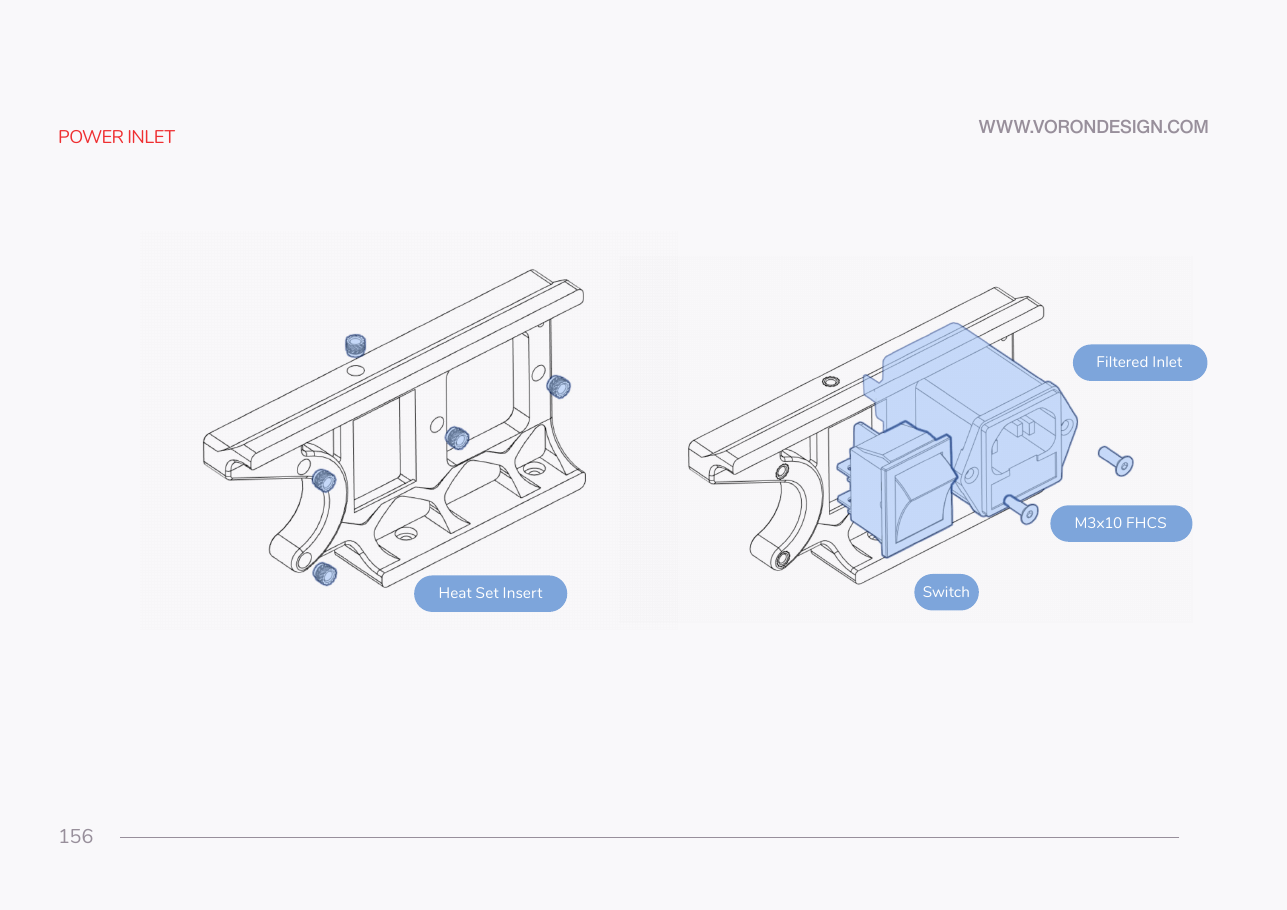 Step 09.10Heat-set the power inlet panel
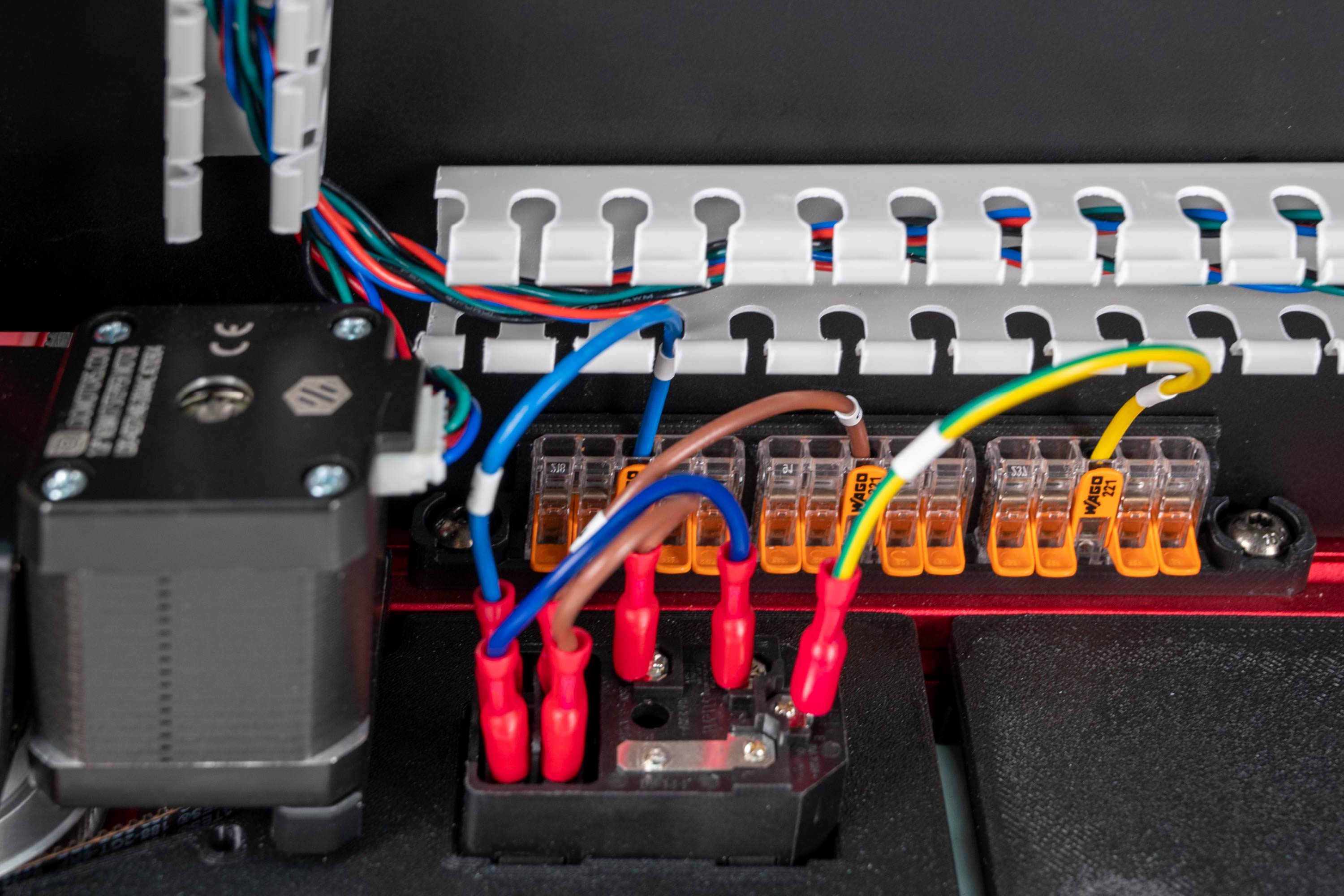 Step 09.11Fit the combined IEC inlet module
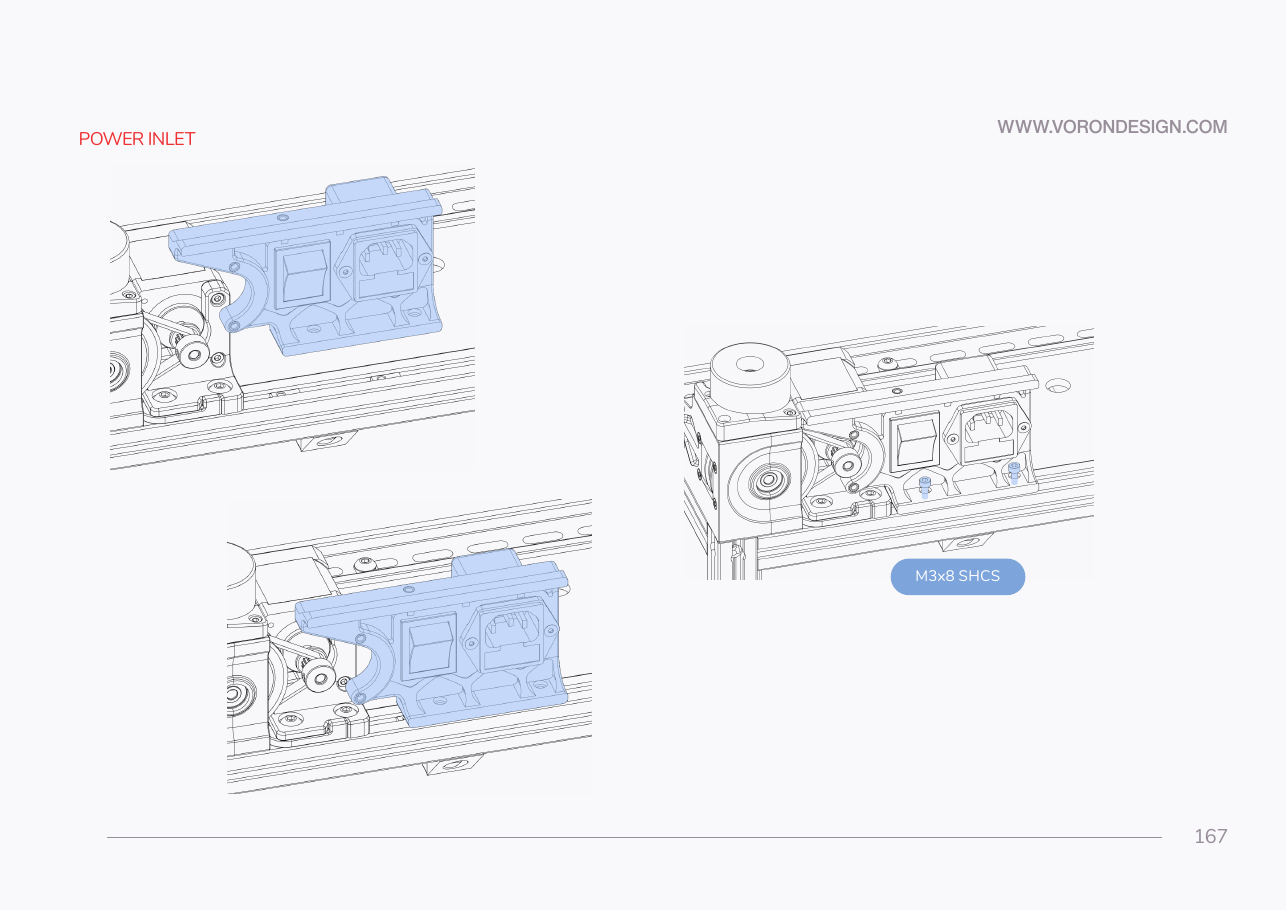 Step 09.12Mount the inlet panel to the rear extrusion
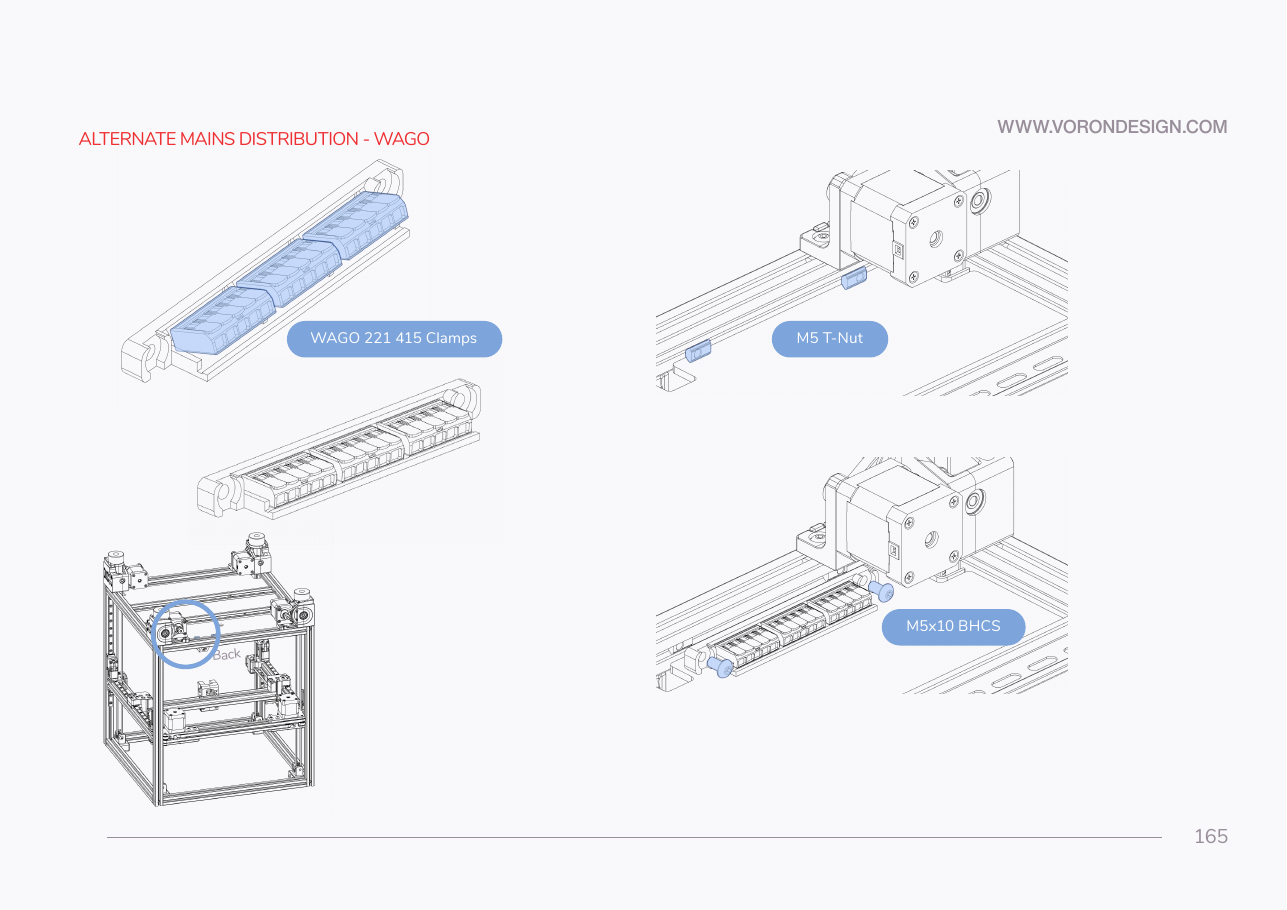 Step 09.13Build and mount the mains WAGO block
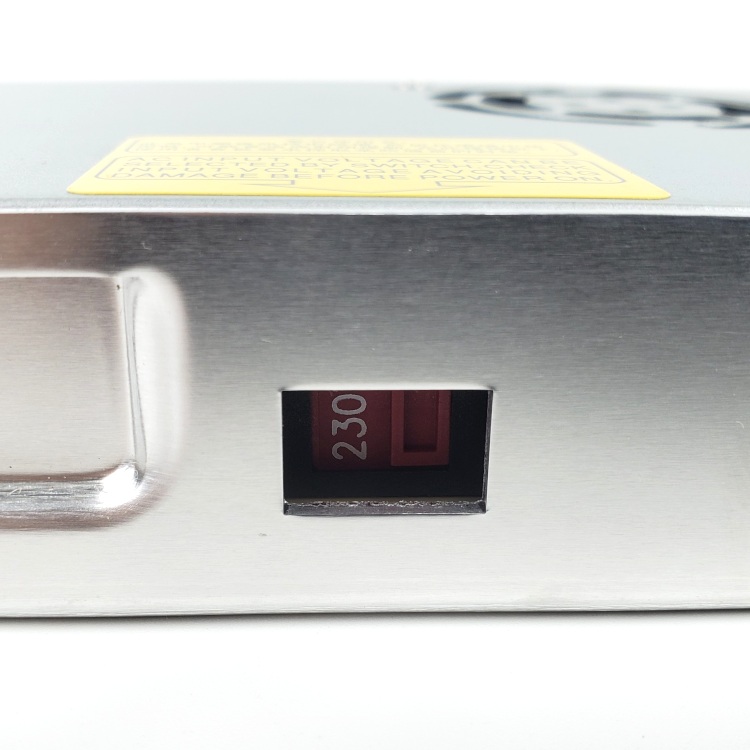 Step 09.14Set the PSU voltage selector to 115 V
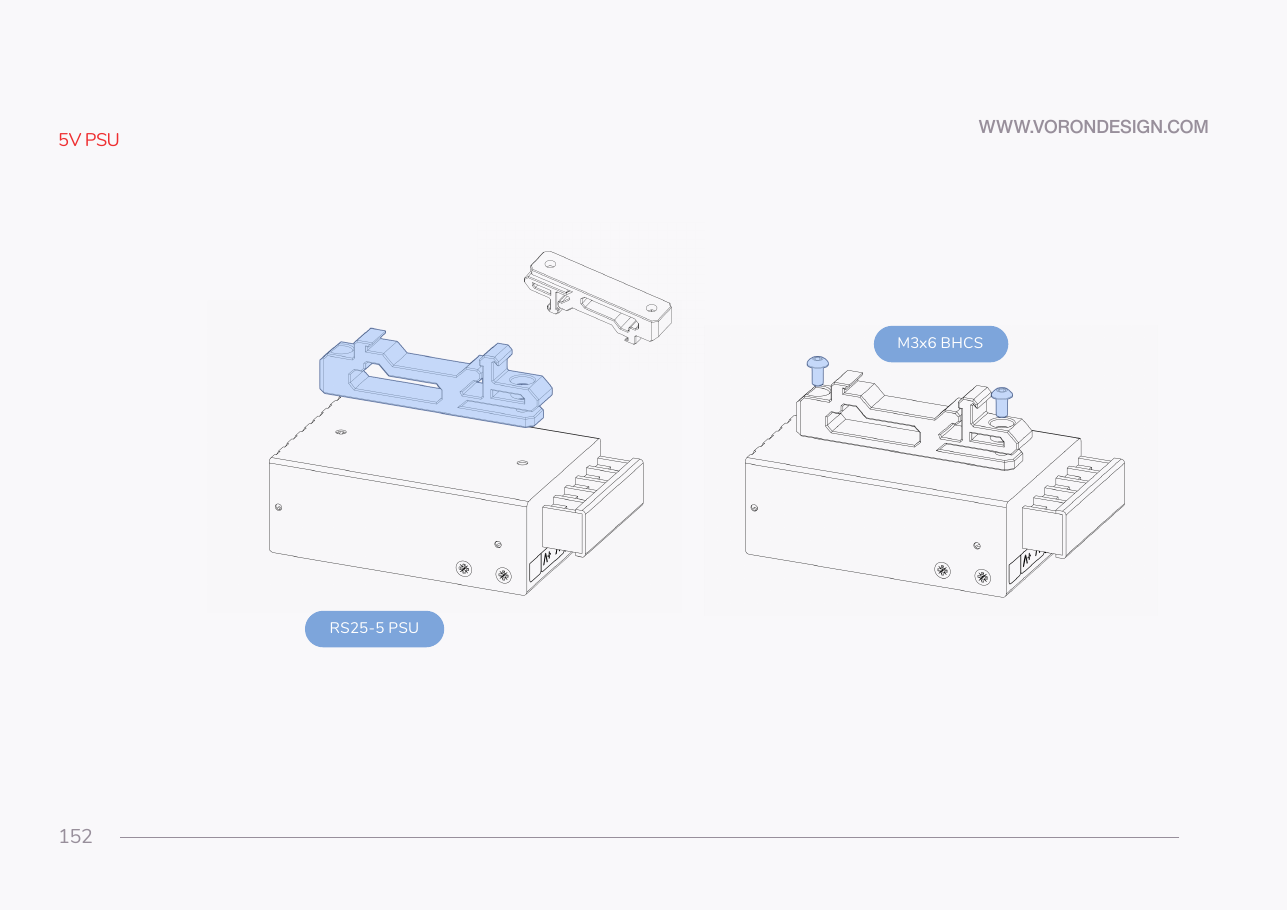
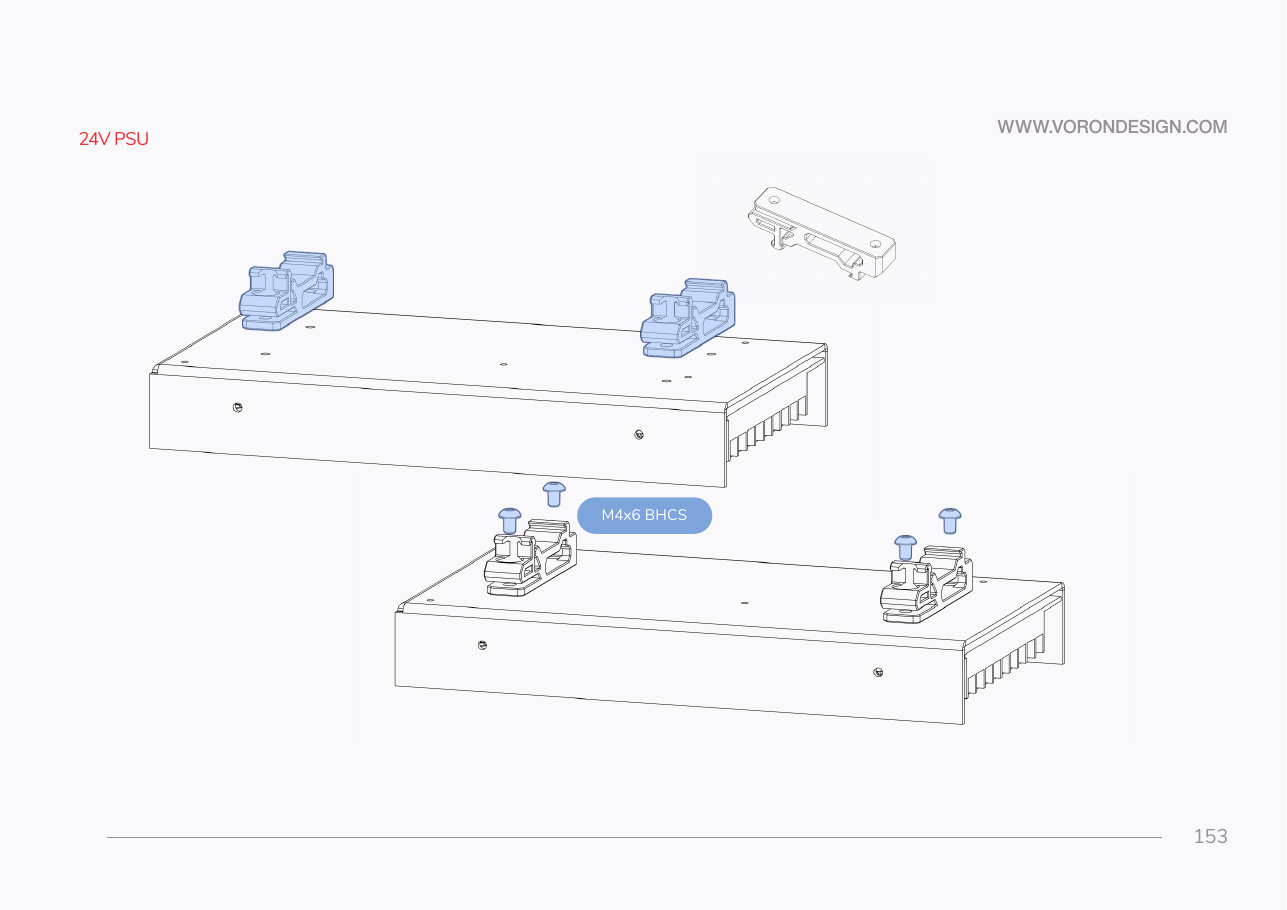 Step 09.15Fit the printed DIN brackets to the PSU
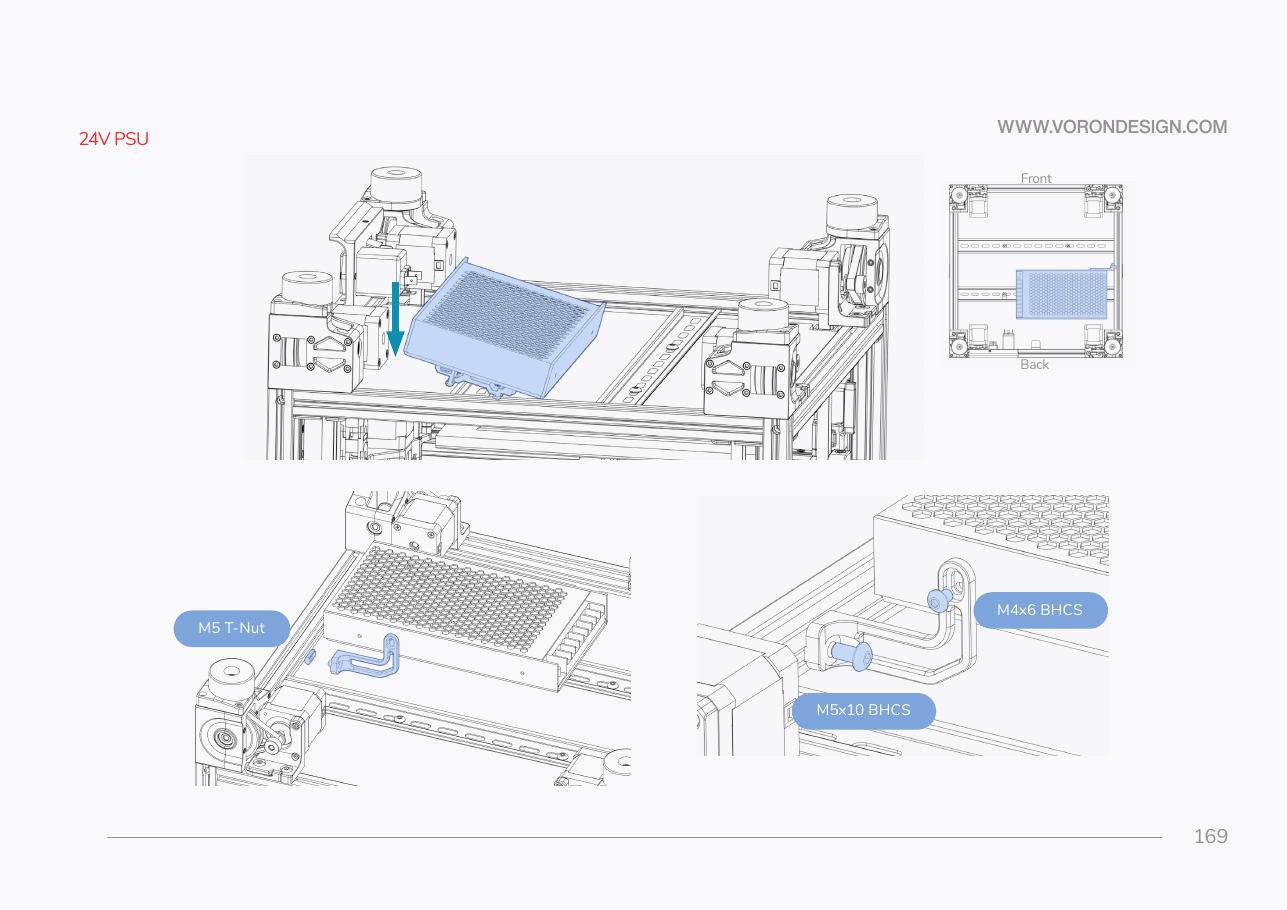 Step 09.16Clip the PSU onto the rear rail
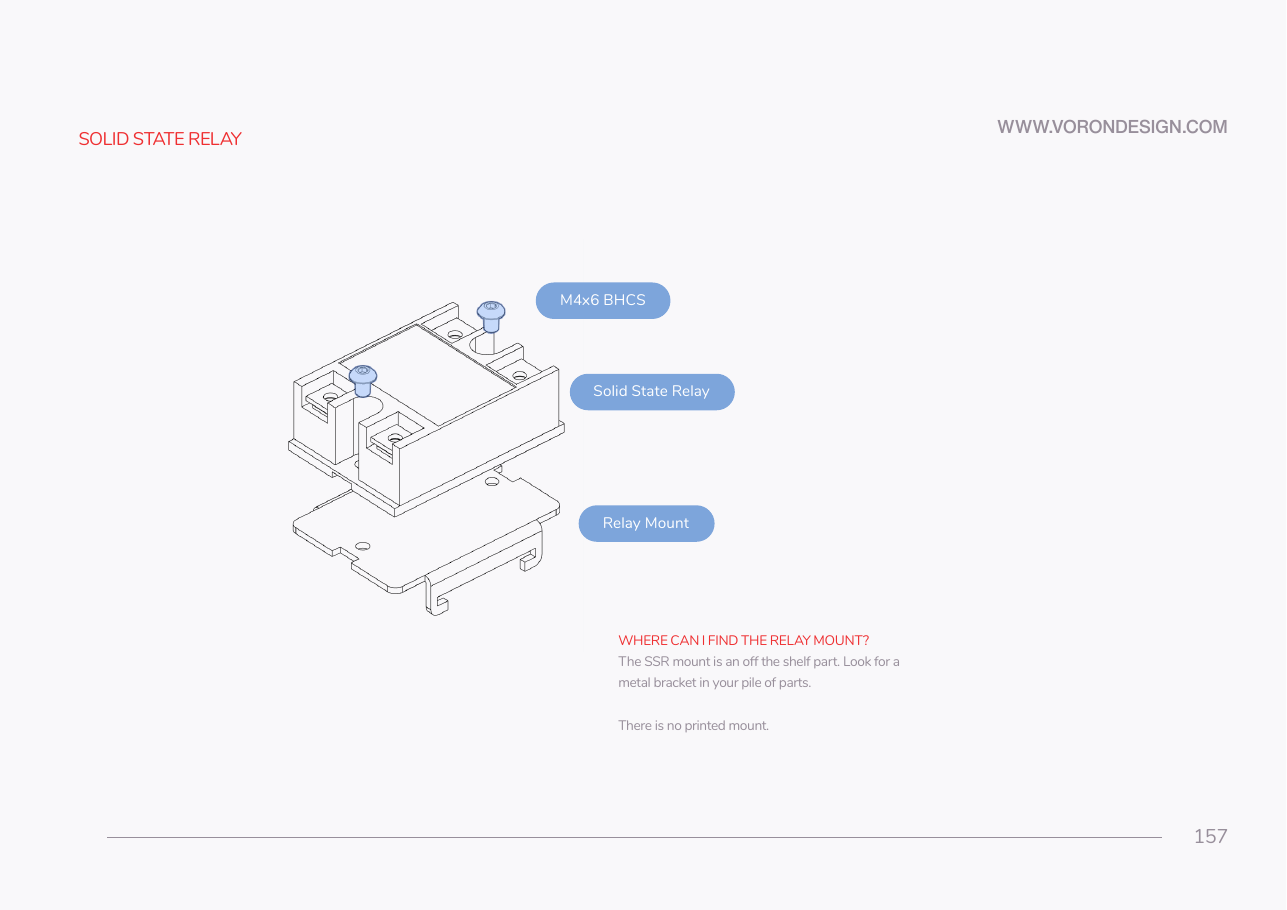 Step 09.17Fit the SSR to its metal DIN bracket
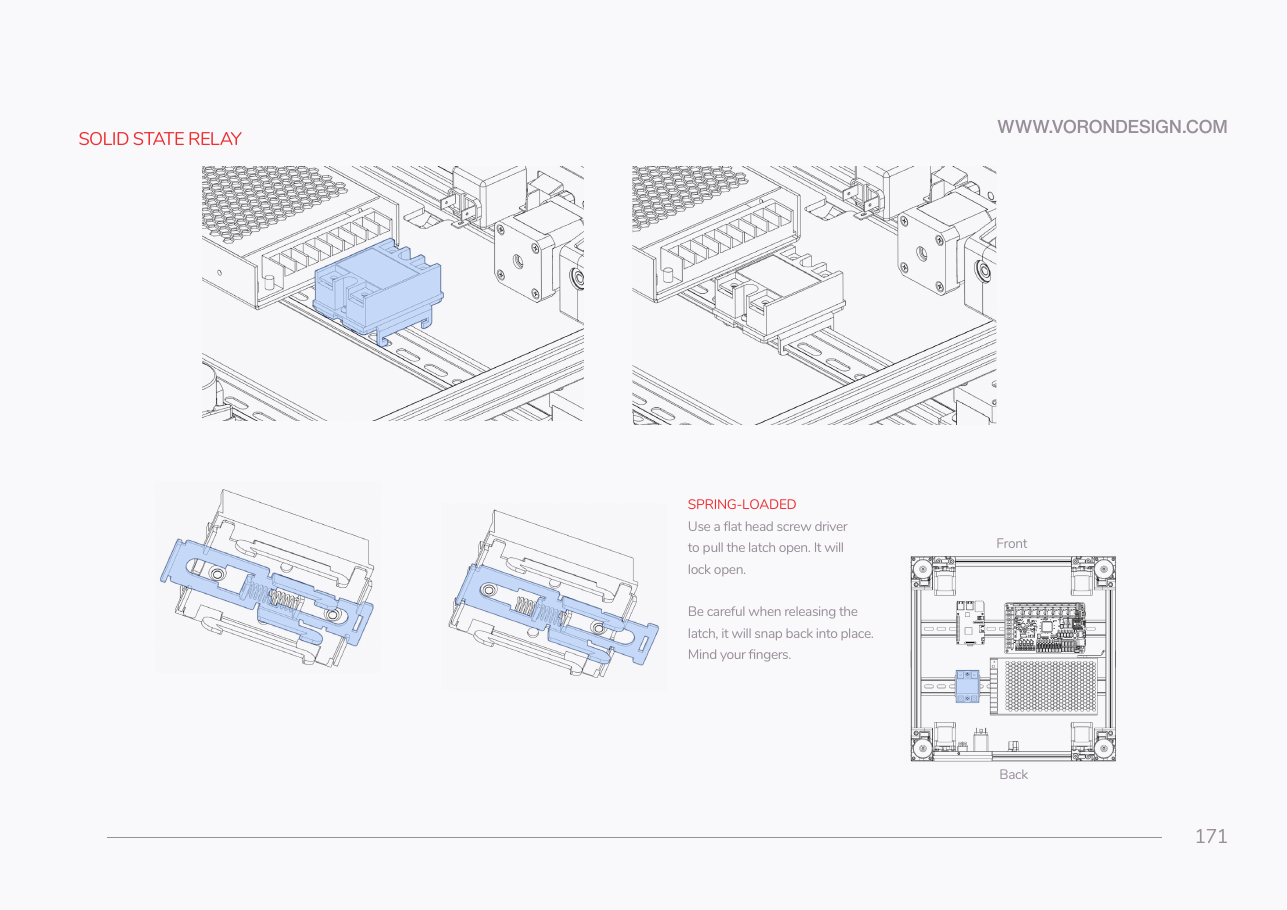 Step 09.18Clip the SSR onto the rear rail
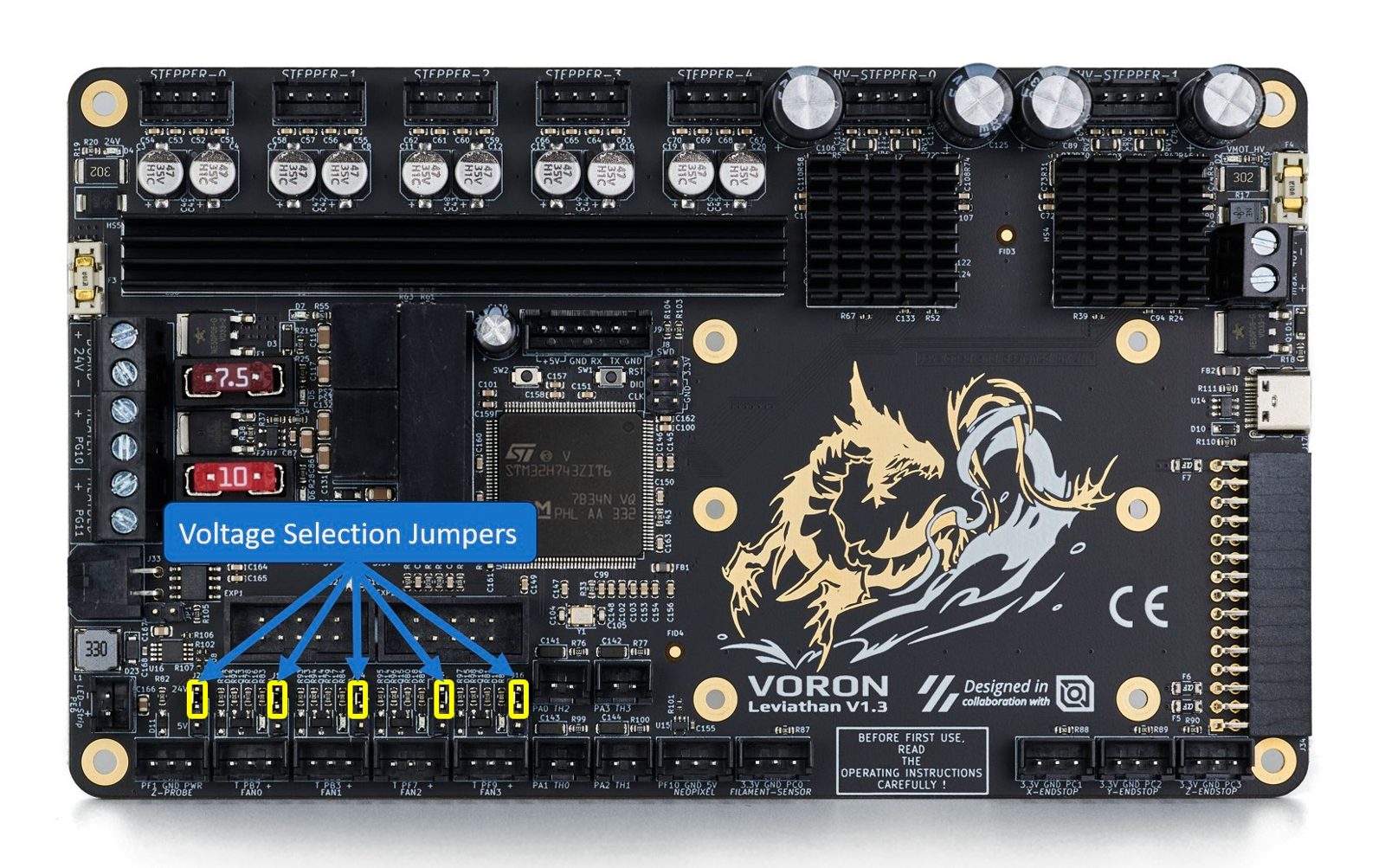 Step 09.19Strip every voltage-selection jumper off the Leviathanwith a helper
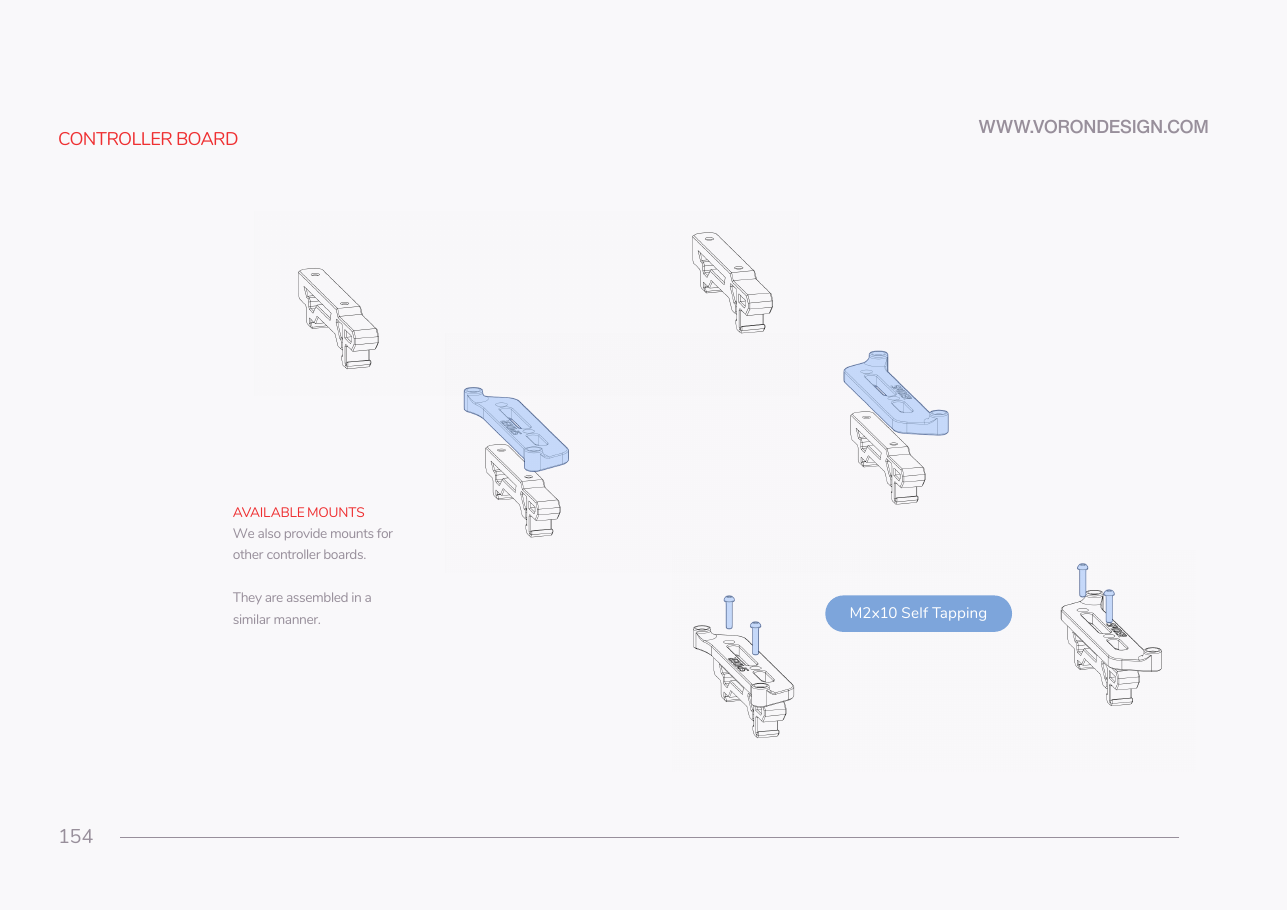 Step 09.20Fit DIN clips to the two Leviathan bracketswith a helper
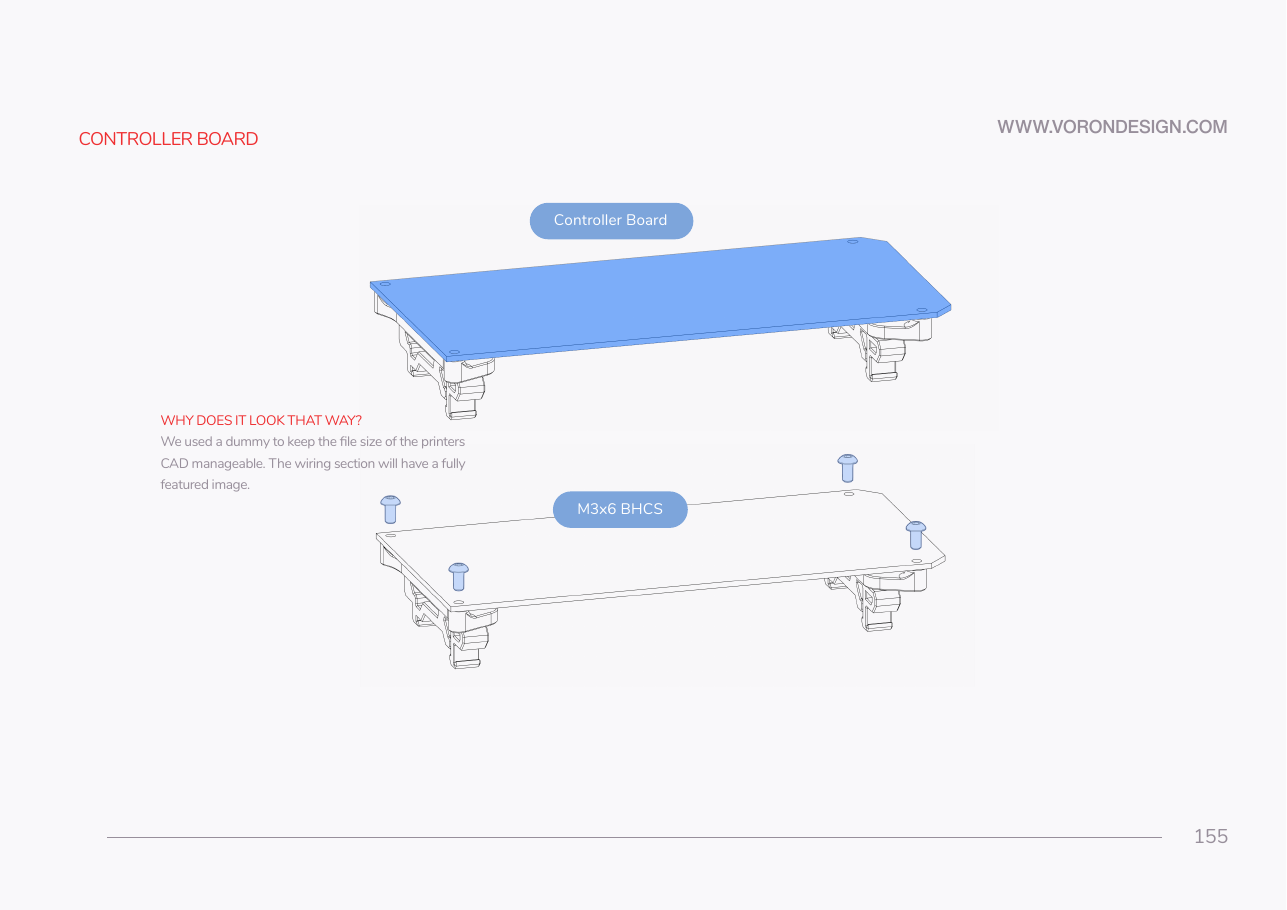 Step 09.21Bolt the Leviathan to its brackets
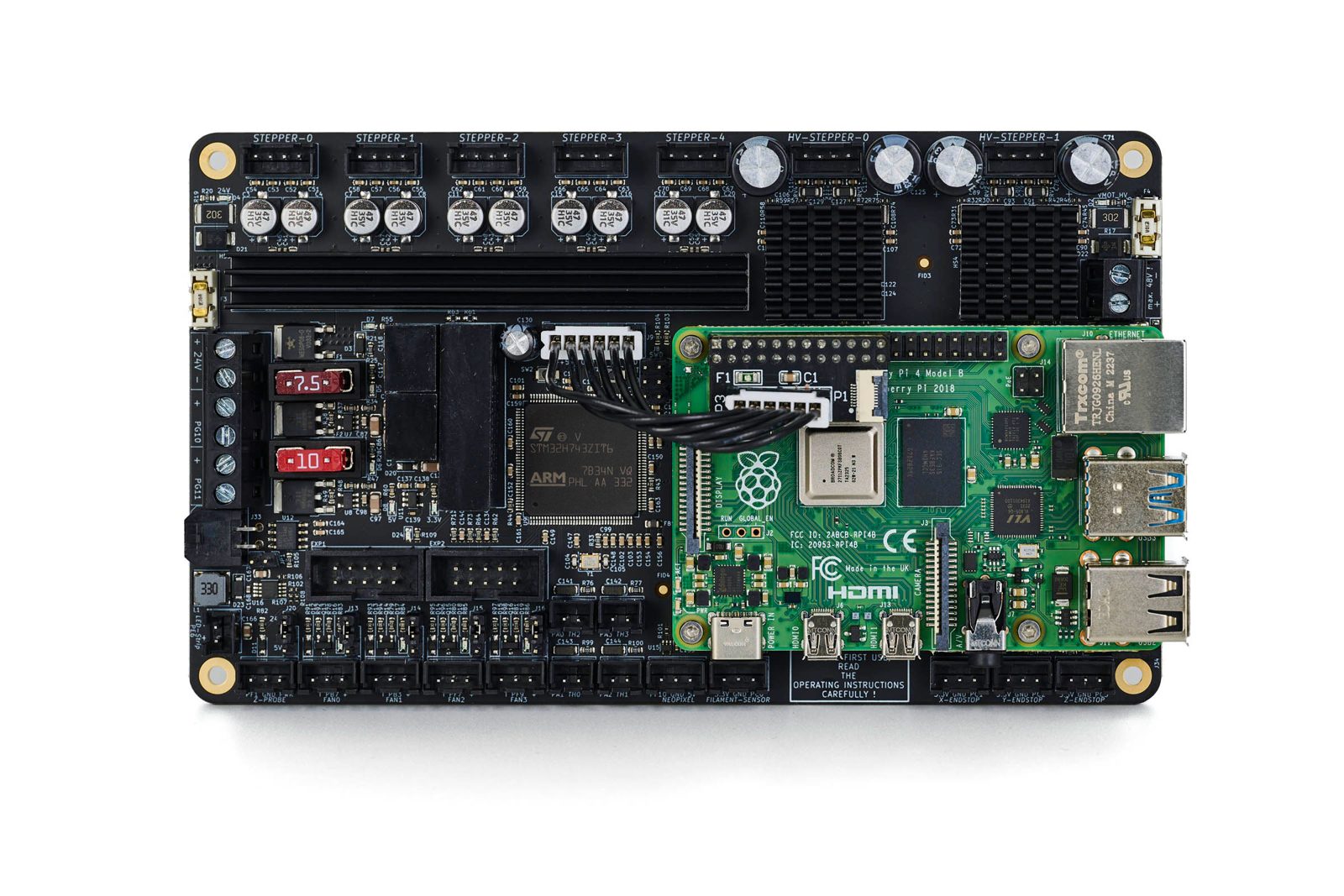
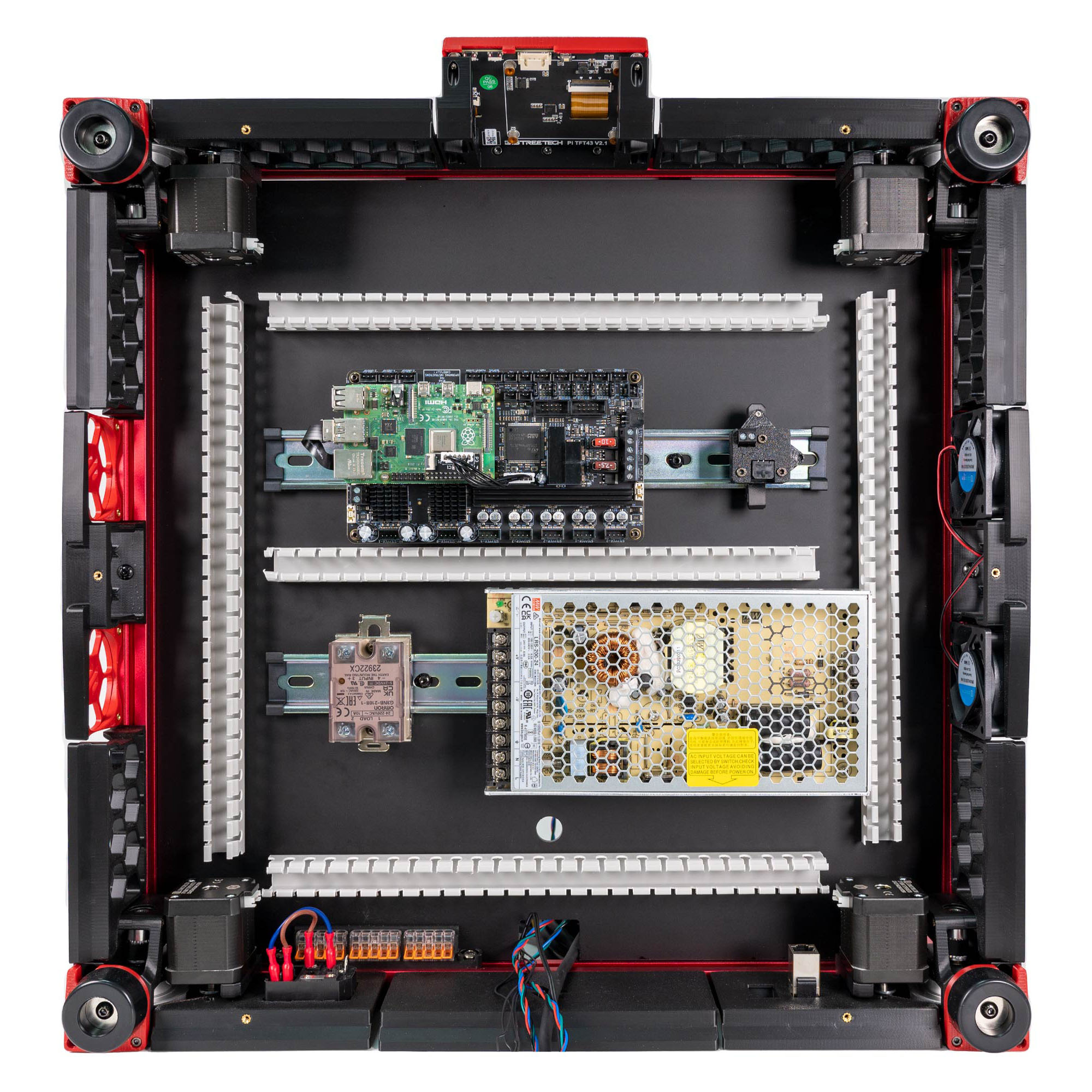 Step 09.22Heatsink and mount the Raspberry Pi 4B on the Leviathan
 Step 09.23Fit the Raspberry Pi 3/4 HAT power adapter
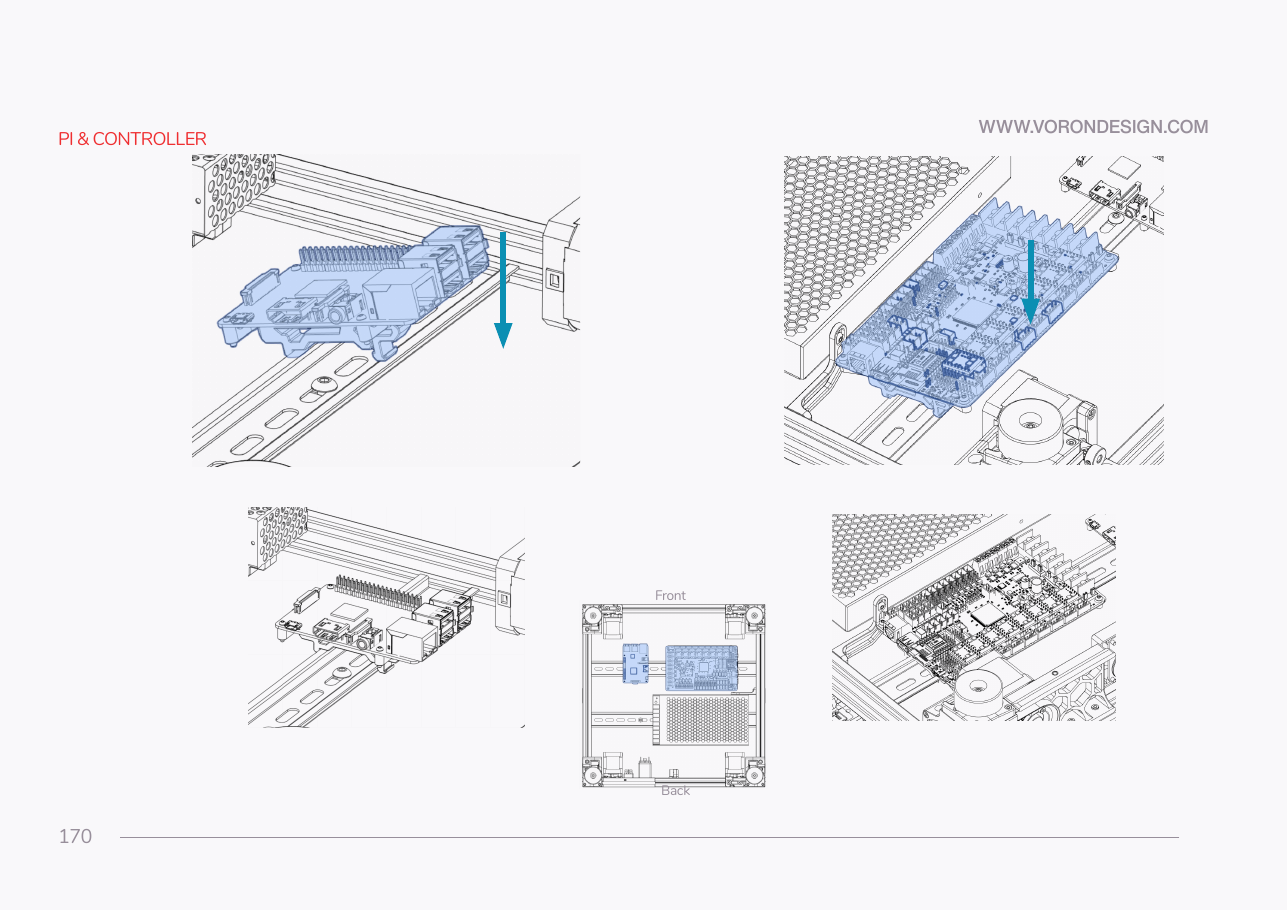 Step 09.24Clip the Leviathan and Pi onto the front rail
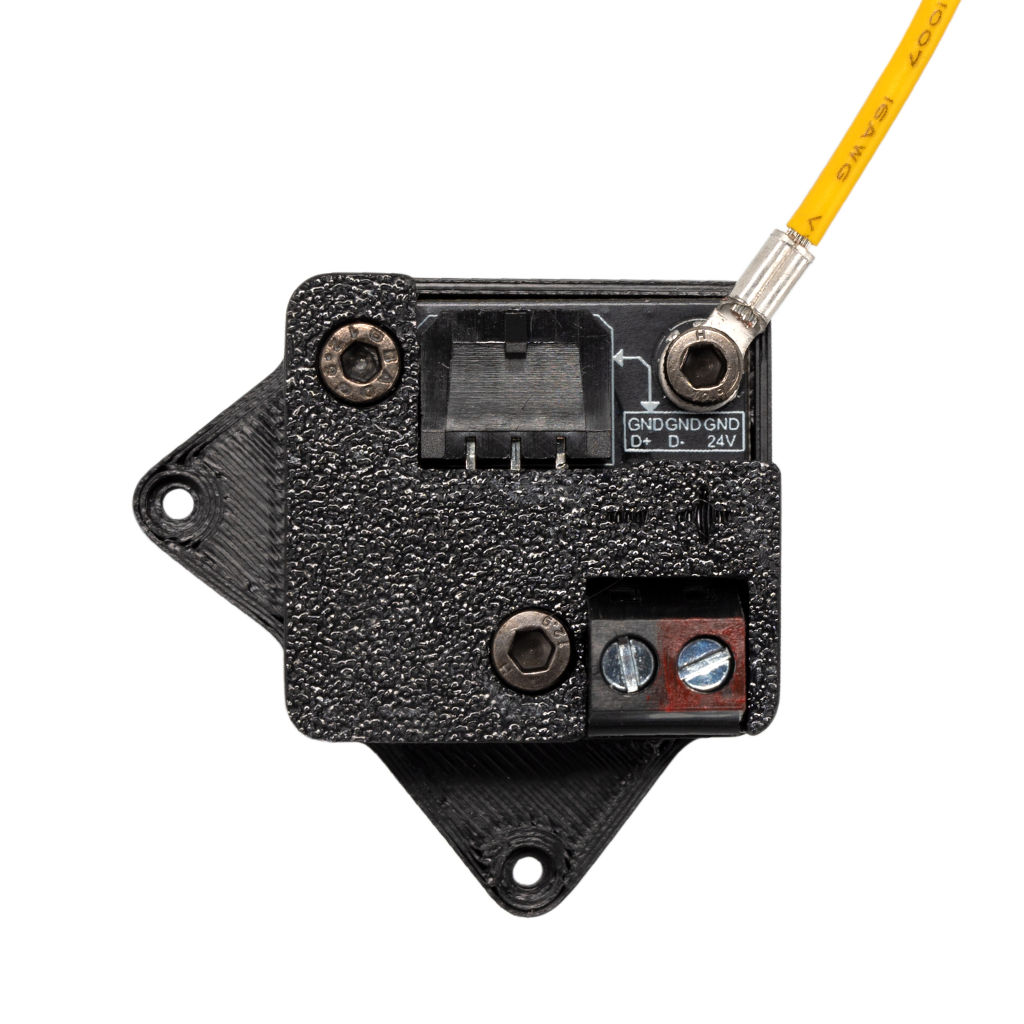 Step 09.25Confirm the USB adapter stack and clip it
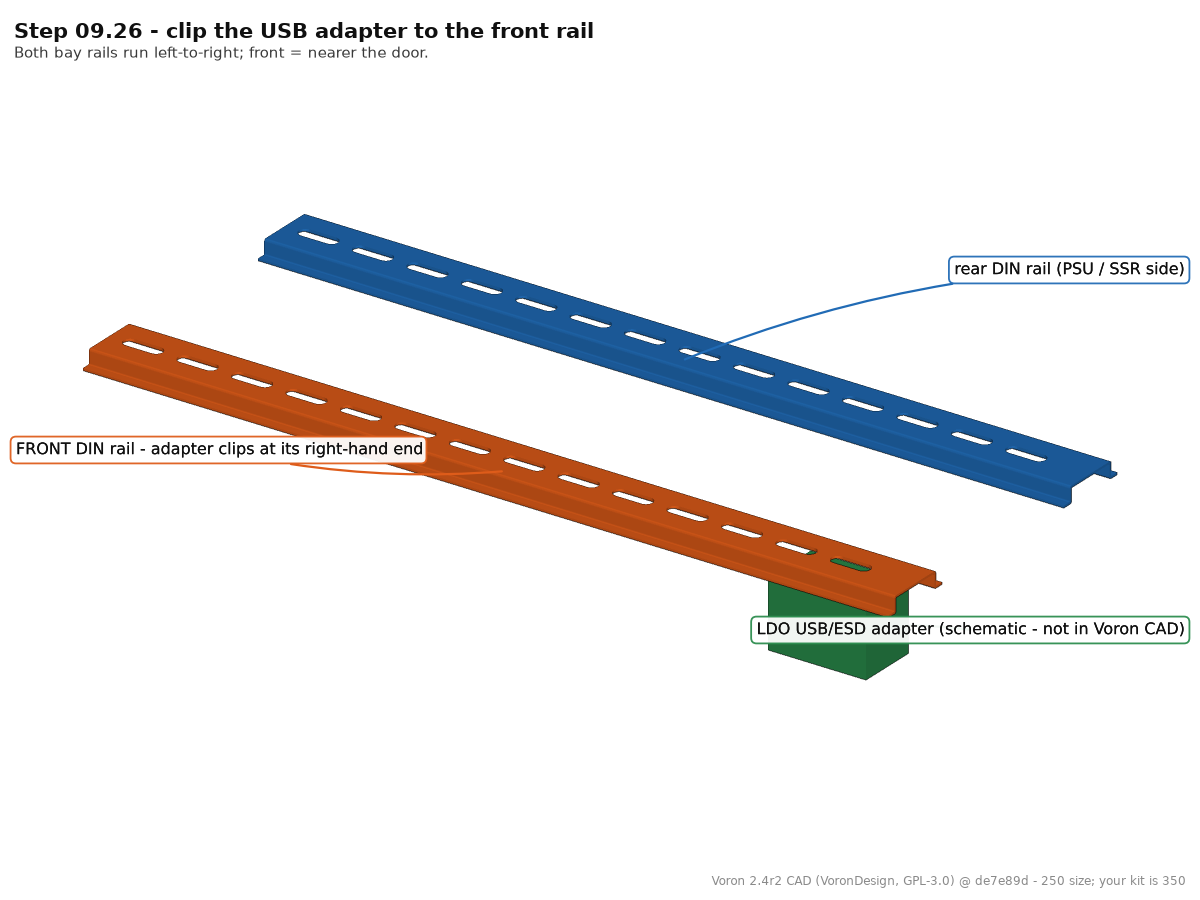 Step 09.26Clip the USB adapter to the front rail
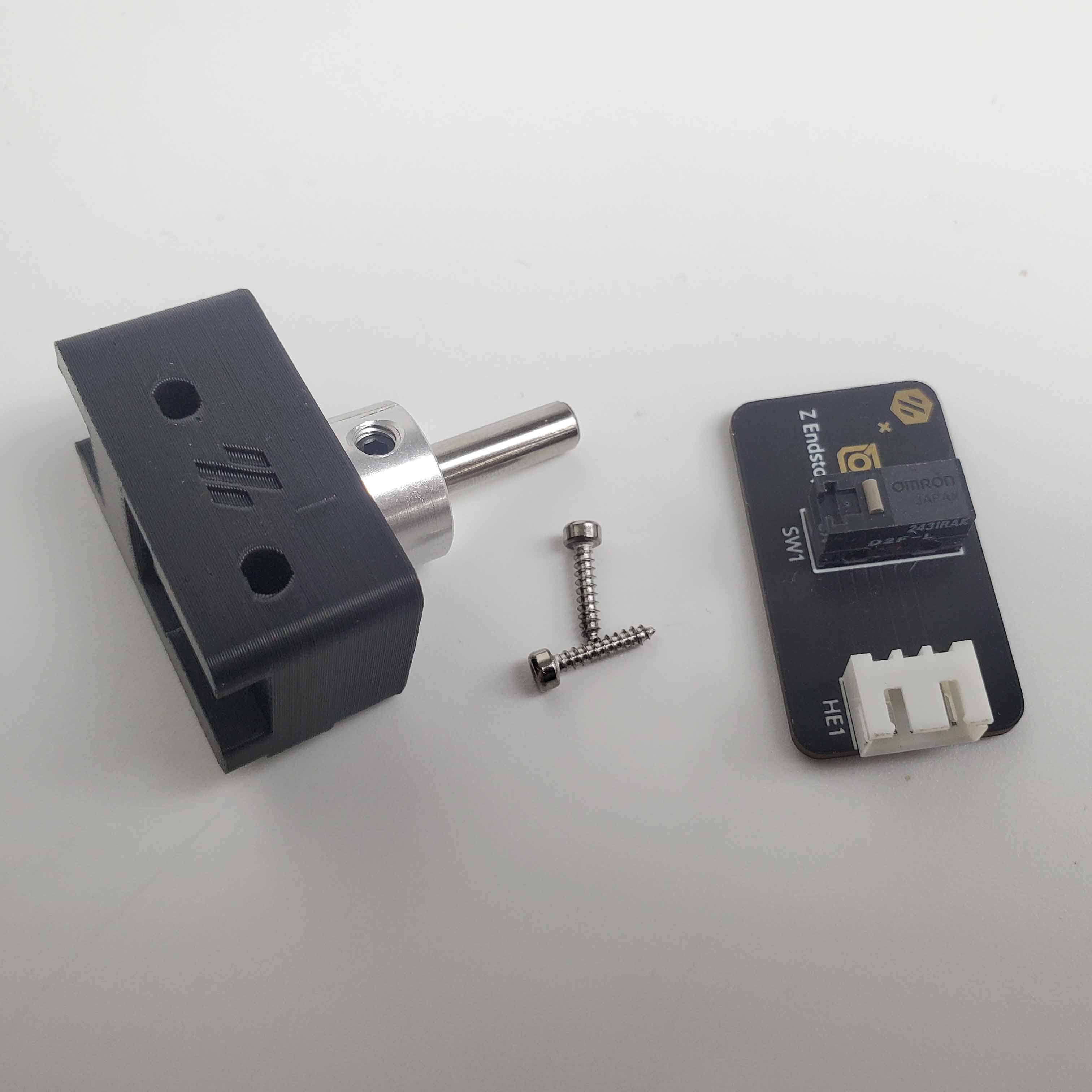 Step 09.27Confirm the collar in the LDO nozzle-probe bodywith a helper
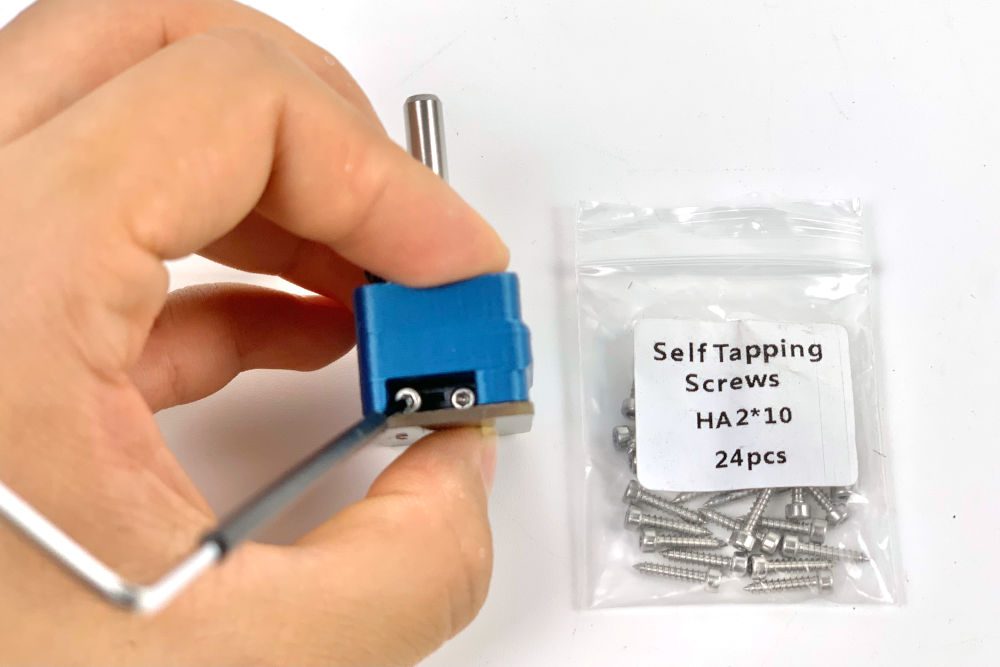 Step 09.28Fit the Z endstop PCBwith a helper
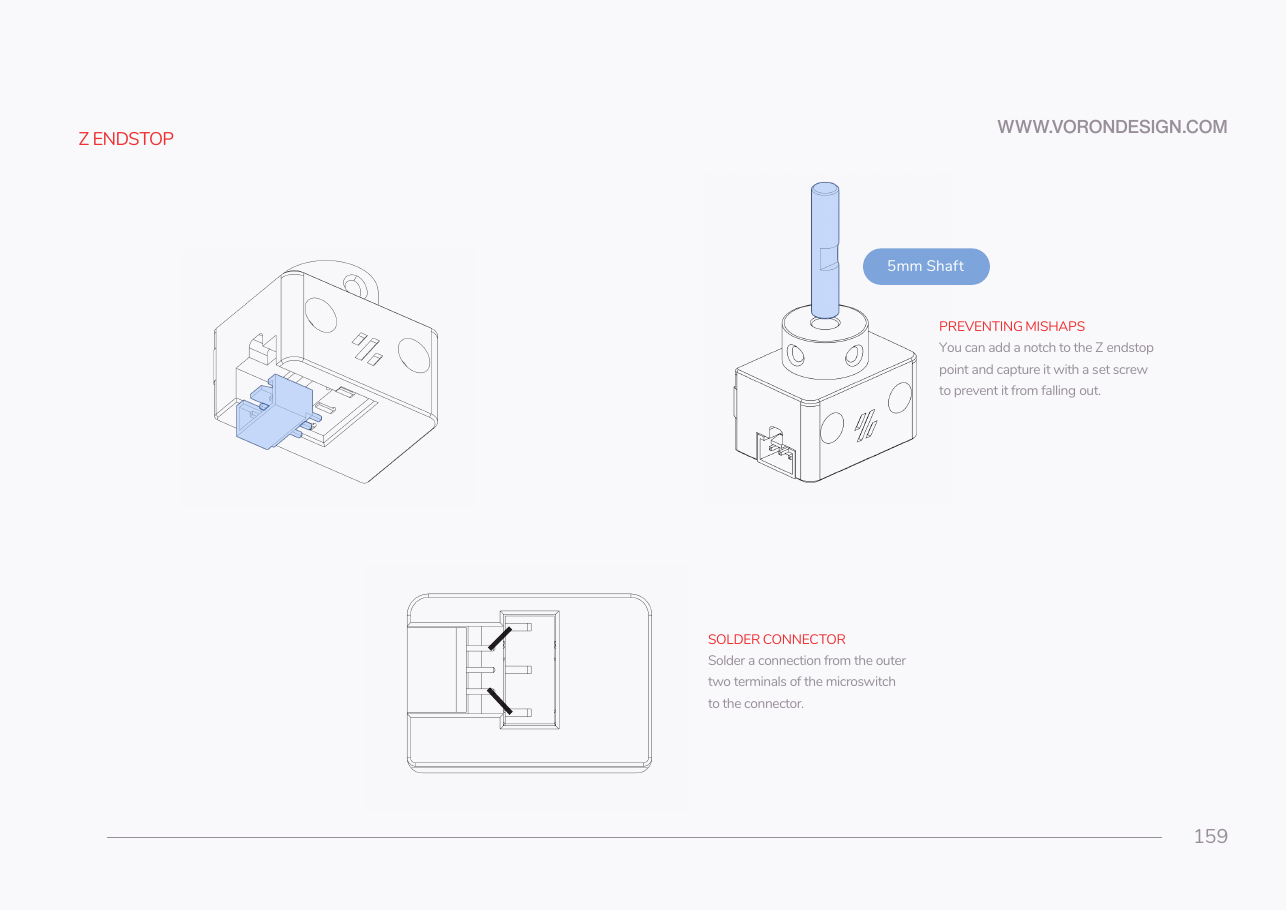 Step 09.29Fit the 5 mm shaft and its retaining set screwwith a helper
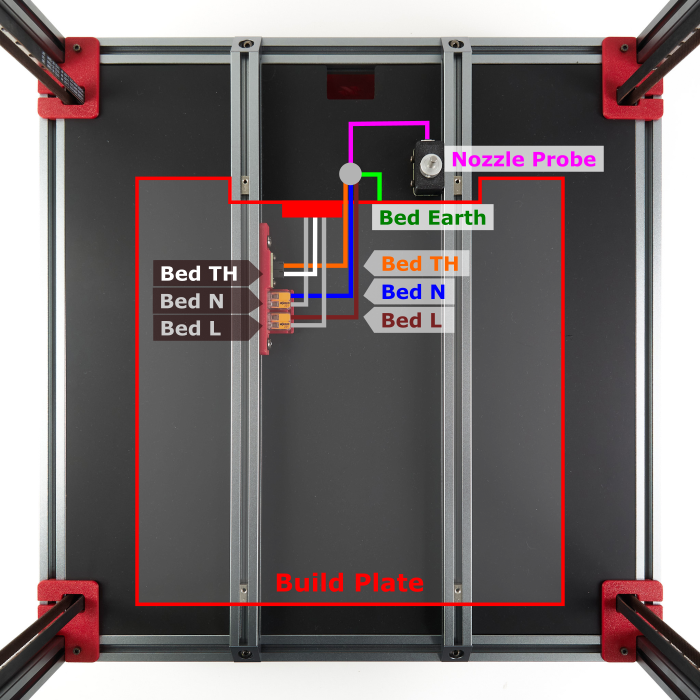 Step 09.30Mount the nozzle probe on the bed extrusionwith a helper
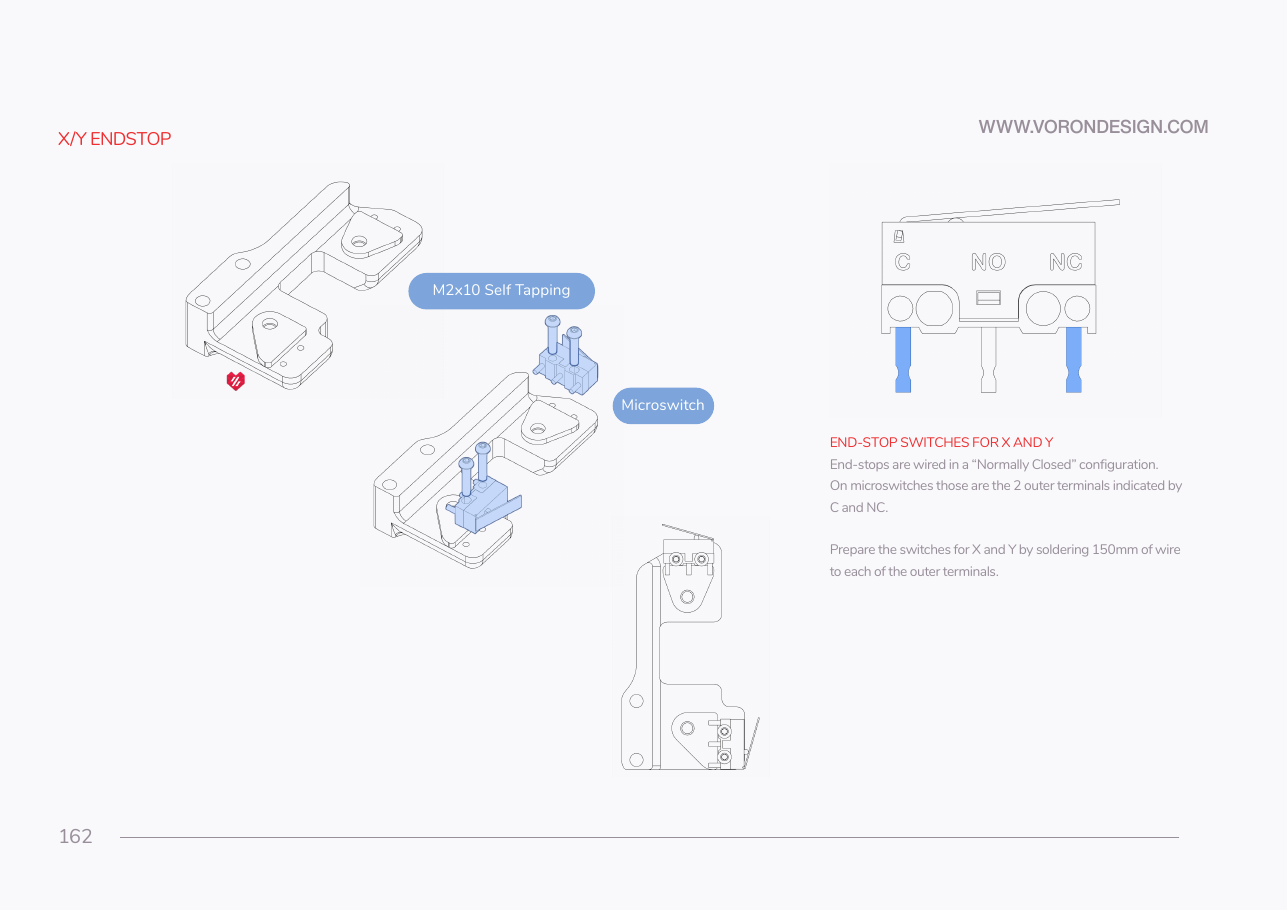 Step 09.31Do not build the soldered X/Y microswitches
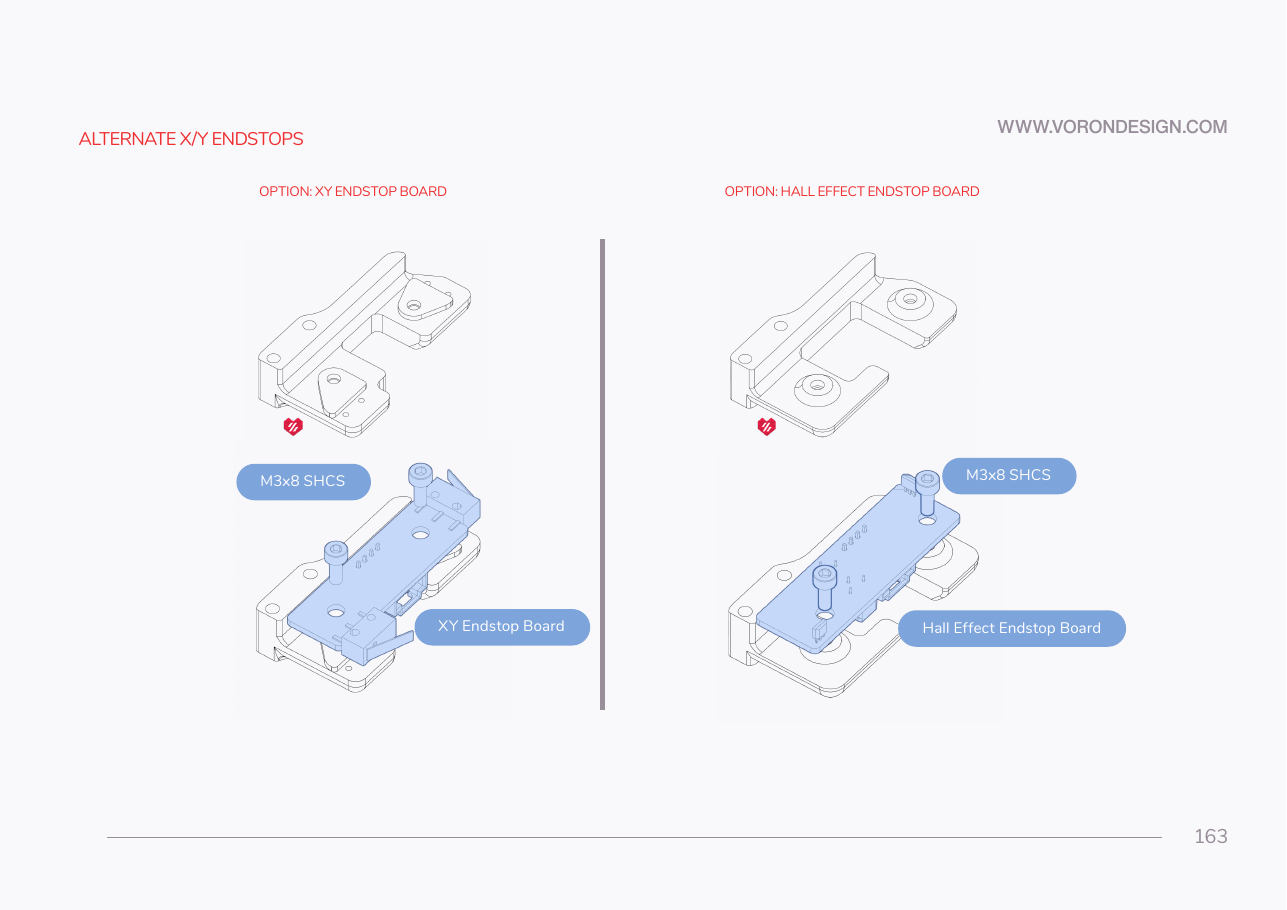 Step 09.32Fit the XY endstop PCB to the podwith a helper
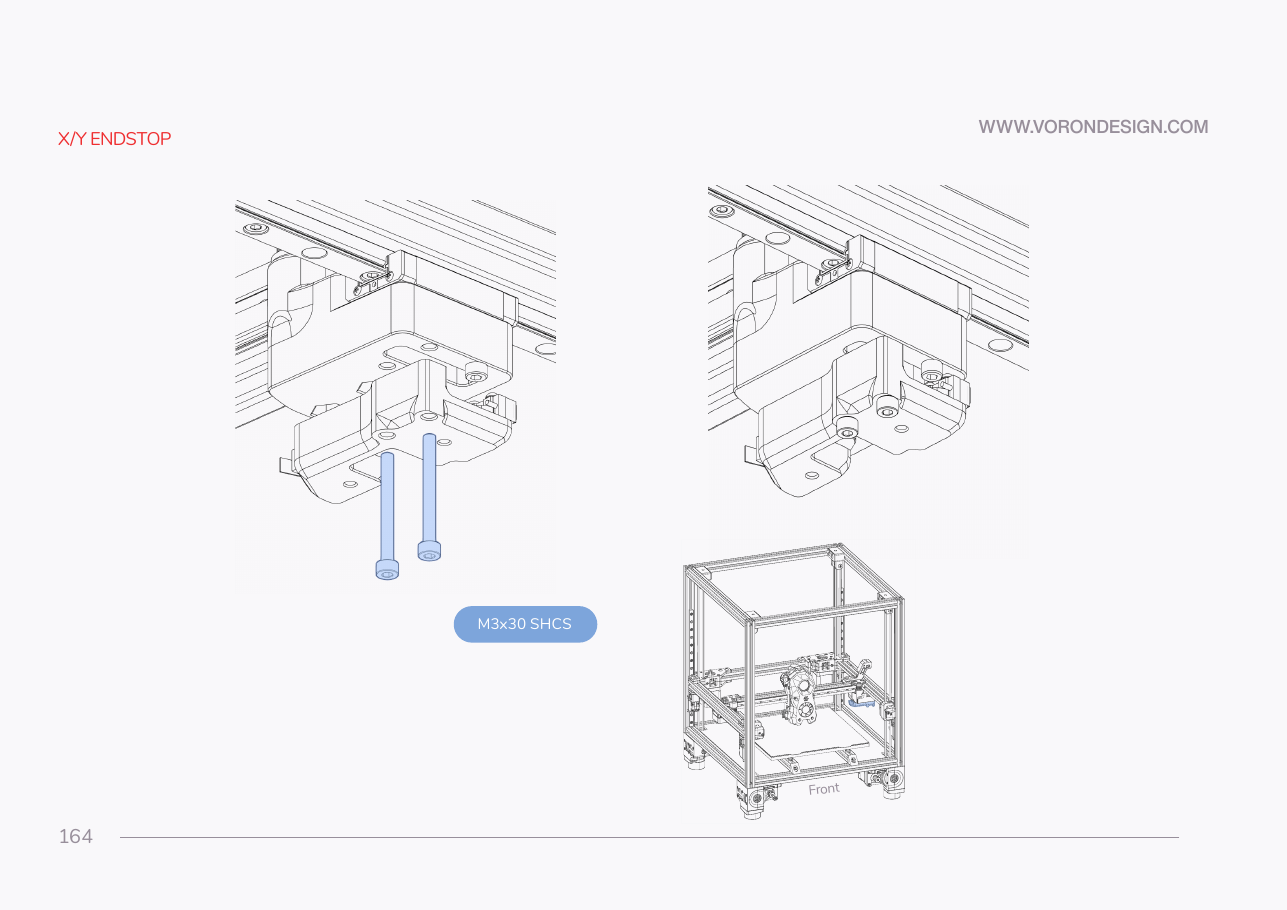 Step 09.33Mount the endstop pod to the gantrywith a helper
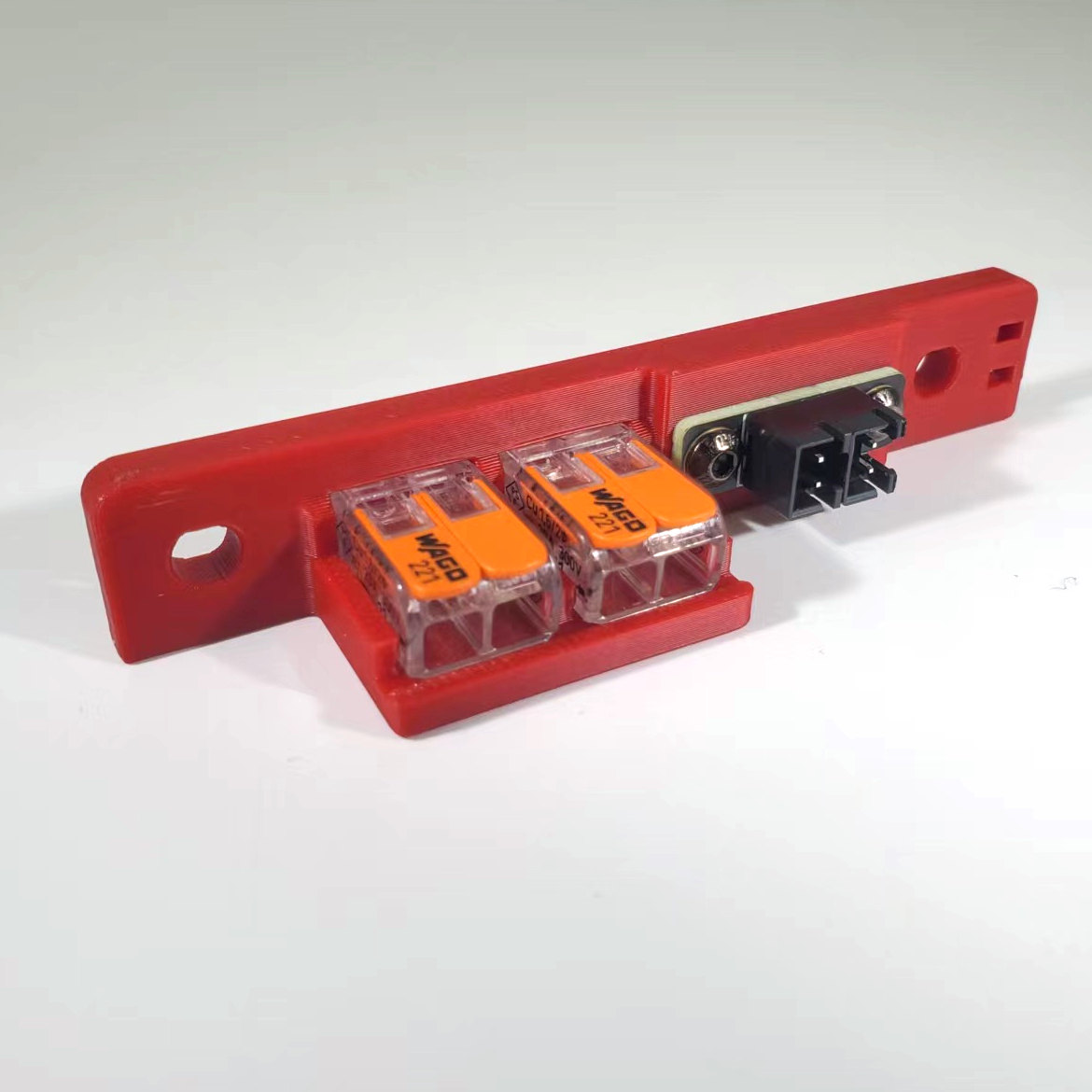 Step 09.34Build and mount the bed WAGO breakout
Step 09.35Stage the mains-safety hardware, then stop
Gather per session — what to lay out before each bench segment.
- Steps 09.1–09.5 · ~30 min — Electronics 2 box: DIN rail plastic end cap ×4 · Fasteners, Tools & Misc box: M3 T-nut ×2; M5×10 BHCS ×4 · Other box: DIN rail ×2 · Already on the bench: the deck panel; the four deck T-nuts
- Steps 09.6–09.7 · ~25 min — Printed parts: one spare printed
pcb_din_clip×1 (bin 09-bay);CMD_V3_1H_154mm_DUCT×2 (bin 09-ducts-DC);CMD_V3_1H_90DEG×2 (bin 09-ducts-DC);V2L_90DEG_MIRROR×1 (bin 09-ducts-DC);V2L_58mm_DUCT×3 (bin 09-ducts-DC);V2L_130mm_DUCT×1 (bin 09-ducts-DC);V2L_70mm_DUCT×1 (bin 09-ducts-DC);CMD_Remix-V3_DUCT-2B_45deg×2 (bin 09-ducts-DC);V3L_10mm_DUCT×1 (bin 09-ducts-DC, 09-ducts-AC);V3L_T_REG_N×2 (bin 09-ducts-DC);V3L_154N_DUCT×2 (bin 09-ducts-DC) · Tools and consumables: masking tape - Steps 09.8–09.13 · ~30 min — Electronics 1 box: AC inlet with integrated switch & fuse ×1; WAGO 221-415 (5-way) ×3 · Fasteners, Tools & Misc box: M3×5×4 heat-set insert ×3; M3×8 SHCS ×2; M5×10 BHCS ×2; M5 T-nut ×2 · Printed parts:
power_inlet_IECGS_1mm×1 (bin 09-bay);wago_221-415_mount_3by5×1 (bin 09-bay) · Already on the bench: the two pre-loaded rear M3 T-nuts - Steps 09.14–09.18 · ~30 min — Electronics 1 box: Omron G3NB-210B-1 SSR ×1; metal DIN rail mount bracket ×1 · Fasteners, Tools & Misc box: M4×6 BHCS (verify on bench) ×6 · Other box: Meanwell LRS-200-24 PSU ×1 · Printed parts:
lrs_200_psu_bracket_x2×2 (bin 09-bay) · Already on the bench: the PSU on its brackets; the SSR on its bracket - Steps 09.19–09.24 · ~30 min — Electronics 1 box: Raspberry Pi 4B ×1; Raspberry Pi heatsink ×1 · Electronics 2 box: Leviathan Bracket Left ×1; Leviathan Bracket Right ×1; DIN Clip ×2 · Fasteners, Tools & Misc box: M2×10 self-tapping ×4; M3×8 SHCS (verify on bench) ×4 · Other box: LDO Leviathan mainboard ×1 · The Leviathan box: Pi standoff (verify on bench) ×4; Raspberry Pi 3/4 HAT power adapter (verify on bench) ×1 · Tools and consumables: a small pot or bag for the jumpers; 32 GB SD card ×1 · Already on the bench: the two bracket assemblies; the Leviathan and Pi assembly
- Steps 09.25–09.30 · ~30 min — Motion box: nozzle probe shaft, 5 mm ×1 · Electronics 2 box: DIN Clip ×1; LDO Nozzle Probe, collar pre-pressed
(verify on bench)×1; Z endstop PCB (D2F switch board) ×1 · Fasteners, Tools & Misc box: M2×10 self-tapping (verify on bench) ×4; M3×2 set screw ×1; M3×25 SHCS ×2; M3 T-nut ×2 · The Nitehawk-SB V2 box: Nitehawk grounding cable, long (verify on bench) ×1 · Already on the bench: the bagged USB adapter stack, three M3×10 SHCS and the partial cover; the USB adapter assembly; the nozzle probe assembly - Steps 09.31–09.34 · ~25 min — Electronics 1 box: WAGO 221-412 (2-way) ×2 · Electronics 2 box: XY endstop PCB ×1; Bed WAGO Mount (LDO-supplied printed) ×1; 2×2 XH splicer PCB ×1 · Fasteners, Tools & Misc box: M3×8 SHCS ×2; M3×30 SHCS ×2; M3×5×4 heat-set inserts ×2; M3×6 BHCS ×2; M5×10 BHCS ×2; M5 T-nut (verify on bench) ×2 · Printed parts:
[a]_endstop_pod_D2F_switch×1 (bin 05-XY) · Already on the bench: the pod assembly - Steps 09.35–09.36 — Printed parts:
V3L_WIRE_BOX_PORT×1 (bin 09-ducts-AC);V3L_90DEG_R15×2 (bin 09-ducts-AC);V3L_34mm_DUCT_HOLE×1 (bin 09-ducts-AC);CMD_V3_1H_T_SHORT×1 (bin 09-ducts-AC);CMD_Remix-V3_DUCT-1M_ENDCAP×2 (bin 09-ducts-AC);V3L_10mm_DUCT×2 (bin 09-ducts-DC, 09-ducts-AC) · Tools and consumables: VE0508 ferrule ×5; ferrule crimp tool; cable tags; VHB tape; IPA and a lint-free cloth · Set out for later steps: C13 power cord ×1; FRAME PE cable ×1 · Already on the bench: the dry-laid DC loop