Chapter 14 — Calibration and tuning
Start the chapter · Resume · Read the whole chapter on one page
Step 14.1Pre-flight the config before you tune anythingwith a helper
Step 14.2Confirm the heaters are already PID-tuned
Step 14.3Verify thermal stability, then re-QGL
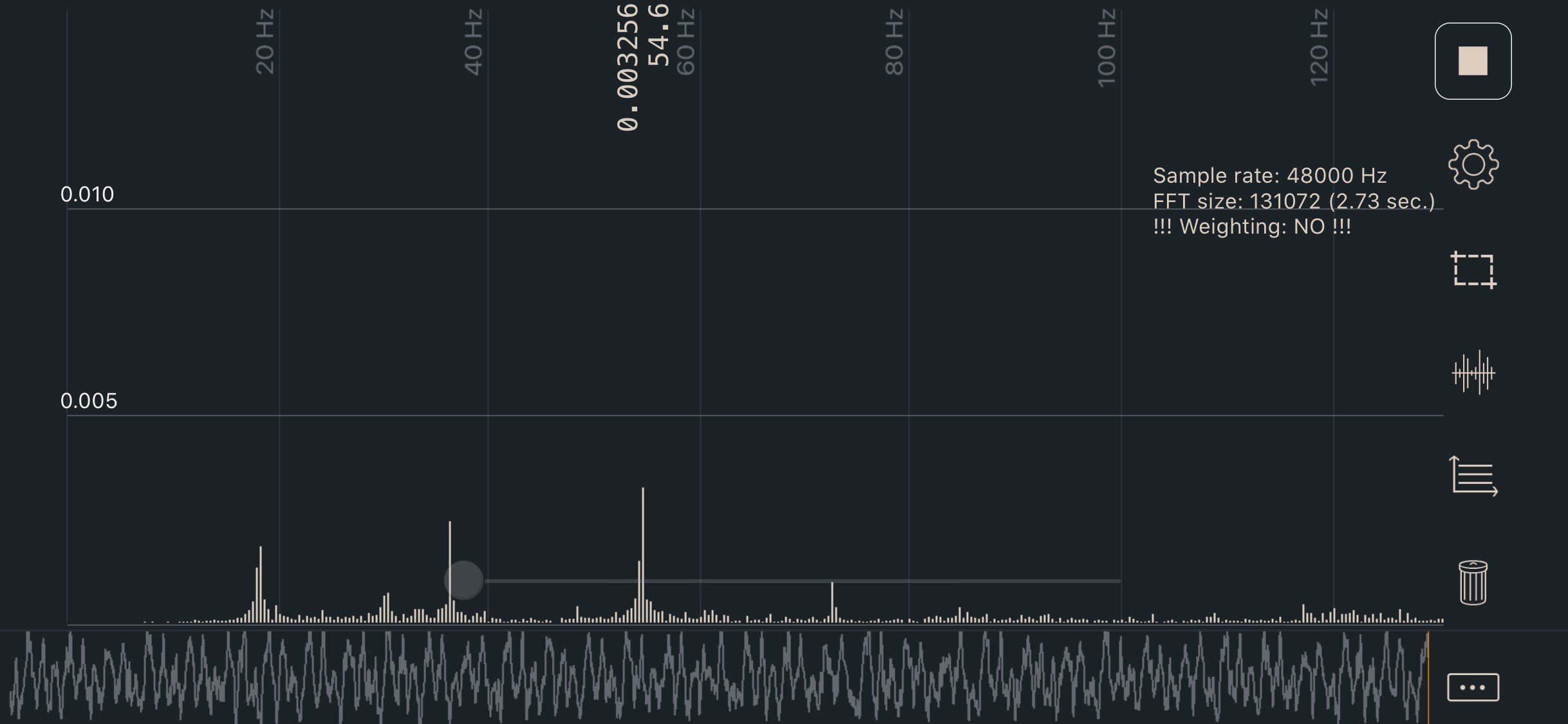 Step 14.4Set A/B belt tension to 110 Hz over a 150 mm spanwith a helper
Step 14.5Set the four Z belts to 140 Hz over 150 mmwith a helper
Step 14.6Closed-chamber soak, settle QGL, lock the Z joints hot, re-verify
Step 14.7Rotation-distance check (100 mm extrusion)
Step 14.8Set the chamber target and understand the soak
Step 14.9Close Ch 12's PRINT_START TODO with the purge line
Step 14.10Fetch the cube you already printed in Ch 13with a helper
Step 14.11Caliper the cube against the Prusa-printed onewith a helper
Step 14.12Bring up the on-board accelerometerwith a helper
Step 14.13Run SHAPER_CALIBRATE
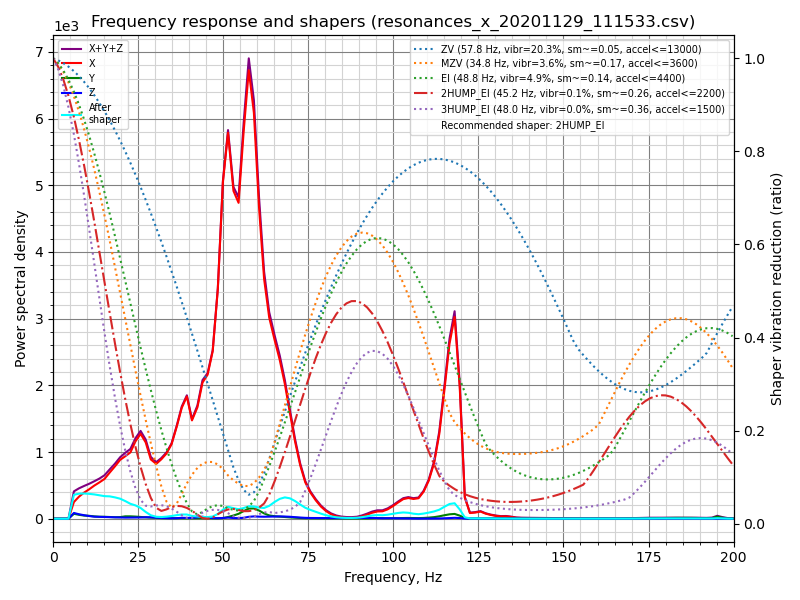 Step 14.14Read the graphswith a helper
Step 14.15Save the shaper and set the real max_accel
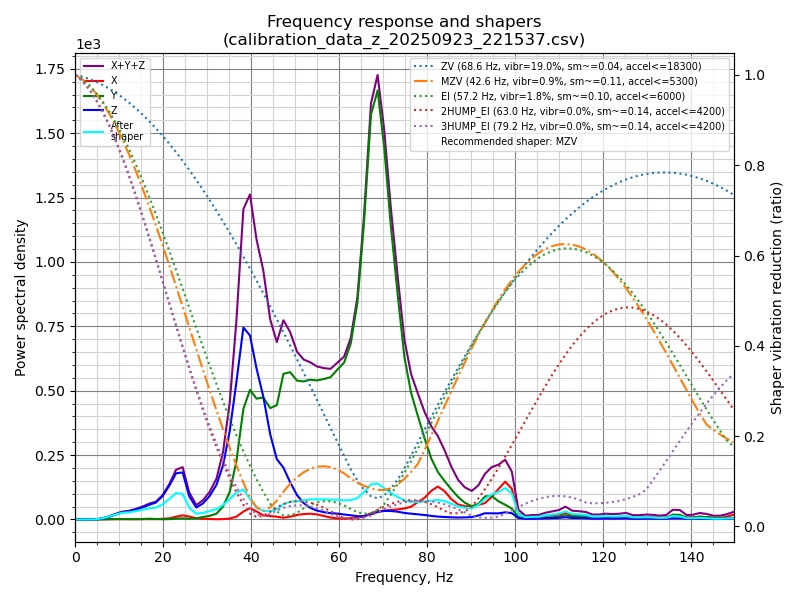 Step 14.16Z-axis shaping and Z limits (optional)
Step 14.17Generate and print the Ellis PA pattern
Step 14.18Read the pattern and save the valuewith a helper
Step 14.19Extrusion multiplier / flow: the 2 % pass
Step 14.20The 0.5 % refinement pass
Step 14.21Re-check first-layer squish, because the multiplier moved
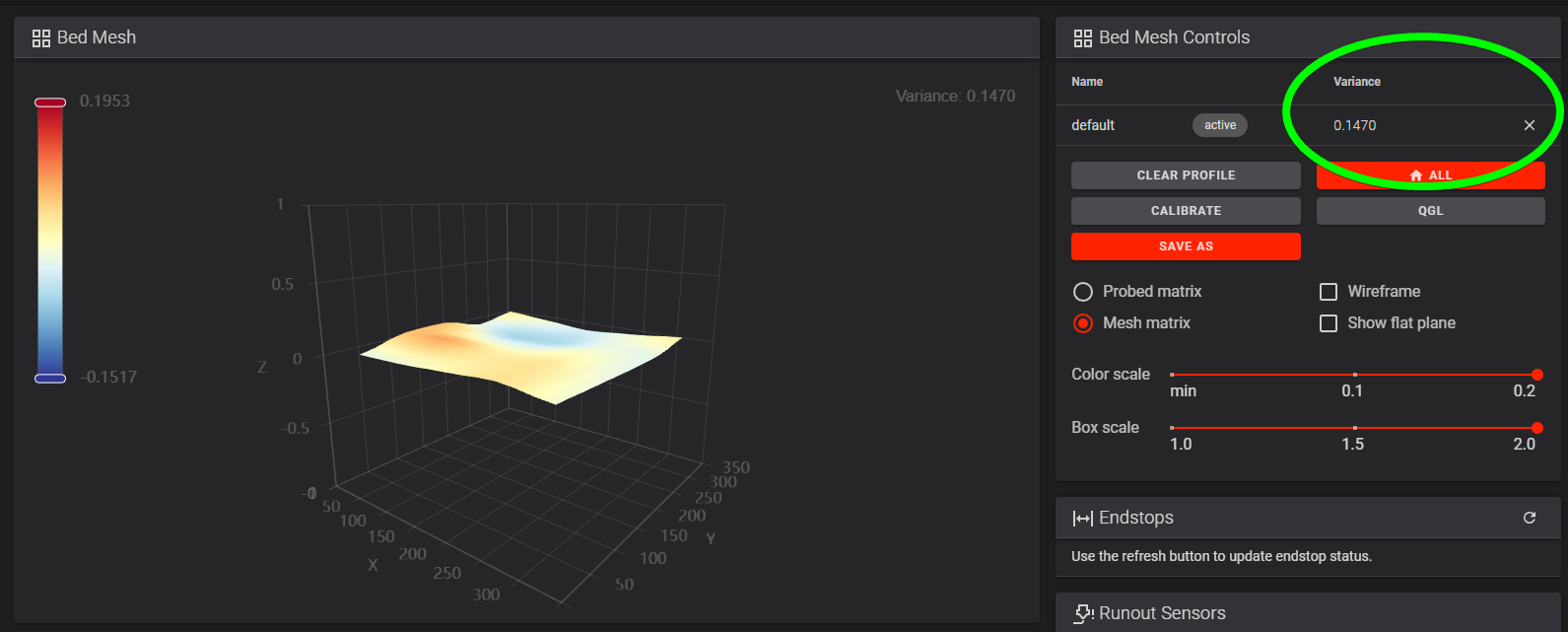 Step 14.22Bed mesh variance, and a backup
Step 14.23Hand off to Ellis for everything after this
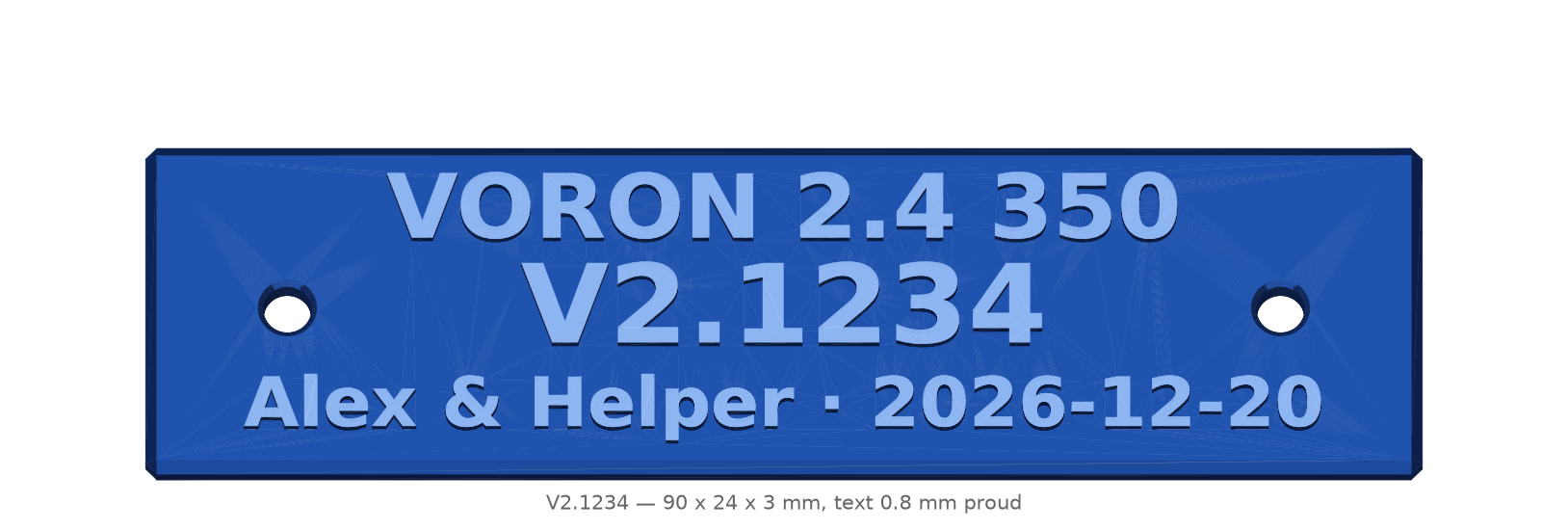 Step 14.24Claim the serial number and print the nameplatewith a helper
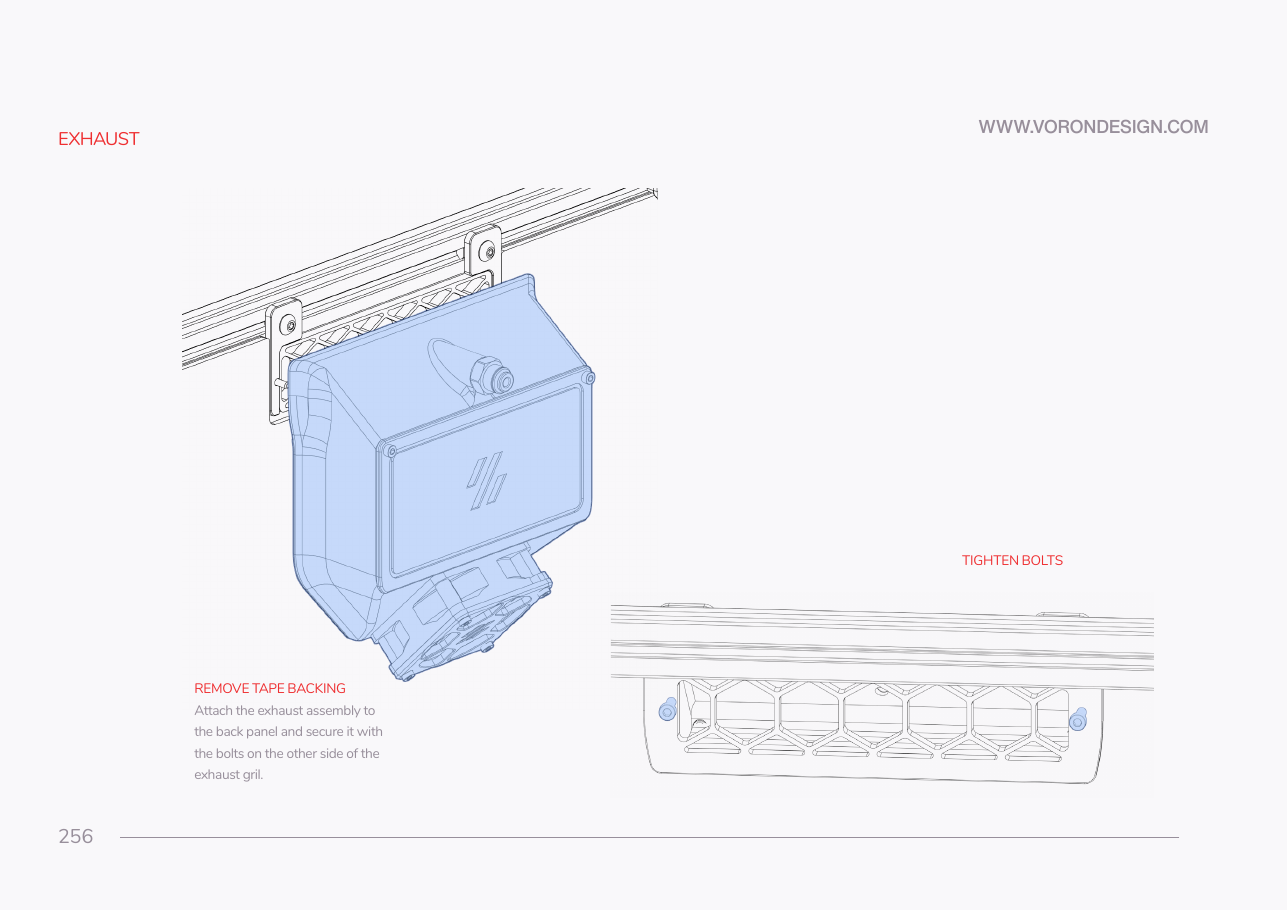 Step 14.25Inspect the back of the machine before anything is boughtwith a helper
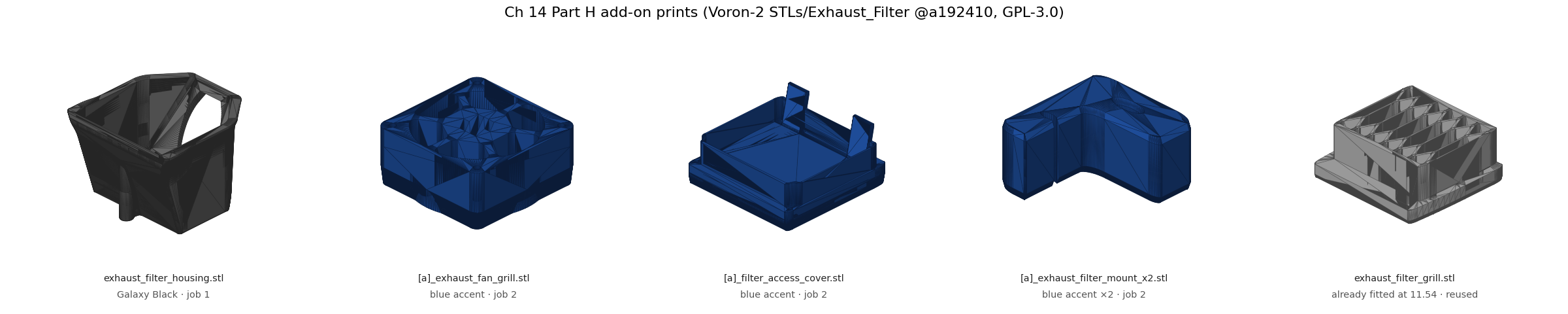 Step 14.26Print the exhaust parts on the Core One+with a helper
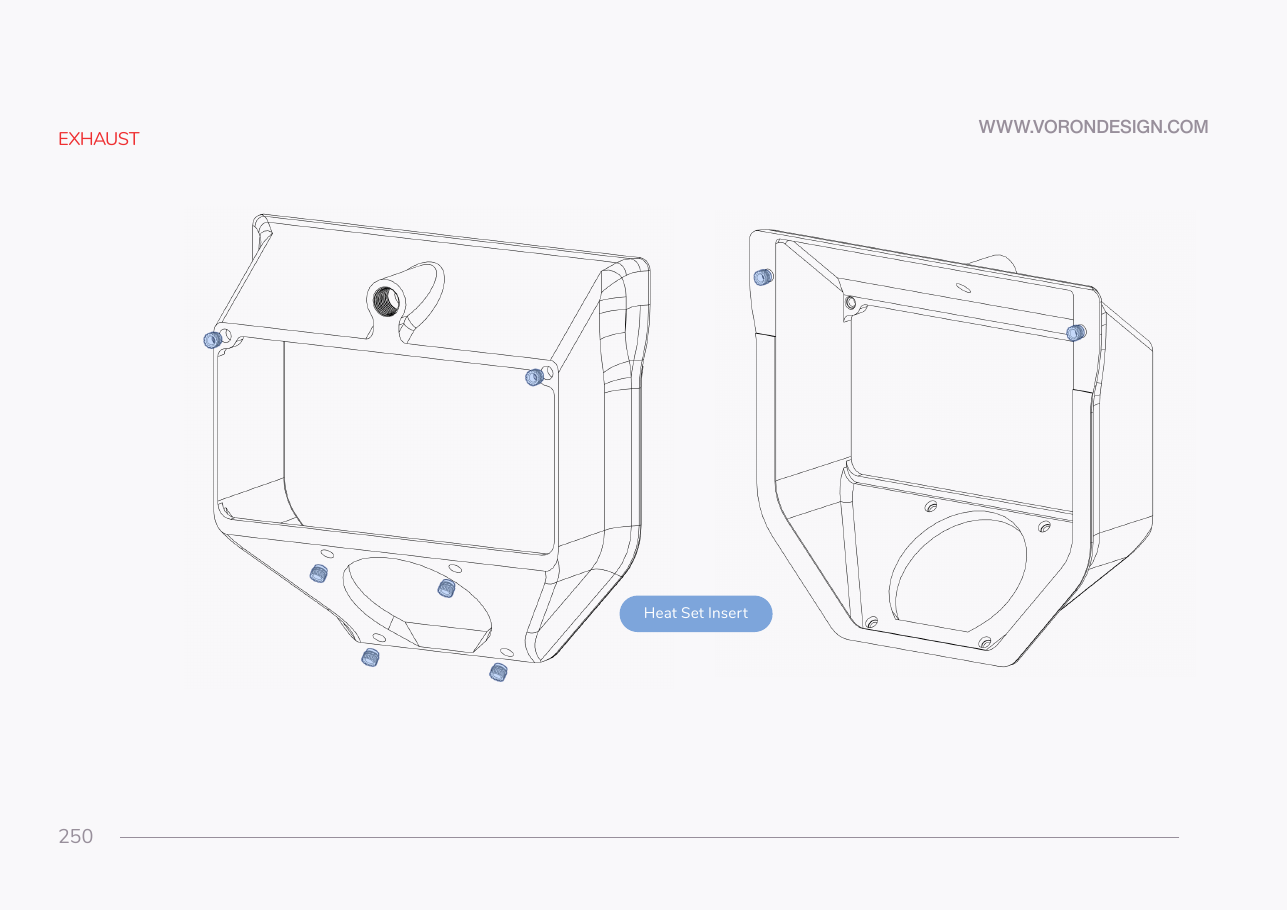 Step 14.27Set the eight heat-set inserts in the housing
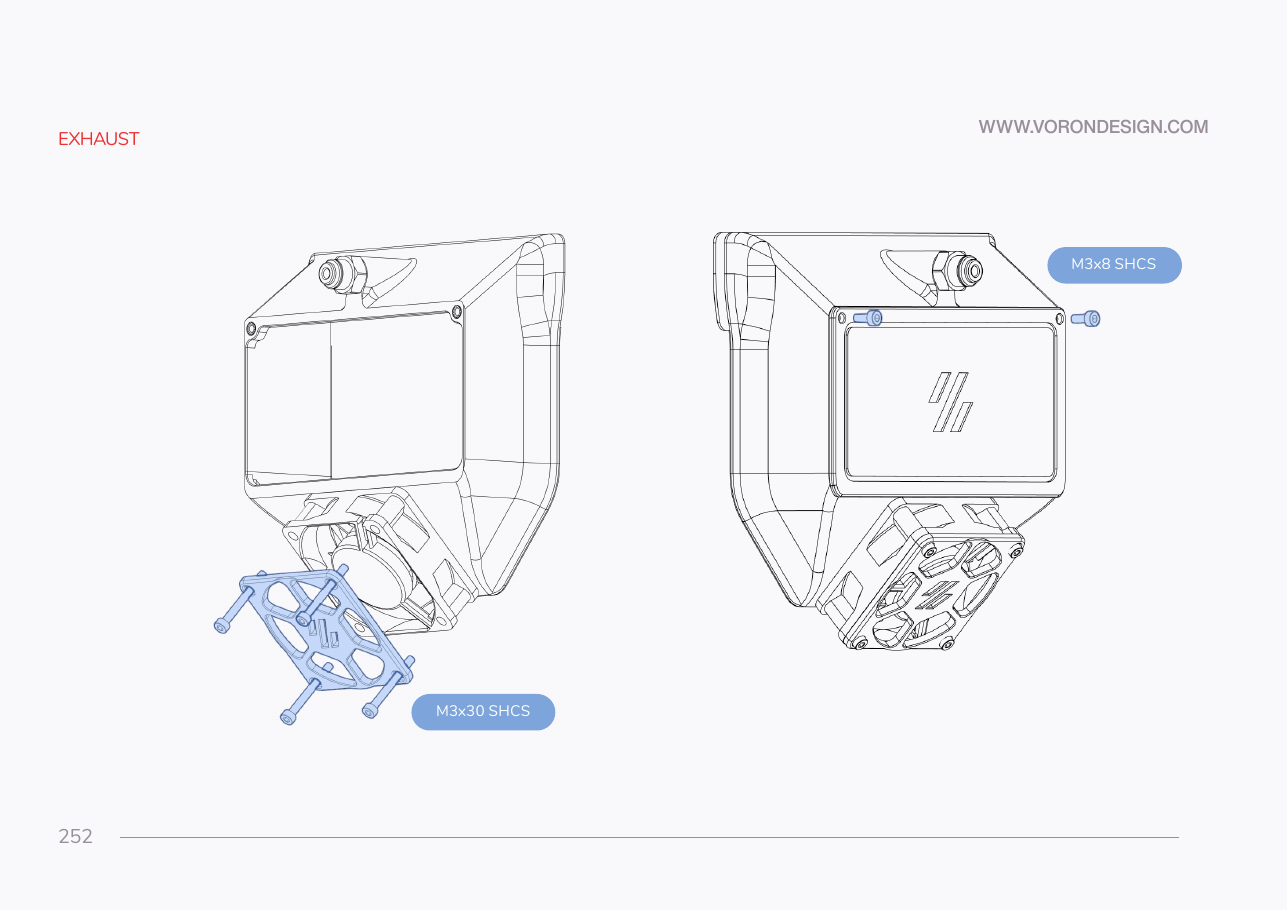 Step 14.28Build the fan and the filter into the housing
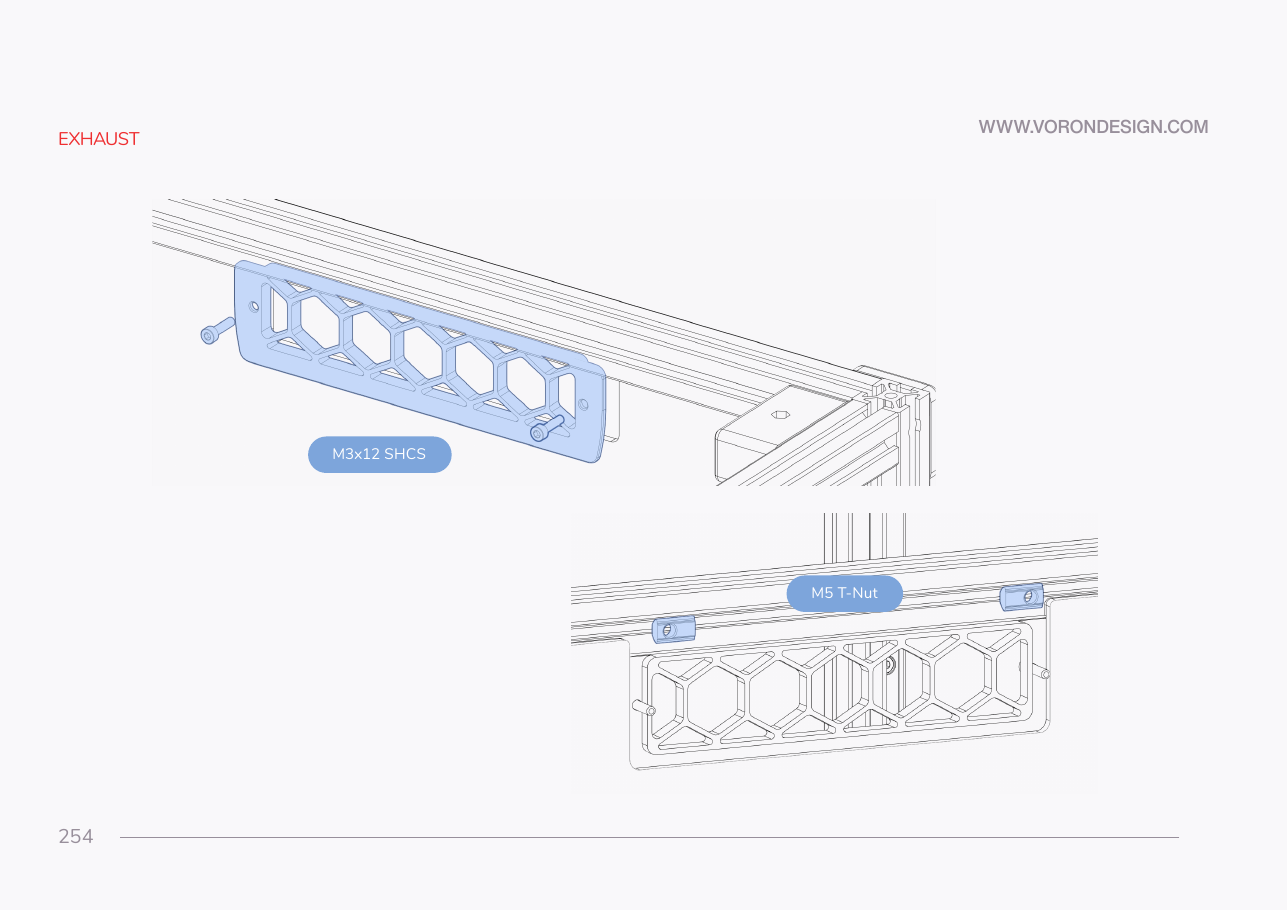 Step 14.29Swap the exhaust cover for the housingwith a helper
Step 14.30Shut down, unplug and prove it dead
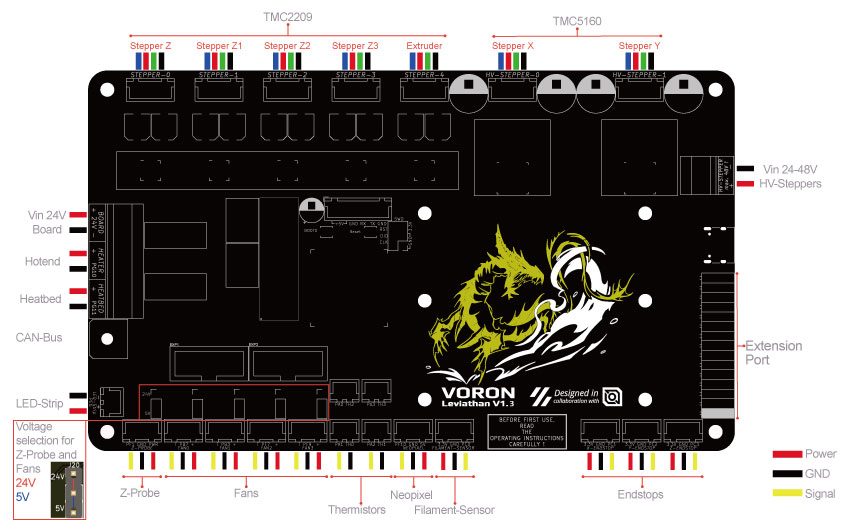 Step 14.31Plug the lead into FAN0 and jumper it for 24 V
Step 14.32Close the bay and power on, hand on the switch
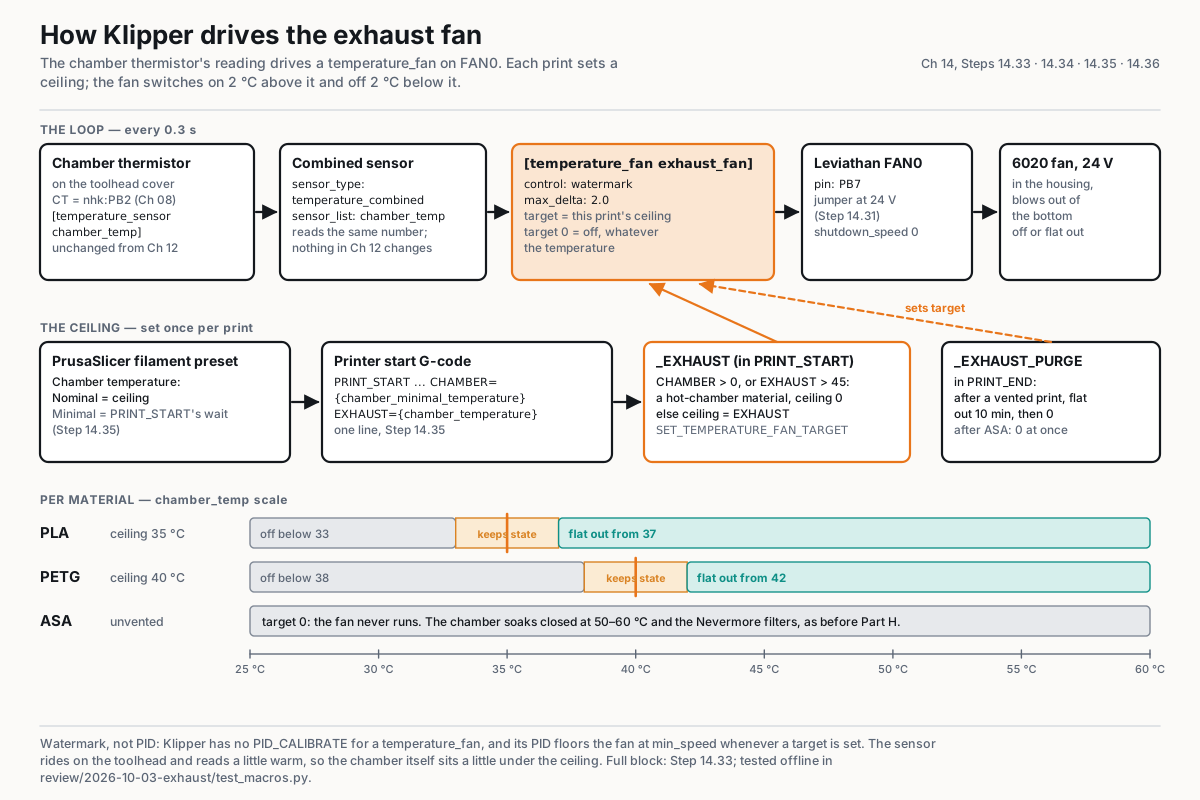 Step 14.33Add the exhaust fan to printer.cfgwith a helper
Step 14.34Test the fan by target, then on a hot chamber
Step 14.35Give PrusaSlicer the exhaust ceilingwith a helper
Step 14.36Print PLA under a 35 °C ceiling, log it, shut down
Gather per session — what to lay out before each bench segment.
- Steps 14.1–14.3 · ~25 min — nothing to lay out
- Step 14.4 · ~20 min — Tools and consumables: 2.5 mm hex key; steel rule; phone with a spectrum analyser app · Already on the bench: the two M3×40 A/B front-idler tensioner screws
- Steps 14.5–14.6 · ~15 min — Tools and consumables: 2.5 mm hex key; steel rule; phone with a spectrum analyser app; 4 mm ball-end hex key; 150 mm machinist square · Already on the bench: the four M3×16 Z idler tensioner bolts; the four M5×40 Z joint SHCS
- Step 14.7 · ~20 min — Tools and consumables: masking tape; steel rule; digital caliper; Prusament ASA, loaded
- Steps 14.8–14.9 · ~15 min — nothing to lay out
- Steps 14.10–14.11 · ~15 min — Tools and consumables: digital caliper · Already on the bench: the Voron-printed cube; the Prusa-printed B00 reference cube; both cubes
- Step 14.12 · ~15 min — nothing to lay out
- Steps 14.13–14.15 · ~25 min — nothing to lay out
- Step 14.16 · ~10 min — nothing to lay out
- Steps 14.17–14.18 · ~20 min — Tools and consumables: Prusament ASA, about 15 g; good light; loupe, optional
- Steps 14.19–14.20 · ~25 min — Tools and consumables: Prusament ASA, about 25 g ×2
- Step 14.21 · ~10 min — nothing to lay out
- Steps 14.22–14.23 · ~15 min — nothing to lay out
- Step 14.24 · ~20 min — Fasteners, Tools & Misc box: M3×8 SHCS ×2; M3 roll-in T-nut ×2 · Tools and consumables: accent Prusament ASA, blue; a sheet of paper; a pen; phone or camera
- Steps 14.25–14.26 · ~35 min — Tools and consumables: steel rule; a length of string; Galaxy Black ASA, about 70 g; blue accent ASA, about 35 g; the Core One+ with the smooth sheet
- Steps 14.27–14.28 · ~40 min — Fasteners, Tools & Misc box: M3×5×4 heat-set insert ×8; M3×30 SHCS ×4; M3×8 SHCS ×2 · Bin 14-exhaust: exhaust housing ×1; fan grill ×1; access cover ×1 · Bin 14-exhaust, bought at Ch 00: 24 V exhaust fan ×1; carbon filter mat layer ×2 · Tools and consumables: soldering iron with the LDO insert tip; scissors; 2.5 mm hex key
- Step 14.29 · ~30 min — Bin 14-exhaust: filter mount ×2 · Tools and consumables: VHB tape; 2.5 mm hex key; 3 mm hex key · Already on the bench: the exhaust grill and its two M3×12 SHCS; the cover tabs' two M5 T-nuts and M5×10 BHCS; the PTFE coupler and the reverse-bowden PTFE
- Steps 14.30–14.32 · ~45 min — Bin 14-exhaust, bought at Ch 00: JST-XH 2-pin extension lead, 1 m ×1 · The Ch 09 jumper bag: voltage-selection jumper ×1 · Tools and consumables: multimeter; zip ties; VHB tape
- Steps 14.33–14.34 · ~35 min — nothing to lay out
- Steps 14.35–14.36 · ~30 min — Tools and consumables: the laptop with PrusaSlicer 2.9.6; PLA, about 50 g