Step 14.16 — Z-axis shaping and Z limits (optional)¶
Step 16 of 36 · Chapter 14 — Calibration and tuning
Parts: none.
Do: Worth doing if you see Z-direction artefacts. It needs two temporary changes, because the stock Z limits are far below what the test needs:
[resonance_tester]
accel_chip_z: adxl345

[printer]
max_z_velocity: 20        # temporarily, up from 15
max_z_accel: 1550         # temporarily, up from 350
 Check
Check
The two Z limits read 15 and 350 again after you are done.
What you're looking at
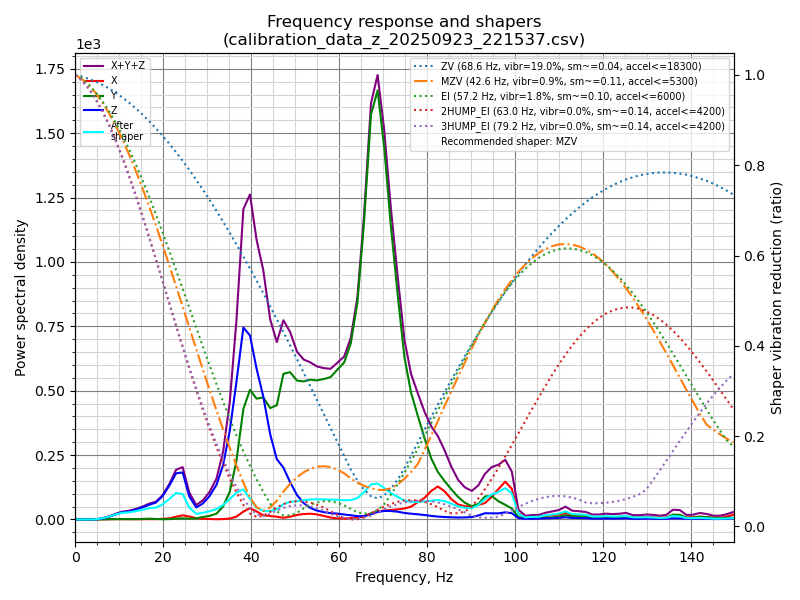
On a 2.4 the gantry itself moves in Z, so the toolhead's accelerometer can measure Z too; the chart is Klipper's example of the result. The Z speed and acceleration limits are raised for the test only; they exist because Z is belt-driven.
RESTART, run SHAPER_CALIBRATE AXIS=Z, SAVE_CONFIG if you like the result (it writes shaper_type_z / shaper_freq_z), then put max_z_velocity and max_z_accel back to 15 and 350.
 Tip
Tip
those are belt-and-driver limits for a four-motor belted Z, not resonance limits; leaving them at 20/1550 is a way to skip Z steps. Skipping this step breaks nothing downstream.
 Good stopping point · ~10 min since the last one
optional Z shaping either done or skipped, and max_z_velocity / max_z_accel are back at 15 and 350. Confirm those two numbers before you walk away; leaving them raised is how you skip Z steps on the next print.
Source: Klipper docs § Measuring the resonances of Z axis · Klipper docs/img/calibrate-z.png · leviathan-printer-rev-d-sbv2.cfg