Step 02.11 — Turn the printer upside down and pre-load the deck T-nuts
Step 11 of 44 with a helper · Chapter 02 — Z drives, Z idlers, Z rails, deck panel
Tap to enlarge
 Gather for this segment — steps 02.11–02.16 (~30 min)
Fasteners, Tools & Misc box
- M5 roll-in T-nut ×4
Panel Kit box (carton 2)
- deck panel ×1
Printed parts
deck_support_3mm_x8×8 · bin 02-deck
Tools and consumables
- caliper
Set out for later steps
deck_support_4mm_x8×8, only if the panel measures 4 mm
Already on the bench
- the four deck T-nuts
Parts:
- M5 roll-in T-nut ×4 · Fasteners, Tools & Misc box
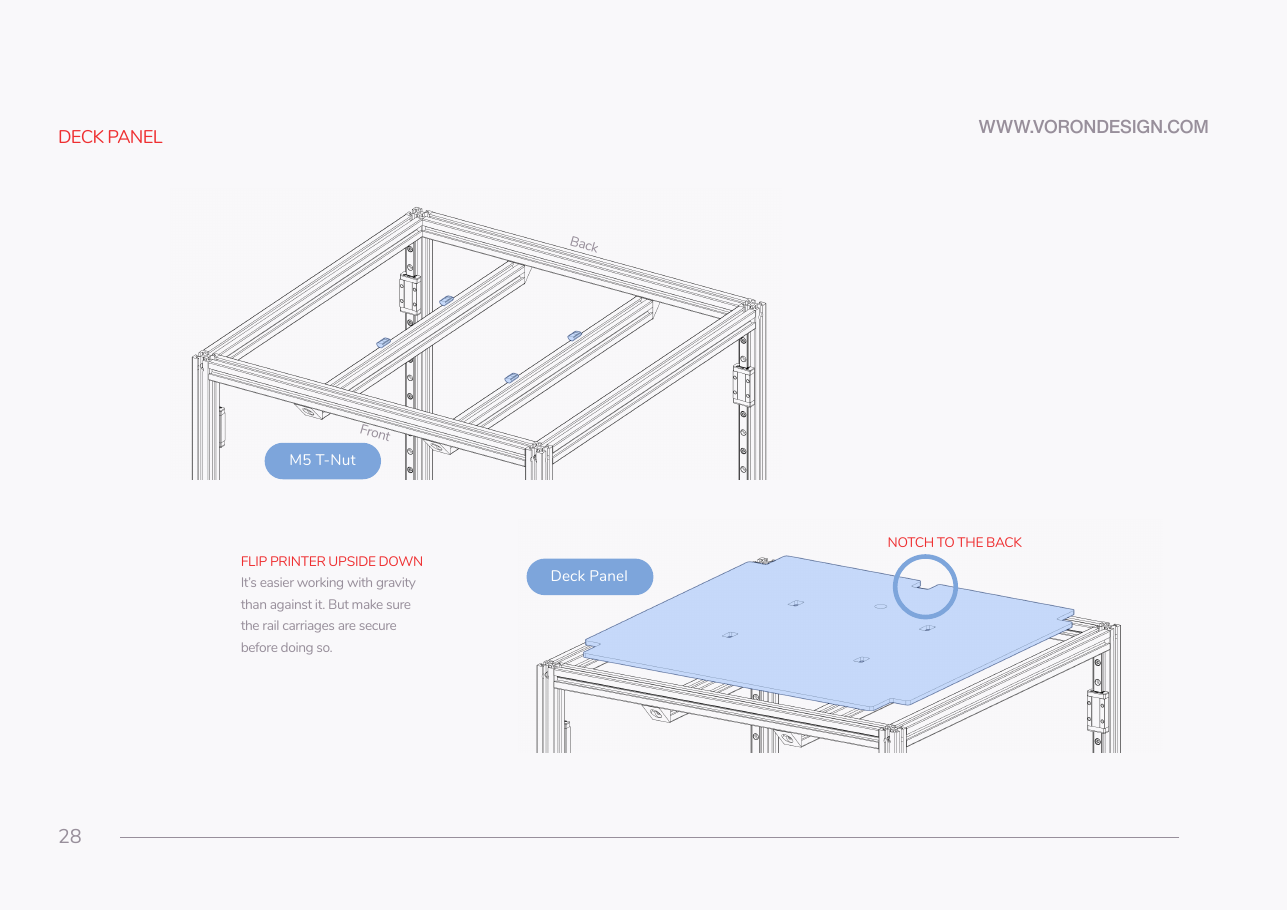
Do: Confirm every carriage is taped, then turn the frame upside down onto the flat reference surface. Slide four M5 T-nuts into the upward-facing slots of the two bed extrusions, two per extrusion, where the deck panel's holes will land.
 Check
Check
Frame sits flat and does not rock in this orientation; four T-nuts in, free to slide, none dropped inside an extrusion.
 Helper Takes the other side of the frame as it turns over, then counts the four T-nuts in.
What you're looking at
Manual p.28: the frame inverted, with four M5 roll-in T-nuts dropped into the top slots of the two bed extrusions. The printer spends the next fifteen manual pages upside down because every Z drive bolts to the underside of the bottom frame rails.
 Tip
Tip
Load the 16 drive-corner M5 T-nuts now too, four per bottom corner, two in each extrusion that meets there. Test-fit each slot: LDO's T-nut tolerance note applies. src
Source: Voron manual p.28