Step 02.12 — Caliper the deck panel and choose the support thickness
Step 12 of 44 with a helper · Chapter 02 — Z drives, Z idlers, Z rails, deck panel
Tap to enlarge
Parts:
- deck panel ×1 · set out now, fitted later
-
deck_support_3mm_x8×8 · set out now, fitted later deck_support_4mm_x8×8, only if the panel measures 4 mm · set out now, fitted later- caliper · tool
Do: Measure the actual thickness of your deck panel with the caliper, in three places. Do not resolve this from documents. Pick the clip set that matches what you measured; the clips go in at Step 02.14, after the panel.
 Check
Check
Three readings agree within 0.1 mm, the number is in your build log, and eight clips of the matching thickness are on the bench.
 Helper Reads the caliper display aloud three times so you can pick the clip.
What you're looking at
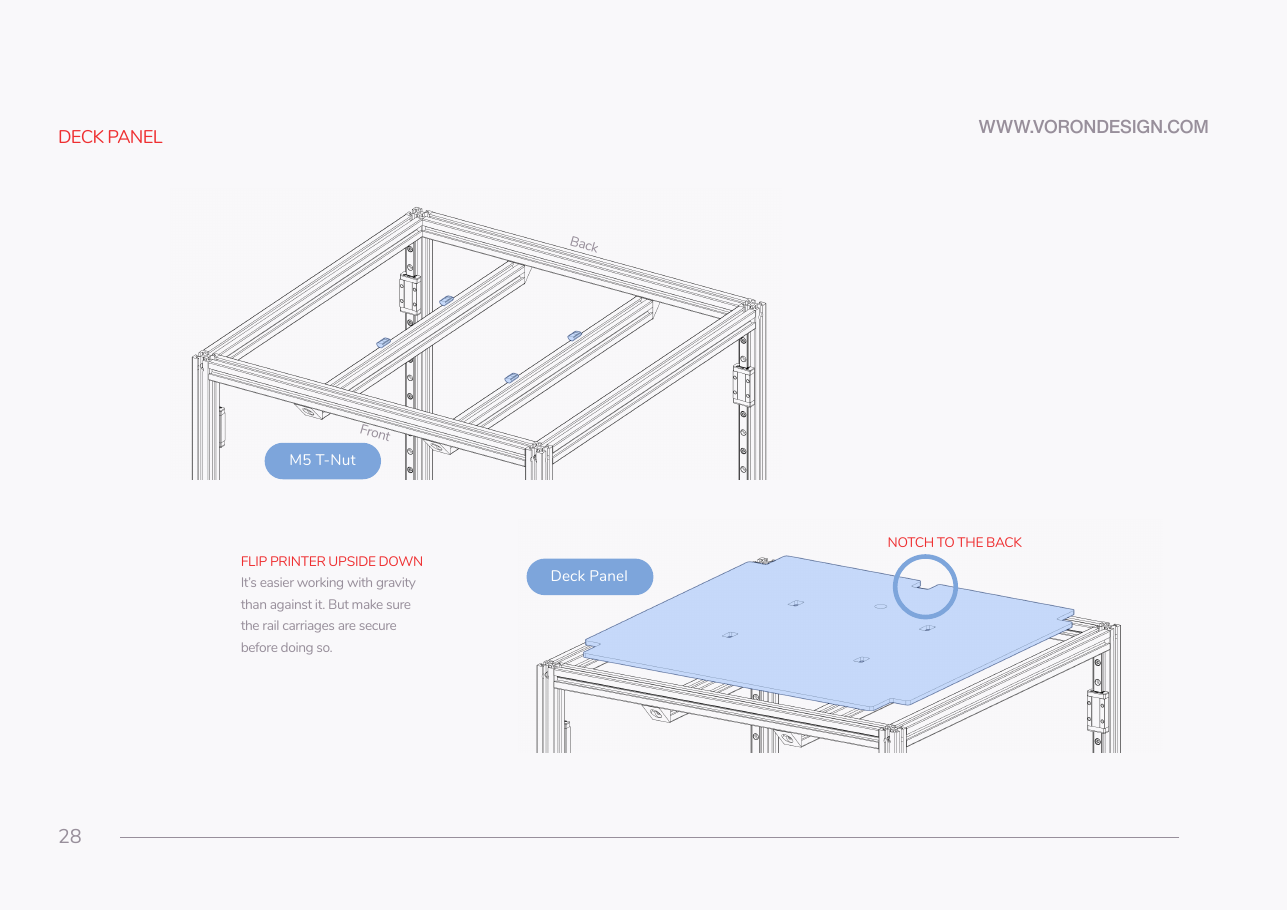
Manual p.28: the deck panel, the acrylic floor separating the electronics bay below from the print chamber above. See the glossary. The render is one printed support clip; its slot must match the panel's thickness.
Caution
Rev D+ / LDO: LDO's build note for p.29–30 says the LDO deck panel is 4 mm nominal — use deck_support_4mm, but the Rev D 350 BOM lists it as 469×469×3 mm. The size-specific 350 BOM wins, so B01 prints the 3 mm set. Measure, fit whichever matches, reprint the other if you have to. src · BOM
Source: Voron manual p.28 · LDO Build Notes (Rev D) · LDO 350 Rev D BOM · Video: Part 2 @0:56:54