Ch 0236 / 44
Step 02.36 — Fit the rubber foot
Step 36 of 44 with a helper · Chapter 02 — Z drives, Z idlers, Z rails, deck panel
Tap to enlarge
Parts:
- Rubber foot 38×19 mm ×1 · Belts, Chains & Fans box
- M5×16 BHCS ×1 · Fasteners, Tools & Misc box
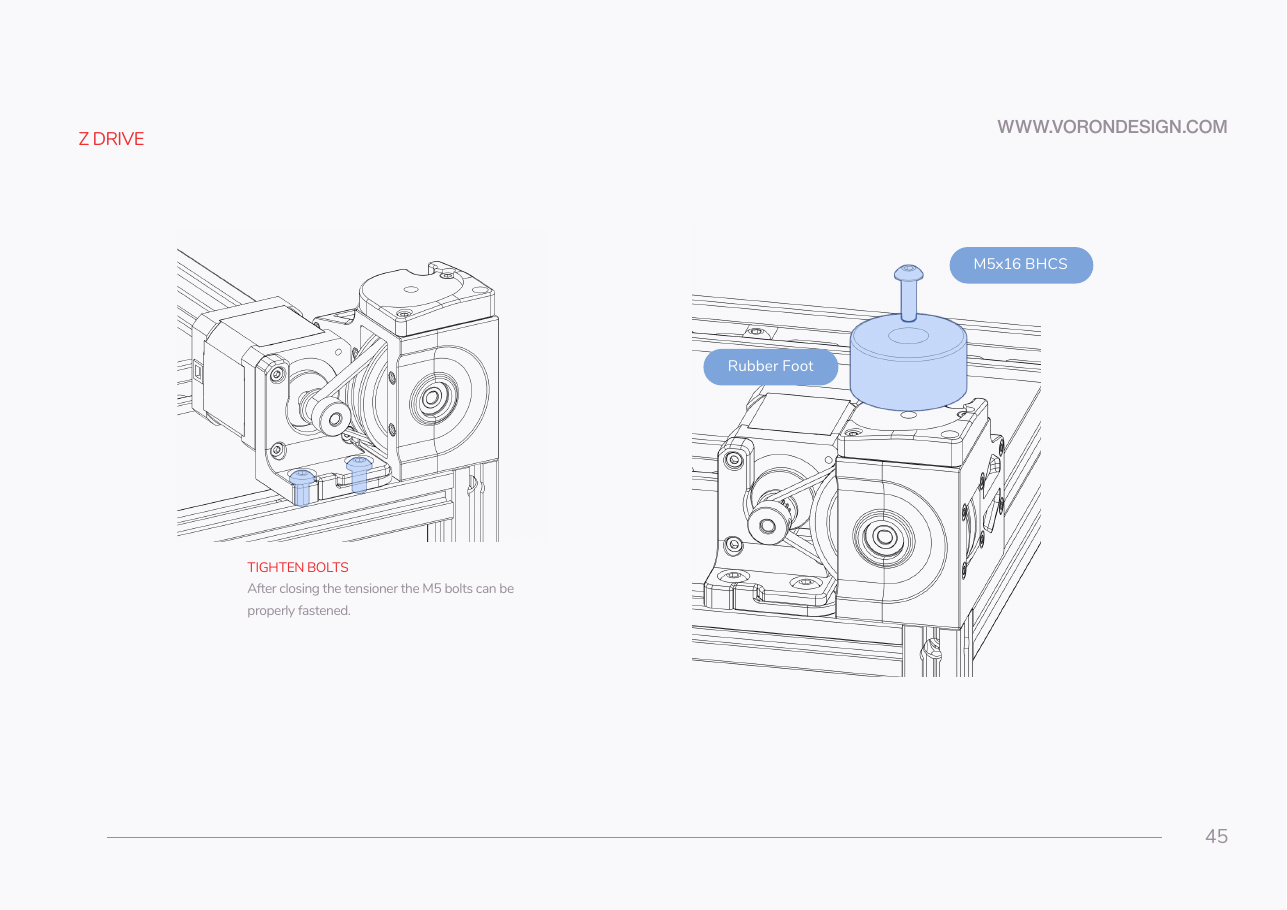
Do: With the printer still upside down, set a rubber foot on the baseplate at this corner and fix it with one M5×16 BHCS through the foot into the M5 nut you dropped into the baseplate at Step 02.25.
 Check
Check
Foot square to the corner and firmly attached.
 Helper Holds the rubber foot square on the baseplate while you drive its screw.
What you're looking at
Manual p.45: one of the printer's four rubber feet, bolted to the corner while the machine is still upside down and the underside is reachable. Its M5×16 threads into the nut captive in the blue baseplate.
Source: Voron manual p.45 · Video: Part 1 @3:34:45