Step 09.20 — Fit DIN clips to the two Leviathan brackets¶
Step 20 of 36 with a helper · Chapter 09 — Electronics bay
Tap to enlarge
Parts:
- Leviathan Bracket Left ×1 · Electronics 2 box
- Leviathan Bracket Right ×1 · Electronics 2 box
- DIN Clip ×2 · Electronics 2 box
- M2×10 self-tapping ×4 · Fasteners, Tools & Misc box
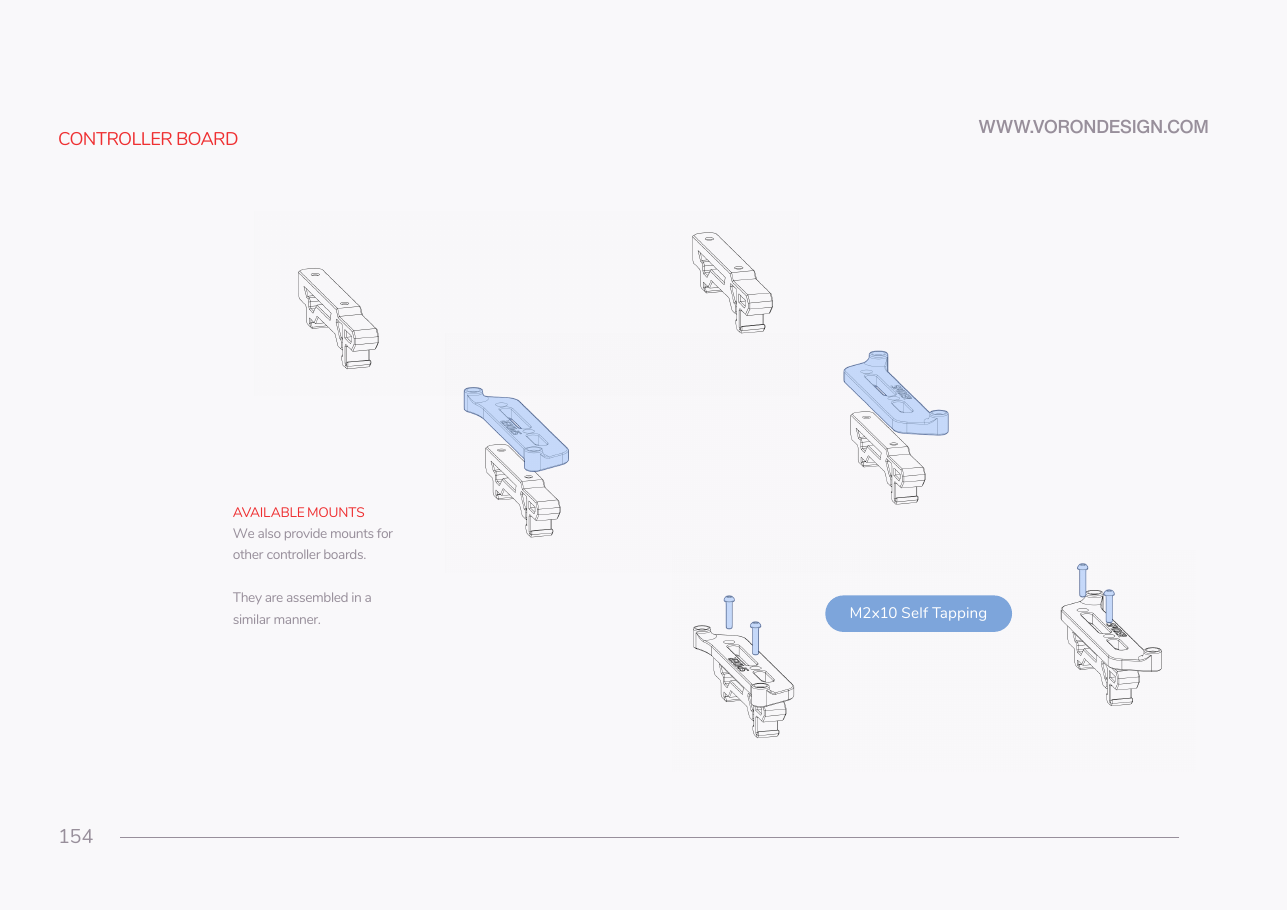
Do: Sit a DIN clip on each bracket and drive two M2×10 self-tapping screws through the clip into the bracket with a PH1. Go slowly and stop the moment the head seats.
 Check
Check
Two bracket-and-clip assemblies, mirror images of each other, clips square and both hooks facing the same direction.
 Helper Holds each bracket steady on the bench while the adult drives the M2 screws.
What you're looking at
Two LDO-supplied printed brackets, one for each short end of the board, each carrying a DIN clip. M2 self-tapping screws cut their own thread in ASA. Run one in and out a few times and the boss is stripped.
Caution
Rev D+ / LDO: p.154 shows the Octopus bracket set and its siblings. You use Leviathan_bracket_set — supplied printed by LDO, do not print it — with two DIN clips. The assembly method on this page is the same; only the parts differ. src
Source: Voron manual p.154 · LDO wiring guide § Preparing the mainboard · Video: Part 7 @0:32:16