Step 09.21 — Bolt the Leviathan to its brackets¶
Step 21 of 36 · Chapter 09 — Electronics bay
Tap to enlarge
Parts:
- LDO Leviathan mainboard ×1 · Other box
- the two bracket assemblies · already on the bench
- M3×8 SHCS ×4 (verify on bench) · Fasteners, Tools & Misc box
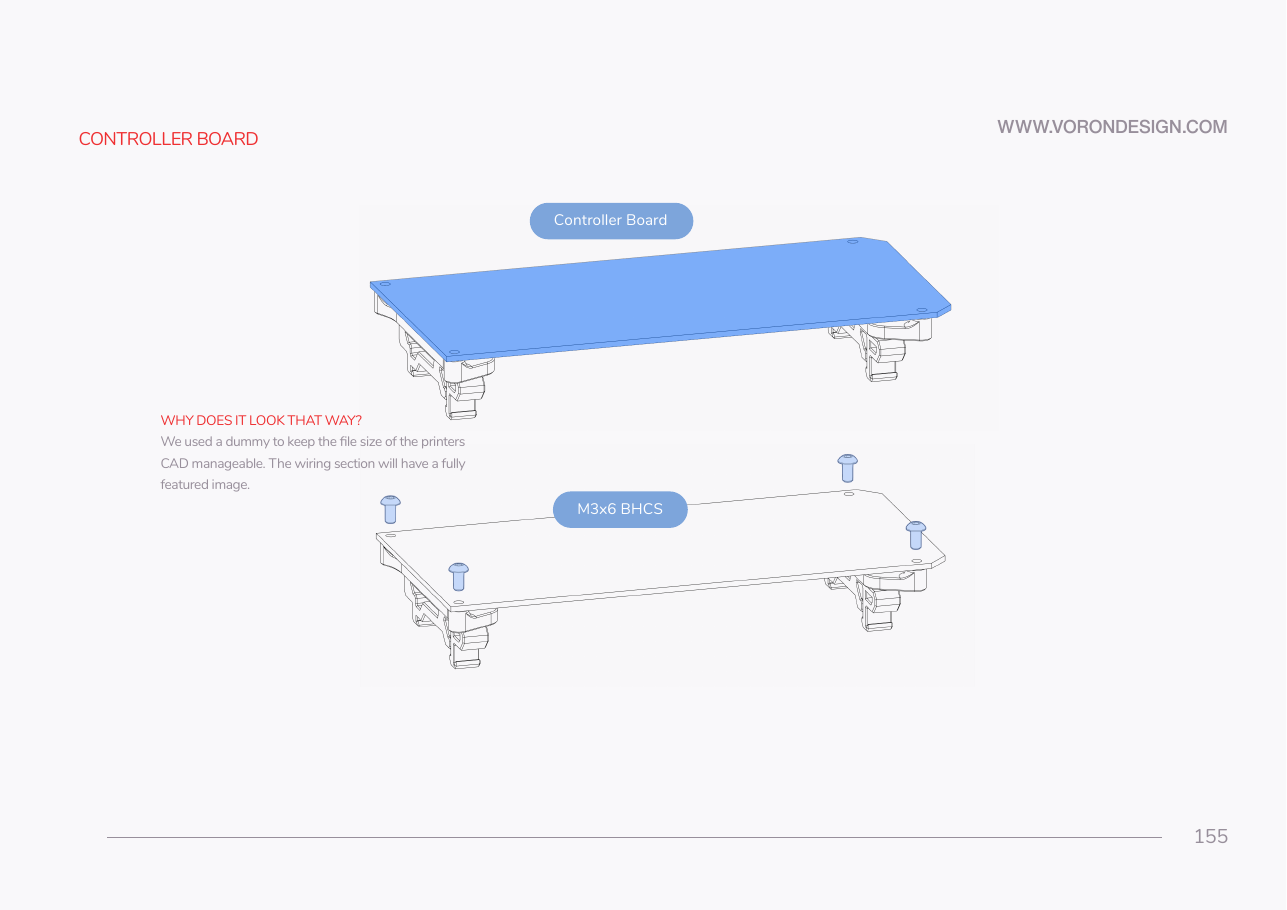
Do: Stand the two brackets clips-down on an anti-static surface. Lay the Leviathan face up across them, one short end on each. Drive M3×8 SHCS down through the corner holes, finger-tight plus a nudge.
 Check
Check
Components and connectors face up, brackets underneath. Board flat with no twist, the two DIN hooks coplanar. On a rail offcut, both clips engage together.
What you're looking at
The board bolts to those brackets at its corner mounting holes, the only place a PCB takes a screw without flexing. The two DIN hooks must end up coplanar: a twisted pair means only one clip engages the rail.
Caution
Rev D+ / LDO: the manual's board is a dummy Octopus fastened with M3×6 BHCS. The Leviathan takes M3×8 SHCS through the LDO brackets. Confirm the screw seats without bottoming out before you drive all four. src
Source: Voron manual p.155 · LDO wiring guide § Preparing the mainboard