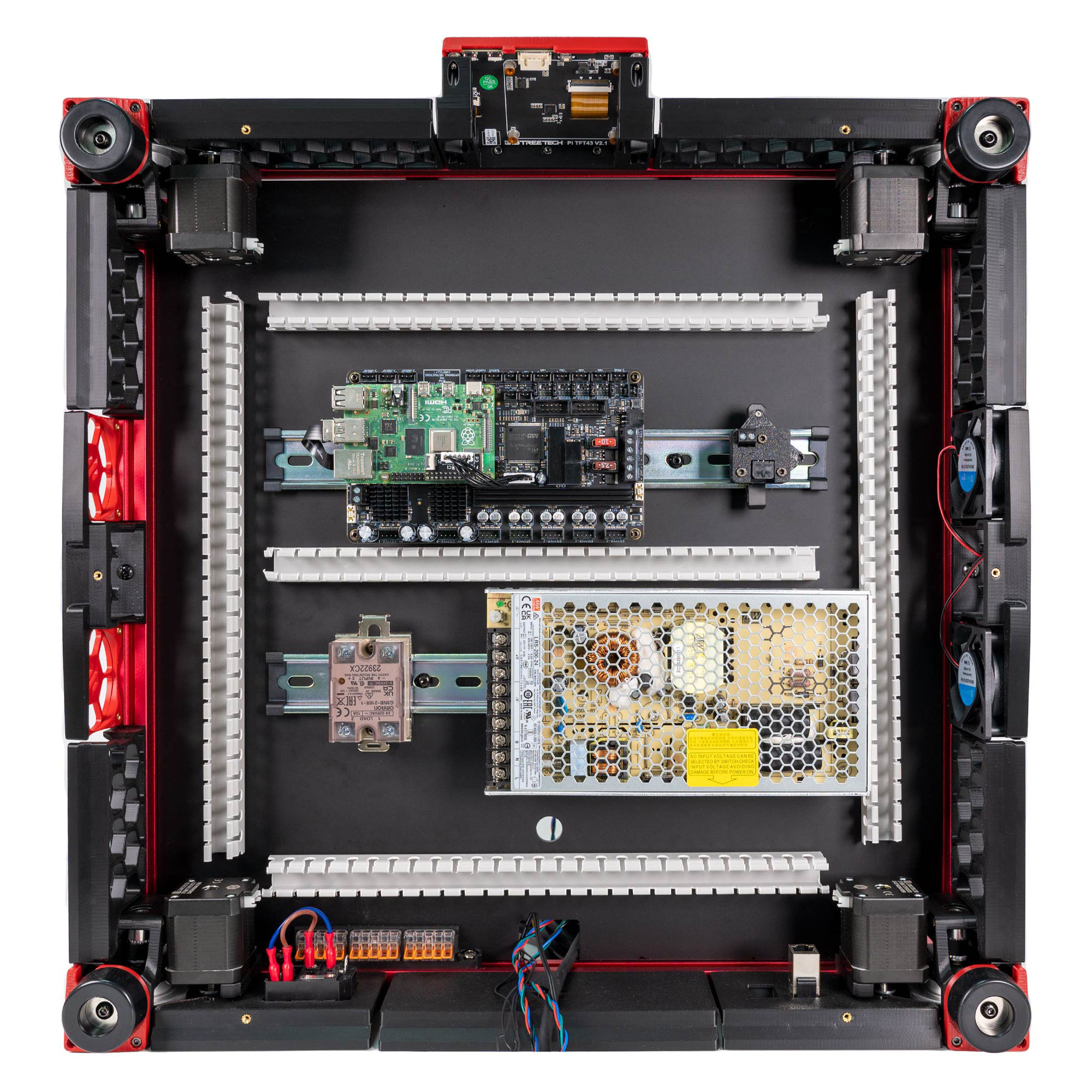
Step 09.22 — Heatsink and mount the Raspberry Pi 4B on the Leviathan¶
Step 22 of 36 · Chapter 09 — Electronics bay
Parts:
- Raspberry Pi 4B ×1 · Electronics 1 box
- Raspberry Pi heatsink ×1 · Electronics 1 box
- Pi standoff ×4 (verify on bench) · the Leviathan box
- 32 GB SD card ×1 · consumable
Do:
- Stick the heatsink on the Pi's SoC first.
- Screw the standoffs in, sit the Pi on them with USB and Ethernet facing outward, away from the connector banks, and fasten.
- Slide the SD card in now.
 Check
Check
Pi flat on all standoffs, Ethernet and one USB-A port clear of the Leviathan's headers, SD card seated, nothing shorting underneath.
What you're looking at
The Raspberry Pi is the computer that runs Klipper; the Leviathan is only the motion controller it commands. The Pi mounts on the Leviathan's own standoffs, so its ports must be aimed clear of the Leviathan's connector banks before anything is bolted down.
Caution
Rev D+ / LDO: "Some ports of the Raspberry Pi may not be usable due to interference with the Leviathan ports." Check which ones you lose now, while you can still rotate the Pi, because Ch 10 needs the Ethernet port and Ch 12 needs a USB port for the toolboard. src
Source: LDO Leviathan V1.3 board guide · LDO wiring guide § General Placement · image S0General_Placement.jpg · Video: Part 7 @1:10:35 (differs: BTT Octopus + separate Raspberry Pi; this kit is a Leviathan with the Pi mounted on it)