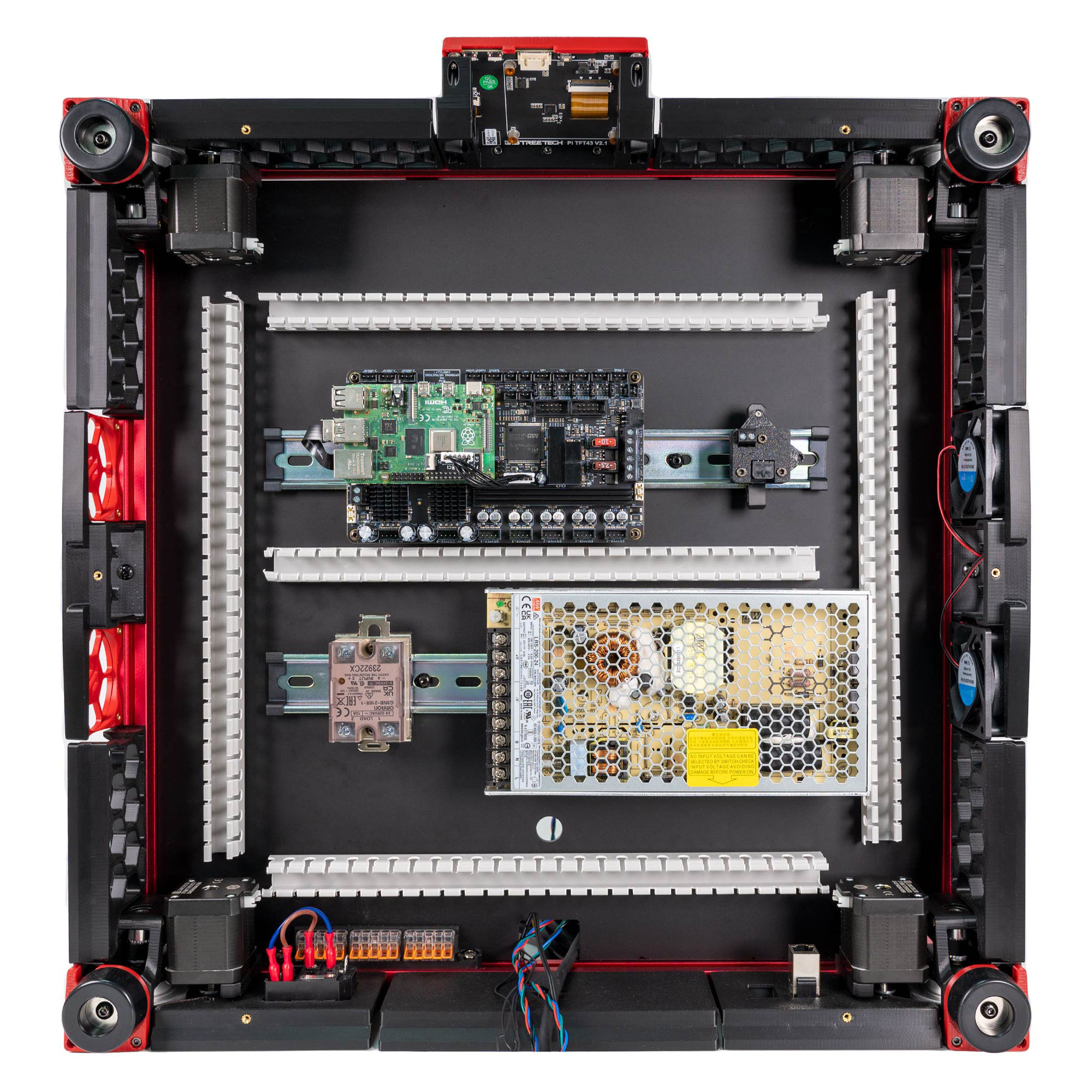
Step 09.26 — Clip the USB adapter to the front rail¶
Step 26 of 36 · Chapter 09 — Electronics bay
Parts:
- the USB adapter assembly · already on the bench
Do: Clip it onto the right-hand end of the front DIN rail, beside the Leviathan, umbilical connector facing the right-hand duct run. Route the ground lead to the nearest frame extrusion and leave it hanging.
 Check
Check
Adapter latched and square. Umbilical socket faces the right-hand duct run, not the Leviathan. Ground lead reaches a frame extrusion with slack.
What you're looking at
The CAD renders show the position. The adapter goes on the right-hand end of the front rail, the rail nearer the door, with its umbilical socket facing the right-hand duct run the umbilical follows from the notch, so nothing pulls sideways on the connector.
Caution
Rev D+ / LDO: this is the Rev D+ ESD path: extruder motor body → toolboard → umbilical → USB adapter → frame/earth. Skipping the frame end leaves the chain broken. LDO's procedure is the board doc § ESD Hardening (Ch 08 Step 08.53); ask in #ldo_motors only if your hardware differs. (survey §4.1 ⑤)
 Tip
Tip
The CAD bay layout is the 250 machine's; the rails are shorter than yours, but front/rear and left/right are the same.
Source: LDO wiring guide § General Placement · image S0General_Placement.jpg · CAD: Voron 2.4r2 STEP @ de7e89d