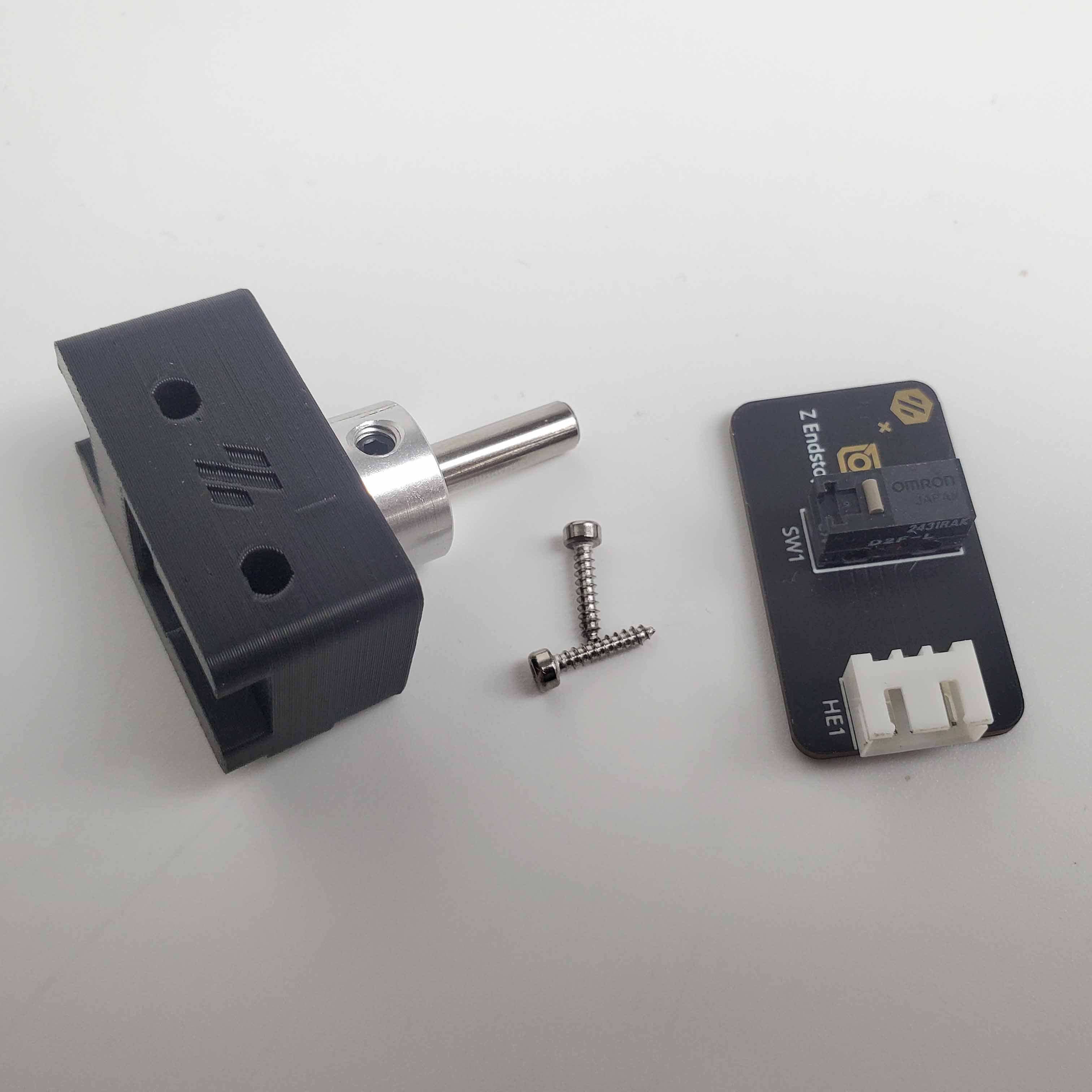
Step 09.27 — Confirm the collar in the LDO nozzle-probe body¶
Step 27 of 36 with a helper · Chapter 09 — Electronics bay
Parts:
- LDO Nozzle Probe, collar pre-pressed ×1
(verify on bench)· Electronics 2 box
Do: Confirm the collar is fully home in its seat. If yours arrived loose, press it in with steady thumb or vice pressure, never a hammer, until it bottoms out.
 Check
Check
Collar flush and square in the body, no gap under its flange, printed part not split.
 Helper Looks under the collar's flange and says whether any gap shows.
What you're looking at
·
The nozzle probe is this kit's Z endstop, not a bed probe: a free-sliding 5 mm shaft in a printed body bolted to the frame, which the nozzle is driven down onto to find Z zero.
Caution
Rev D+ / LDO: use LDO's own printed part, not the Voron nozzle_probe.stl — it is supplied printed in the kit and the print plan deliberately never printed either version. Ignore the manual's "remove flange & set screws" and lever-removal instructions: those are for a bare microswitch build. src
Source: Voron manual p.158 · LDO wiring guide § Assembling the nozzle probe · image z_stop_parts.jpg · LDO Build Notes § Voron 2.4 build FAQ