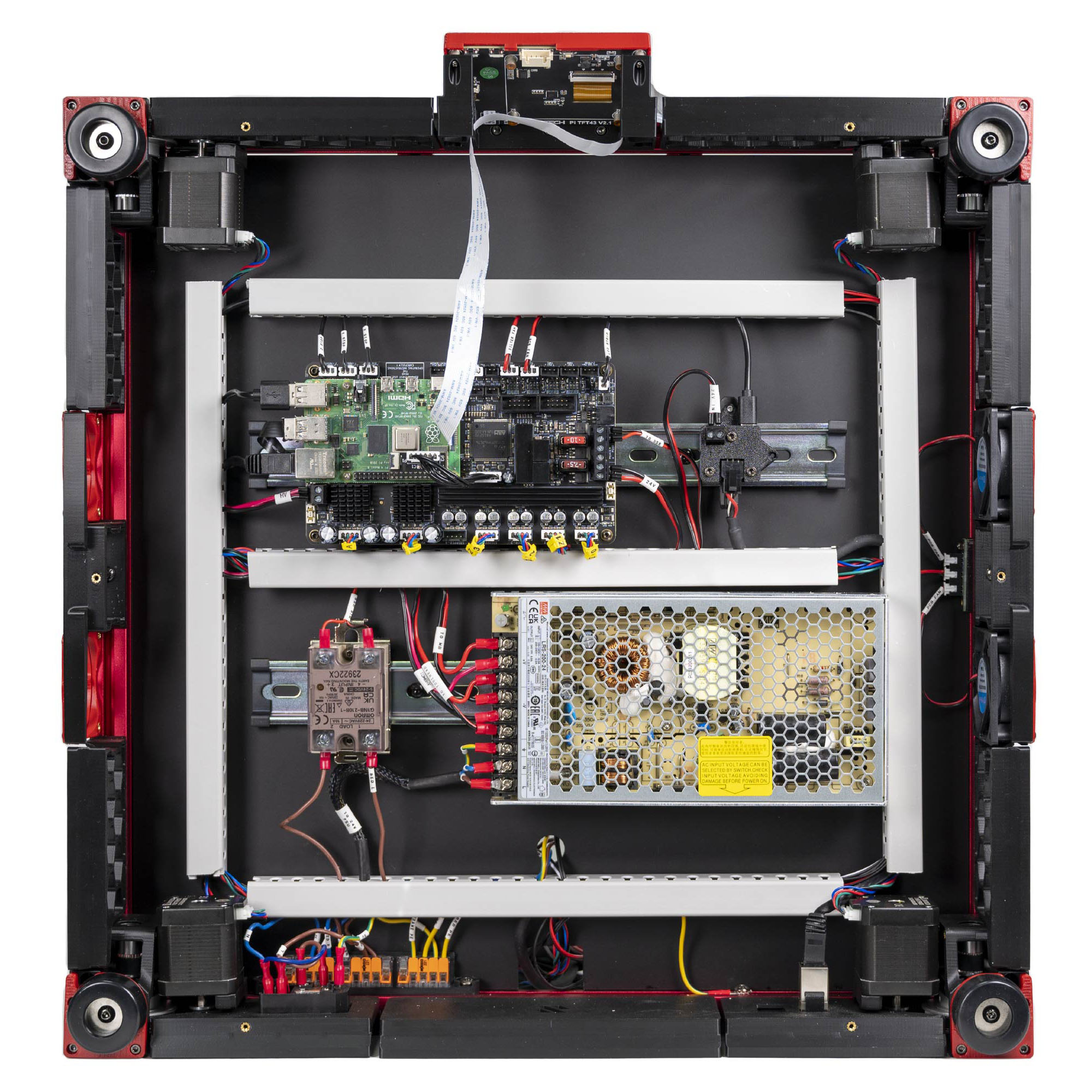
Step 10.1 — Empty the bay and set the end state¶
Step 1 of 80 · Chapter 10 — Wiring and Checkpoint #1
Gather for this segment — steps 10.1–10.4 (~15 min)
Already on the bench
- the Meanwell PSU
- the Leviathan mainboard
Parts: none.
Do:
- Stand the printer on its side on a blanket, deck underside facing you.
- Confirm the bay holds only Ch 09's work, nothing wired.
- Unplug the C13 cord and put it in another room.
Check
The photo above is the target. Nothing is connected yet and no duct covers are on.
What you're looking at
LDO's finished Rev D bay, seen from below. Ch 09 placed it all: two DIN rails, the wire ducts that hide cable runs, the Leviathan with the Raspberry Pi on top, the PSU, the SSR, the USB-adapter PCB and the 3×5 WAGO mount.
Caution
Who is in the room, 00a.2: one adult at the machine from 10.1 to 10.23. She is out of the room for Sections 1 and 2 and back for 10.24. In Section 8, with the printer unplugged, she records the readings you call out; you hold the probes.
Source: LDO Rev D photo VS9 finished bay · LDO wiring guide § Finish line