Step 10.2 — Set the PSU input-voltage selector¶
Step 2 of 80 · Chapter 10 — Wiring and Checkpoint #1
Tap to enlarge
Parts:
- the Meanwell PSU · already on the bench
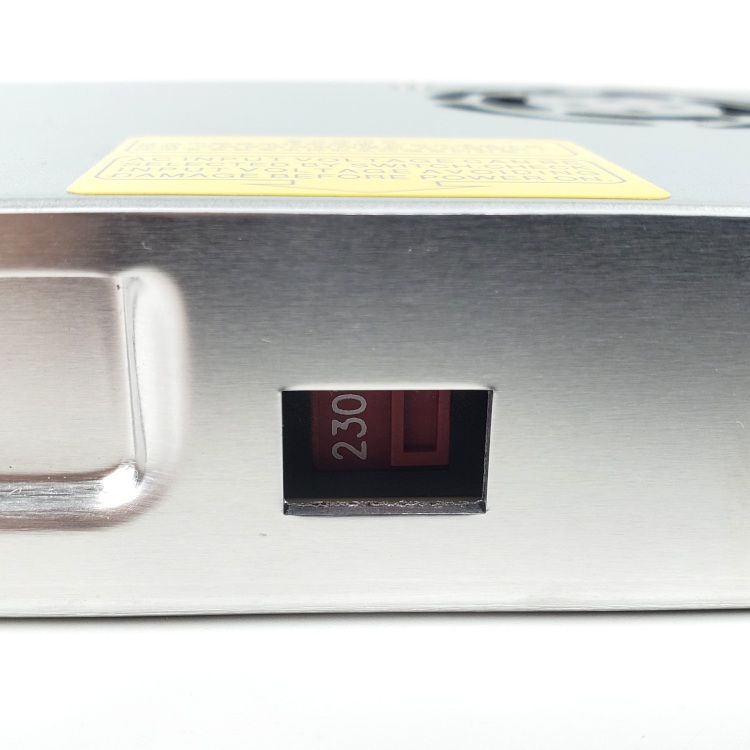
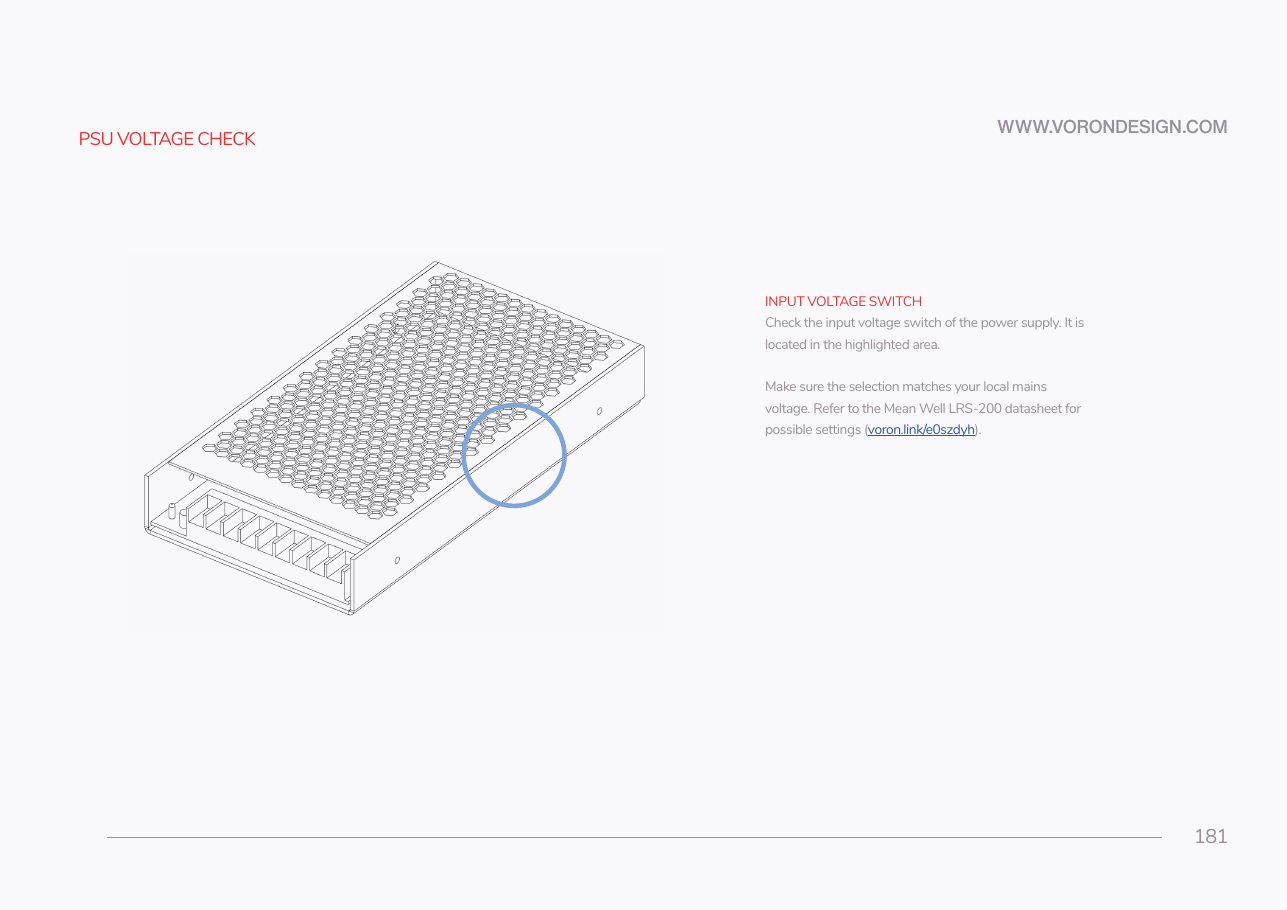
Do: Find the red slide switch in the cut-out on the PSU's long side. With the flat screwdriver, slide it so the window shows 115 for a US 110/120 V supply, 230 for a 230 V supply.
Check
Read the number in the window out loud and compare it to your wall socket.
What you're looking at
The grey brick is the Meanwell LRS-200-24, the 24 V supply for everything except the bed heater. The second photo is the small red slide switch in its side, which sets 115 V or 230 V mains.
The yellow warning label on the PSU lid says the same thing: "AC INPUT VOLTAGE CAN BE SELECTED BY SWITCH, CHECK INPUT VOLTAGE AVOIDING DAMAGE BEFORE POWER ON."
Caution
Rev D+ / LDO: EU kits may ship the Meanwell RSP-200-24 instead. That unit has power-factor correction and a universal AC input — there is no selector and nothing to set. If your PSU has no red switch, you have the RSP; skip this step. src
Source: Voron manual p.181 · LDO wiring guide § Preparing the power supply unit · LDO wiring photo psu_switch.jpg