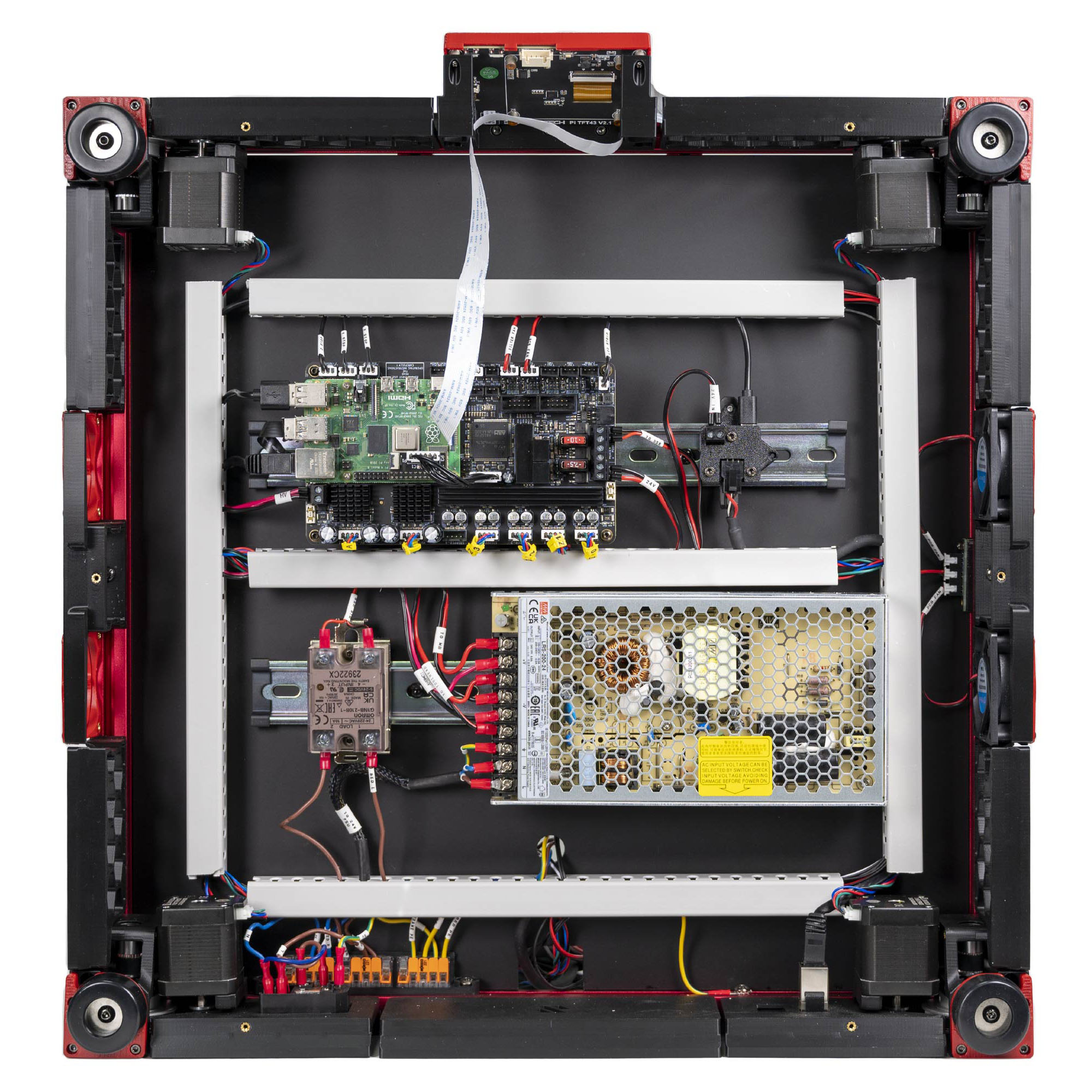
Step 10.68 — Dress the below-deck runs into the ducts¶
Step 68 of 80 · Chapter 10 — Wiring and Checkpoint #1
Gather for this segment — steps 10.68–10.80 (~30 min)
Printed parts
V2L_STRIP_FIN×1 · bin 10-lids-ACCMD_V2_6B_WIRE_BOX_COVER×1 · bin 10-lids-ACV3L_90DEG_R15_COVER×2 · bin 10-lids-ACV3L_34mm_DUCT_COVER×1 · bin 10-lids-ACCMD_V2_6B_T_SHORT_COVER×1 · bin 10-lids-ACV3L_10mm_DUCT_COVER×2 · bin 11-lids-DC, 10-lids-AC
Tools and consumables
- zip ties, 3 to 4
- cable tags, for whatever is missing
- VHB pad
Parts: none.
Do:
- Push every mains lead into the AC conduit and every other below-deck run into the DC loop.
- No DC lead enters the AC conduit; no mains lead leaves it except at a terminal.
Check
No cable loose on the deck. Nothing rests on the PSU's AC terminals or the SSR. Conduits 12 mm or more apart (verify on bench).
What you're looking at
The two printed conduits are slotted wire ducts stuck to the deck: a cable presses in between the tines and a lid clips over later. They never meet: the AC conduit carries mains, the DC loop everything else.
Tip
mains group = inlet, WAGO bus, PSU AC, SSR load, bed L/N/PE, frame PE. Signal group = everything else.
LDO layout
push every run into LDO's PVC ducts, the mains group in its own duct run, separate from the signal group, crossing at right angles where they must. LDO § Finish line
Source: LDO Rev D photo VS9 finished bay · LDO wiring guide § Finish line · review/2026-09-23-bay-mods/layout-v3/layout-v3.md § AC conduit, Separation