Step 11.14 — Mount the rear skirt run
Step 15 of 67 with a helper · Chapter 11 — Skirts, panels, Clicky-Clack door, filtration
Parts:
- the fourth belt guard · already on the bench
- the populated
keystone_panel· already on the bench -
rear_center_skirt_350×1 · bin 11-skirts -
power_inlet_IECGS_1mm, already on the frame · already on the bench - the four rear T-nuts · already on the bench
- M3×8 SHCS ×6 · Fasteners, Tools & Misc box
Do:
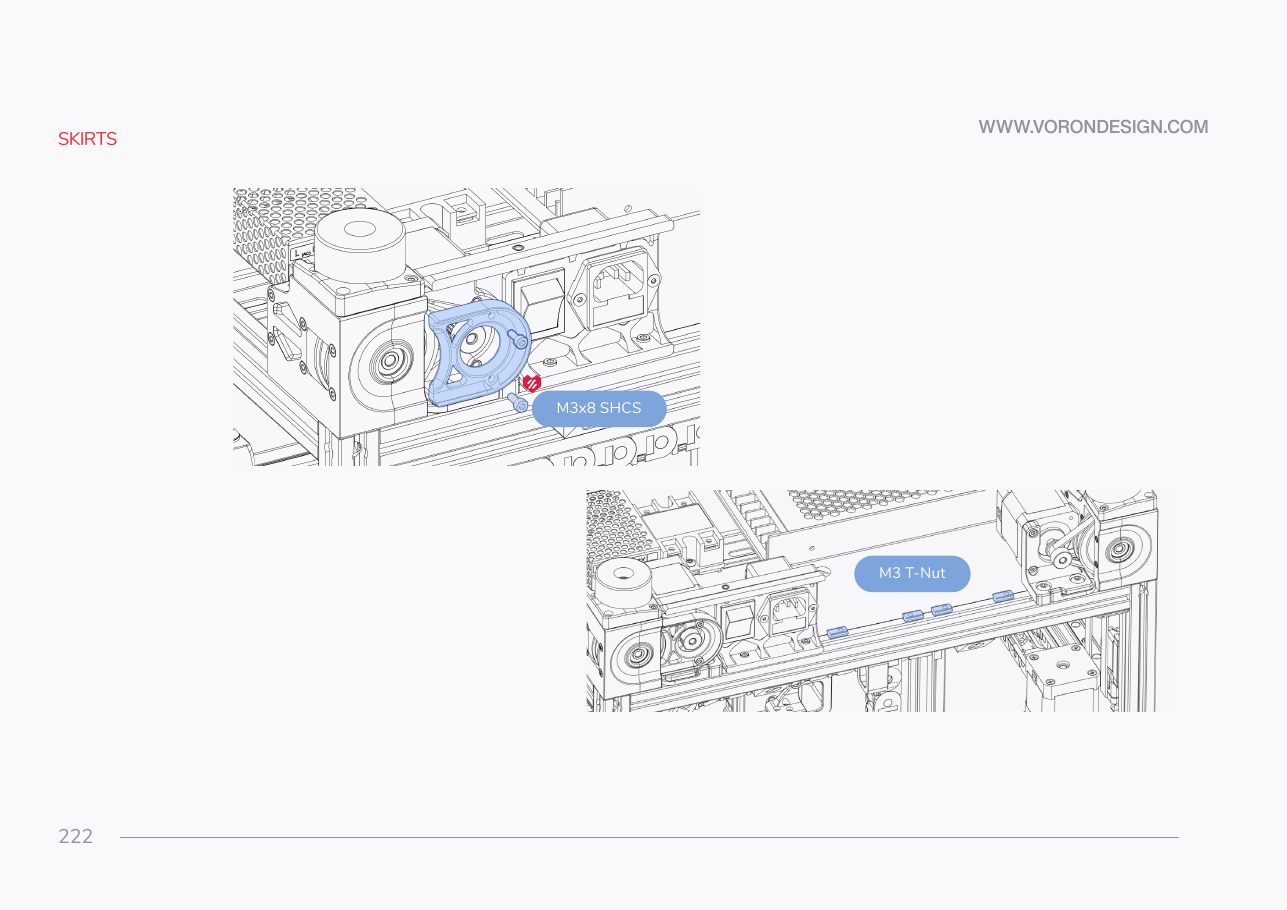
- Belt guard onto the plug panel, two M3×8 SHCS into its inserts.
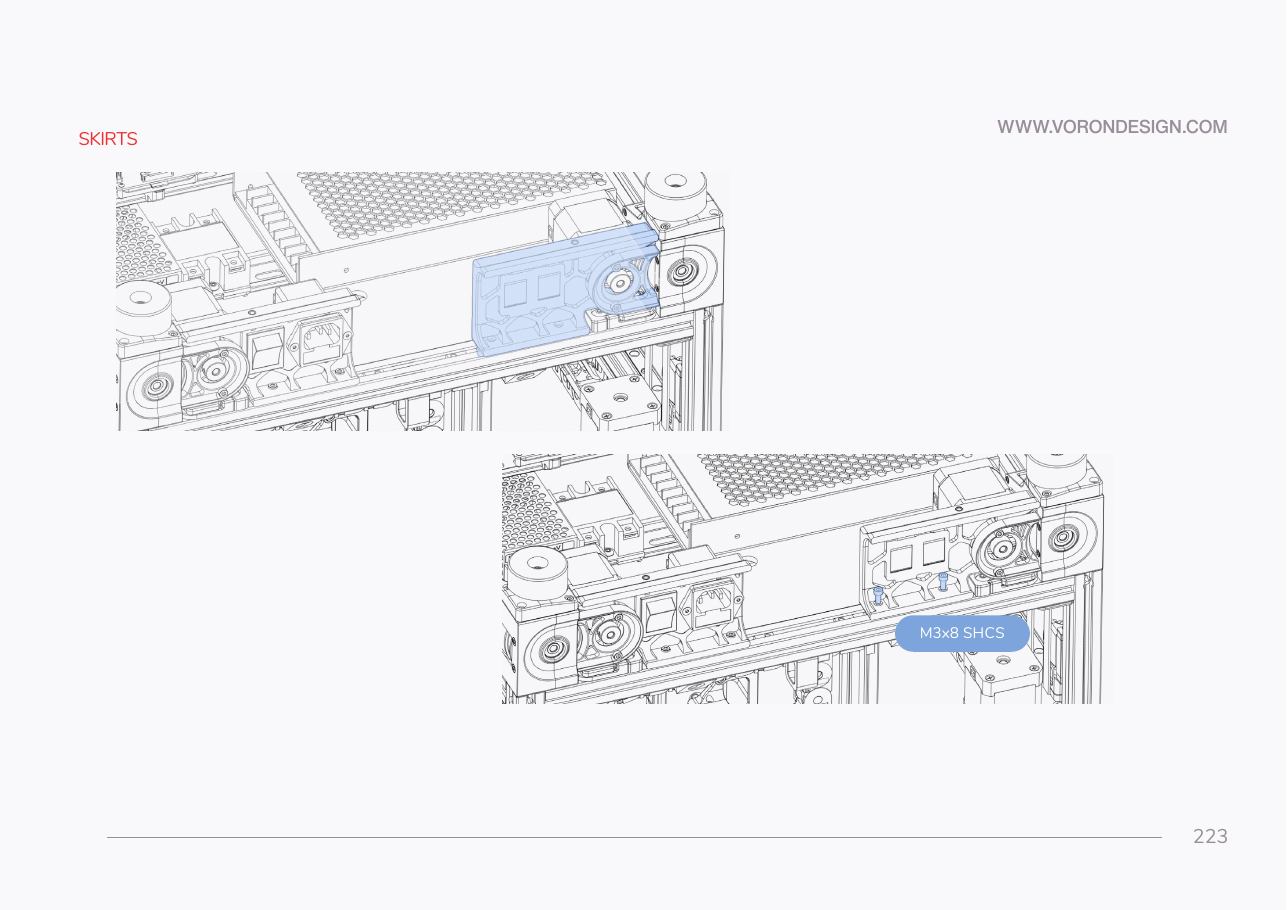
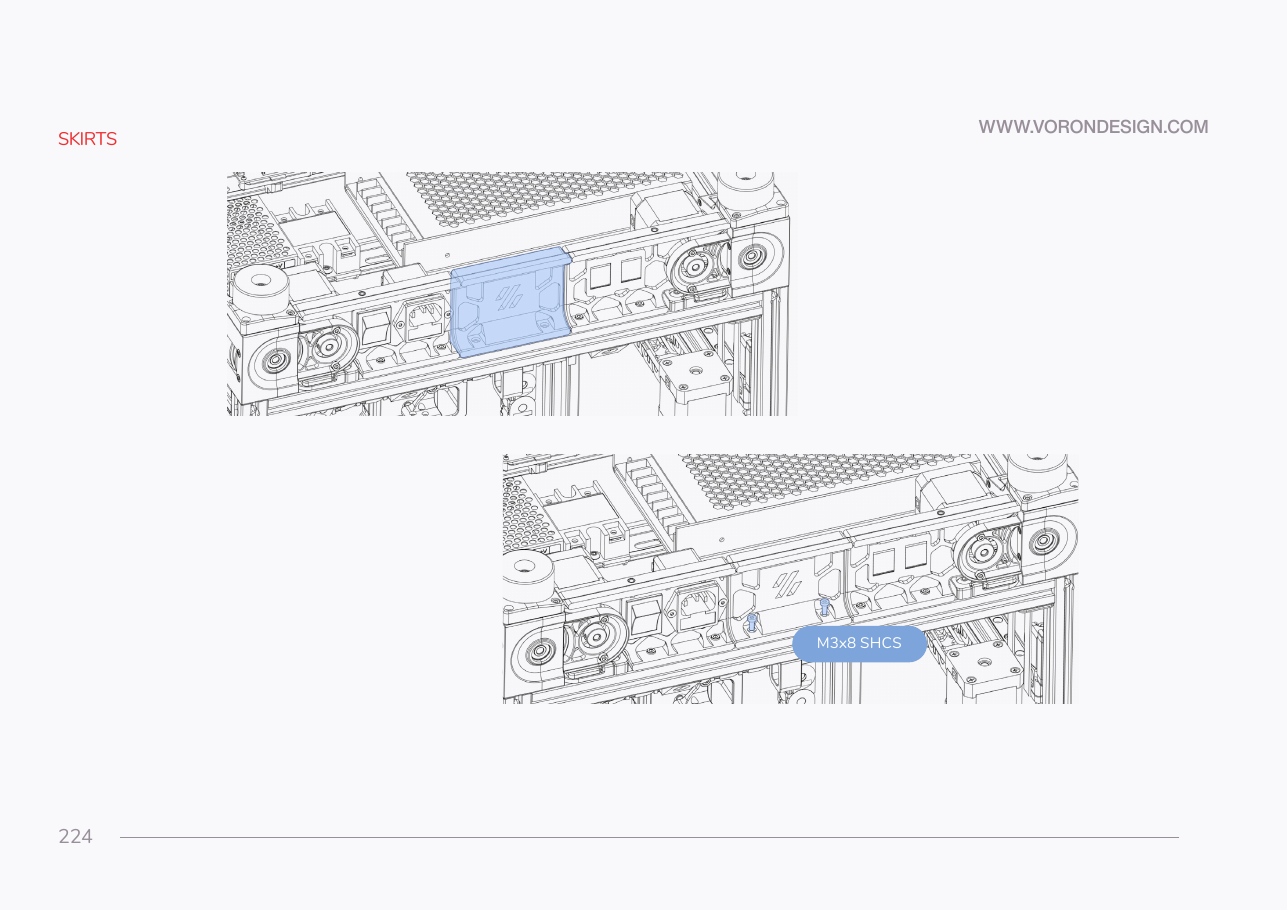
keystone_panelinto the far rear corner, thenrear_center_skirt_350into the gap.- Feed the Ethernet through the keystone. Two M3×8 per segment: snug, close the joints, tighten.
 Check
Check
Rear run continuous and flush, all four guards on, the AC switch moving freely, RJ45 keystone square, nothing pinching the Ethernet or AC leads.
 Helper Holds the rear center skirt in its gap while you drive the screws.
What you're looking at
The rear run has three segments. One of them, the power_inlet_IECGS_1mm panel carrying the AC inlet, has been on the machine since Ch 09 and never moves. p.222 is not a segment: it shows the last belt guard going onto that panel.
Caution
Rev D+ / LDO: the inlet segment is power_inlet_IECGS_1mm — the 1.0 mm AC inlet with the integrated switch. The 1.2 mm variants and power_inlet_filtered are wrong for this kit. p.222–224 are drawn from the rear, plug panel on the image-left, which is the printer's right; follow the panel on your frame, not the picture's side. src
Source: Voron manual p.222–224 · LDO Build Notes p.222–224 · Video: Part 6 @1:39:57