Step 13.1 — Clear the machine and stage the bench¶
Step 1 of 54 · Chapter 13 — Initial startup
Parts: none.
Do: Clear the chamber: tools, offcuts, zip-tie tails, spare fasteners, filament spool. Pull off any rubber rail stoppers. Put a fire extinguisher within reach, clear the bench of paper and IPA, and confirm the side and top panels are off.
 Check
Check
You can see the toolhead, all four Z drives, the electronics bay and the PSU without moving anything.
What you're looking at
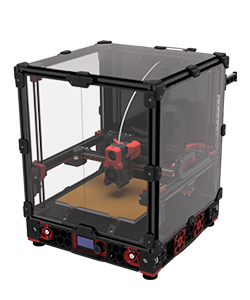
The render is a stock Voron 2.4: the gantry across the top, four Z drives in the corners, the bed on its own frame, the electronics bay under the deck. Anything left in the chamber can be crushed or set alight.
Source: Voron docs image v2render.png · Voron startup wizard § Preparation