Step 00.14 — Find the iron temperature on the practice coupon
Step 14 of 32 pre-kit · Chapter 00 — Before you start
Tap to enlarge
Gather for this segment — steps 00.14–00.16 (~25 min)
KADRICK kit
- M3×H5 heat-set insert ×7
Printed parts
Heatset_Practicecoupon ×1 · bin 00-jigs
Tools and consumables
- soldering iron with its stock conical tip
- soldering iron
- flat cold tool, for the last 10 %
Already on the bench
- the
Heatset_Practicecoupon and its seven inserts · bin 00-jigs
Parts:
-
Heatset_Practicecoupon ×1 · bin 00-jigs - M3×H5 heat-set insert ×7 · KADRICK kit
- soldering iron with its stock conical tip · tool
Do:
- Start at the bottom of the iron's range, never where soldering left it, and step up 10 °C at a time.
- Sit each insert narrow end down by hand, then press the tip straight down until flush.
Check
Plastic very soft but not runny, the iron never lingering longer than seating takes, and the working temperature on tape on the iron.
What you're looking at
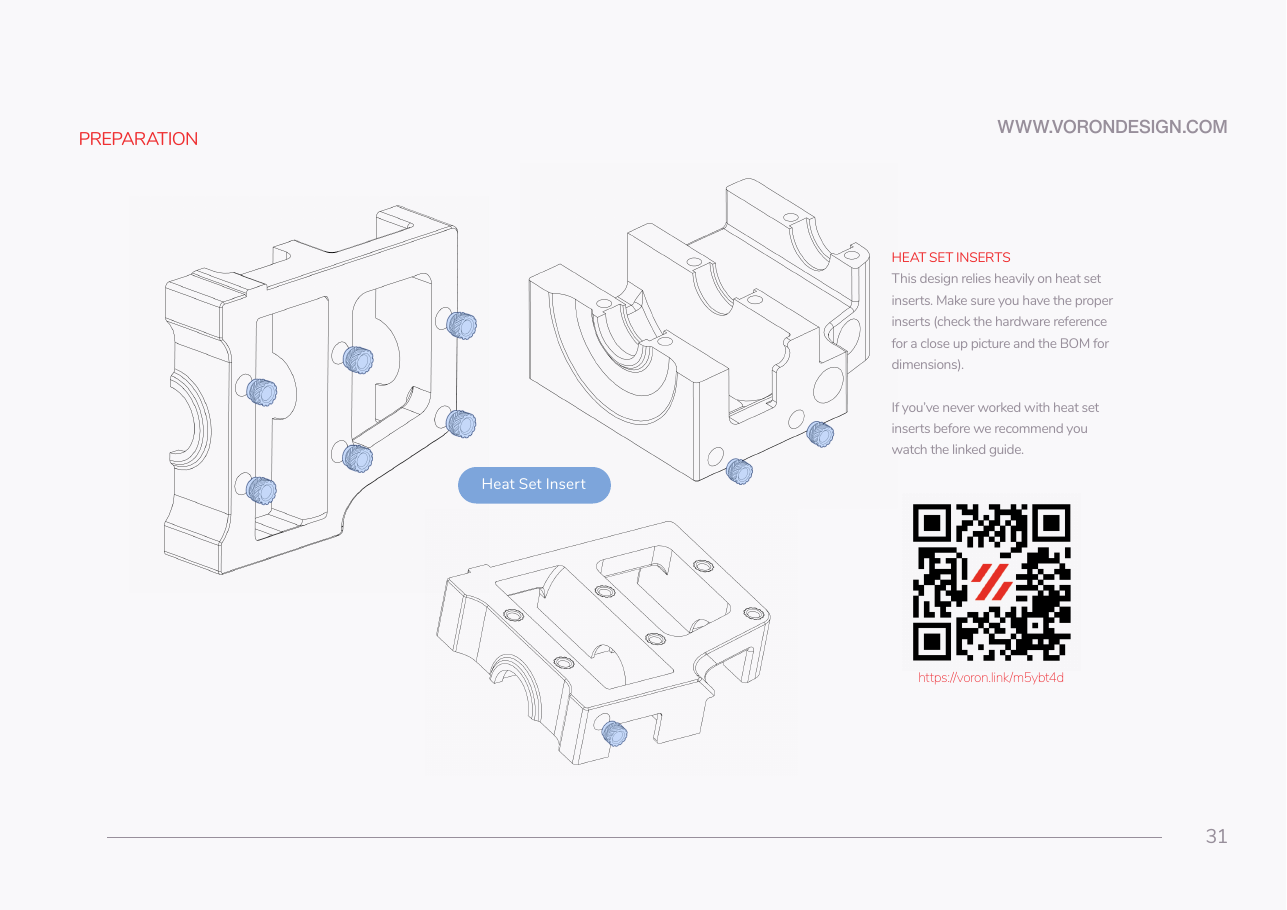
Manual p.31 shows the general insert operation: the blue pills are inserts going into real Z-drive bosses. The Heatset_Practice coupon is seven insert pockets. This step is Gate B's insert row, Step B00.7, run before the kit.
Caution
Rev D+ / LDO: LDO publishes no temperature, and the technique guide on manual p.31 shows the method. ASA behaves differently from the PLA in most insert tutorials: calibrate on this ASA coupon, not on a PLA scrap, or the number you find will be wrong for all 153 kit inserts. The adult holds the iron; the helper never does.
Caution
The tip burns at a touch. Rest the iron in its stand between inserts, never on the bench, and keep a window open for the ASA fumes.