Step 06b.8 — Unscrew and drop the lower Z joints¶
Step 34 of 42 with a helper · Chapter 06 — Z axis (and Chapter 06b — Gantry squaring)
Parts:
- the four Z-joint M5×40 SHCS · already on the bench
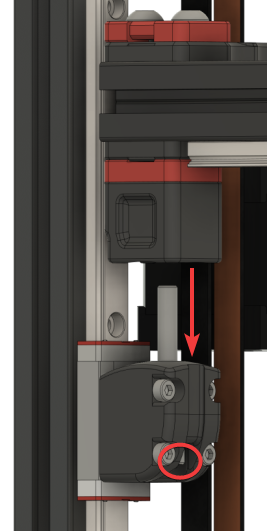
Do: Take the M5×40 out of each Z joint and slide the four lower joints down their rails, away from the gantry. Do one at a time and keep a hand on the gantry. Voron step 7.
 Check
Check
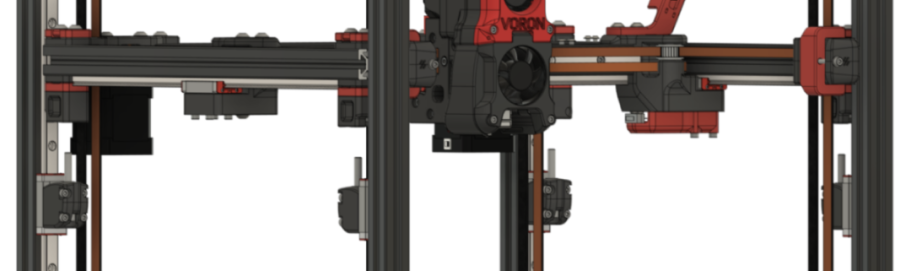
All four lower joints are clear of the gantry, the gantry hangs on the four Z belts alone, and it is not swinging.
 Helper Steadies the gantry corner you are working on while you take out its M5×40.
What you're looking at
The four lower Z joints, unbolted and slid down their rails, away from the gantry. With them out of the way the gantry hangs on its four Z belts and settles into its own natural position, the position you build the joints back to.
Warning (Voron): "Make sure your printer is on a (fairly) level surface. Unlevel surfaces could cause your gantry to swing too much to one side. It doesn't have to be perfectly level; just don't do it on a hill!"
Source: Voron docs § V2 Gantry Squaring, step 7 · images ZJoint-Lowered.png, ZJoints-Lowered.png