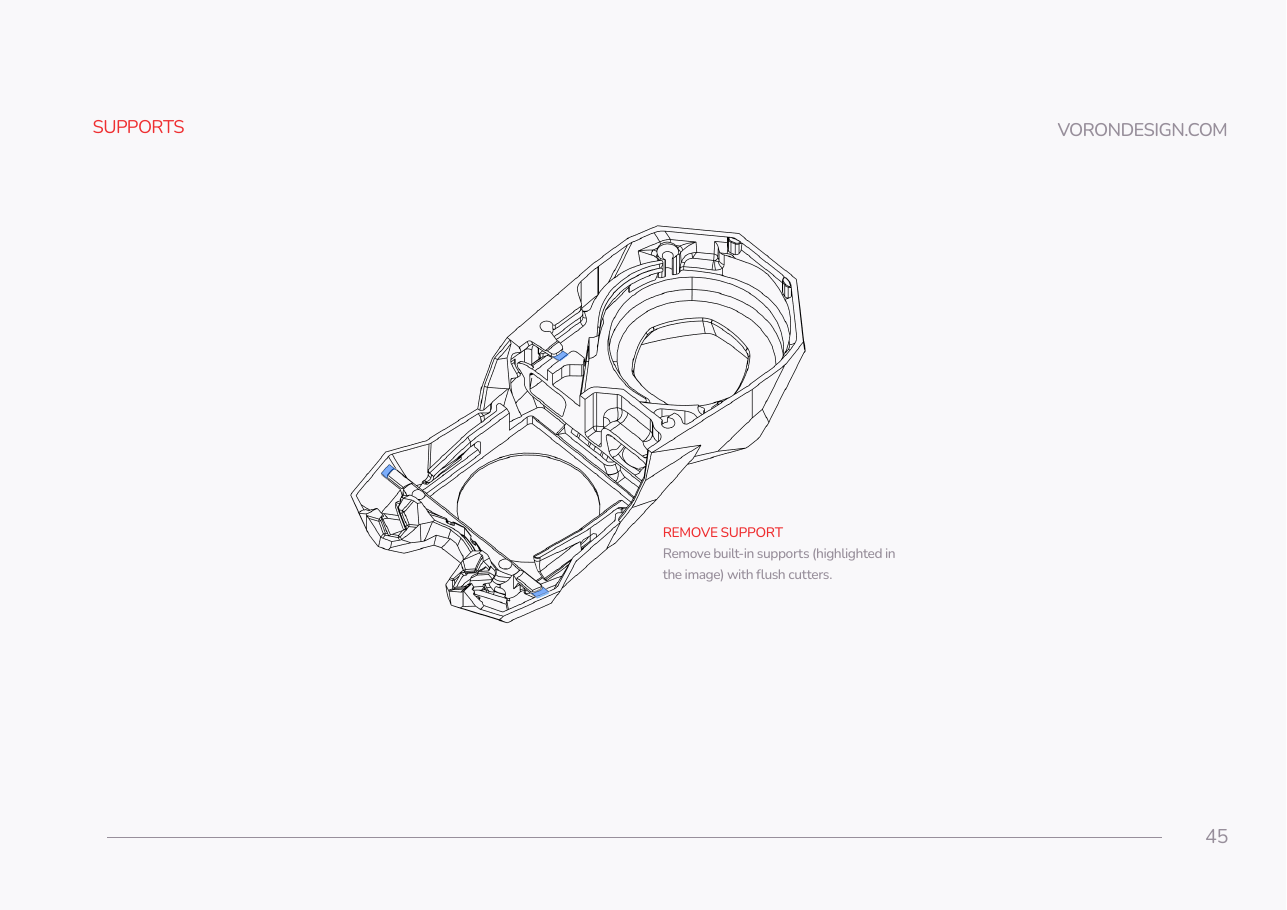
Step 08.2 — Snap the built-in supports out of the Stealthburner body
Step 2 of 65 · Chapter 08 — Toolhead: Stealthburner, Clockwork 2, Revo HF, Nitehawk-SB V2
Tap to enlarge
Parts:
-
[a]_stealthburner_main_body×1 · bin 08-SB
Do: Snap the three built-in supports SB p.45 highlights out of the blue main body, using flush cutters: pry and break, do not carve. Leave the fan-cavity supports alone; SB p.52 says those break when the fans go in.
Check
The LED pockets, diffuser channels and the two mounting bores are clear. The fan cavities still have their thin support webs in place.
What you're looking at
The blue body is the Stealthburner shroud itself, carrying the LEDs, air ducts and both fans. It prints with sacrificial support inside. The webs across the fan cavities are the exception: they snap as a fan is pushed in and that snap retains it.
Source: SB manual p.45