Step 08.3 — Inserts: Clockwork 2 main body
Step 3 of 65 · Chapter 08 — Toolhead: Stealthburner, Clockwork 2, Revo HF, Nitehawk-SB V2
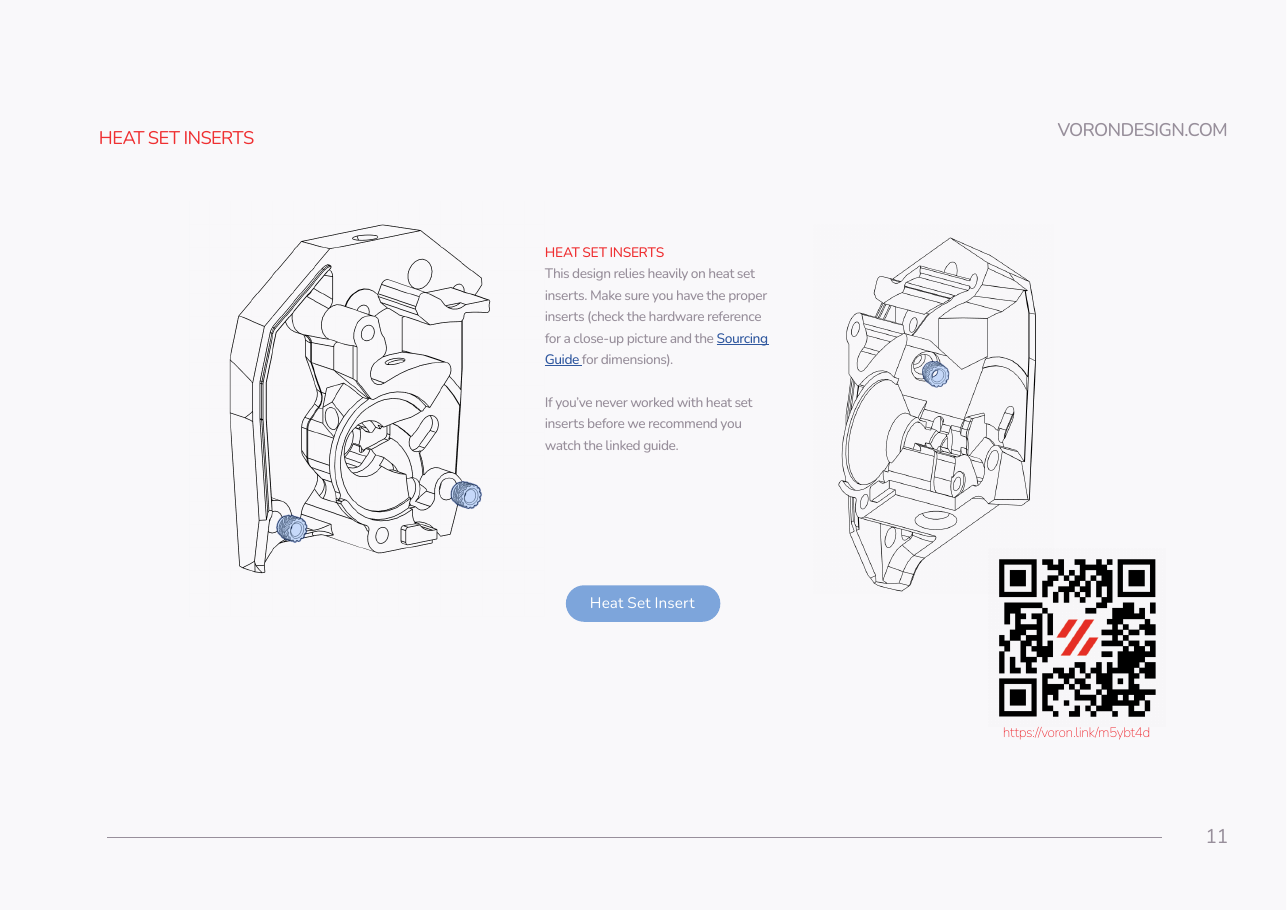
Parts:
-
main_body.stl×1 · bin 08-CW2 - heat-set insert, M3×5×4 ×4 · Fasteners, Tools & Misc box
Do:
- Fit the brass M3 tip and bring the iron to your ASA setting.
- Press in the three inserts SB p.11 highlights: foot, both side faces.
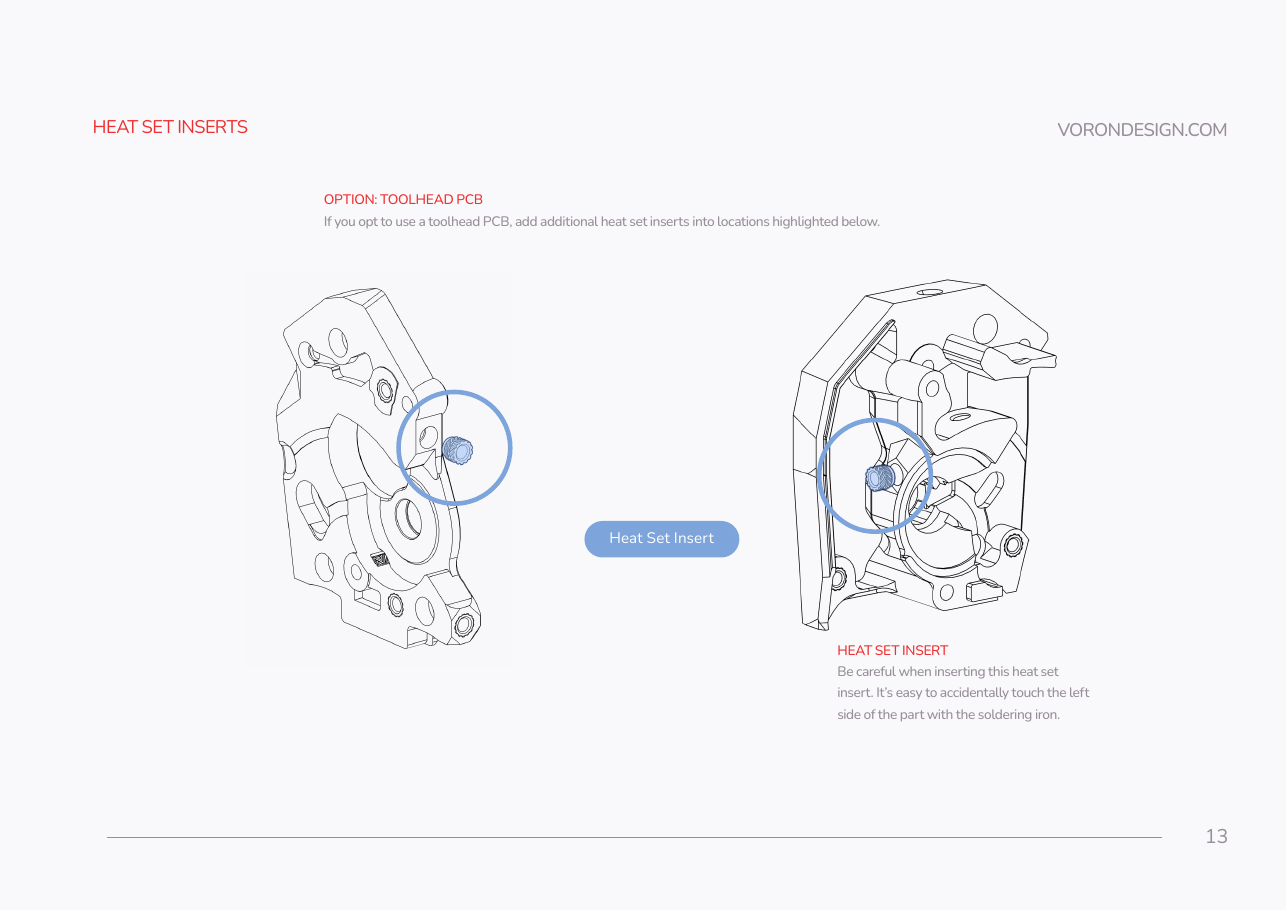
- Add the p.13 fourth, for the toolhead PCB. Press each one square.
Check
All four sit below the surface, none is cocked, and an M3 screw starts by hand in each. Count: 4 (verify on bench).
What you're looking at
Clockwork 2 is the extruder, the geared drive that grips filament and pushes it down. main_body is its larger half: drive gear, one bearing, filament path. A heat-set insert is a knurled brass sleeve melted into plastic so a screw threads into metal.
Caution
Rev D+ / LDO: the p.13 "OPTION: TOOLHEAD PCB" inserts are not optional here. The Nitehawk-SB V2 bolts to the CW2 sides with two M3×8 into these inserts. src
Tip
set the iron from the ASA figure on your Ch 00 Step 00.14 coupon, tongue bottoming flush. The p.13 insert sits beside a tall wall: approach from directly above.
Source: SB manual p.11 · SB manual p.12 · SB manual p.13