Step 08.21 — Set the tension and the anti-squish stop
Step 21 of 65 · Chapter 08 — Toolhead: Stealthburner, Clockwork 2, Revo HF, Nitehawk-SB V2
Tap to enlarge
Parts:
- the assembled extruder · already on the bench
- 1.75 mm filament offcut · consumable
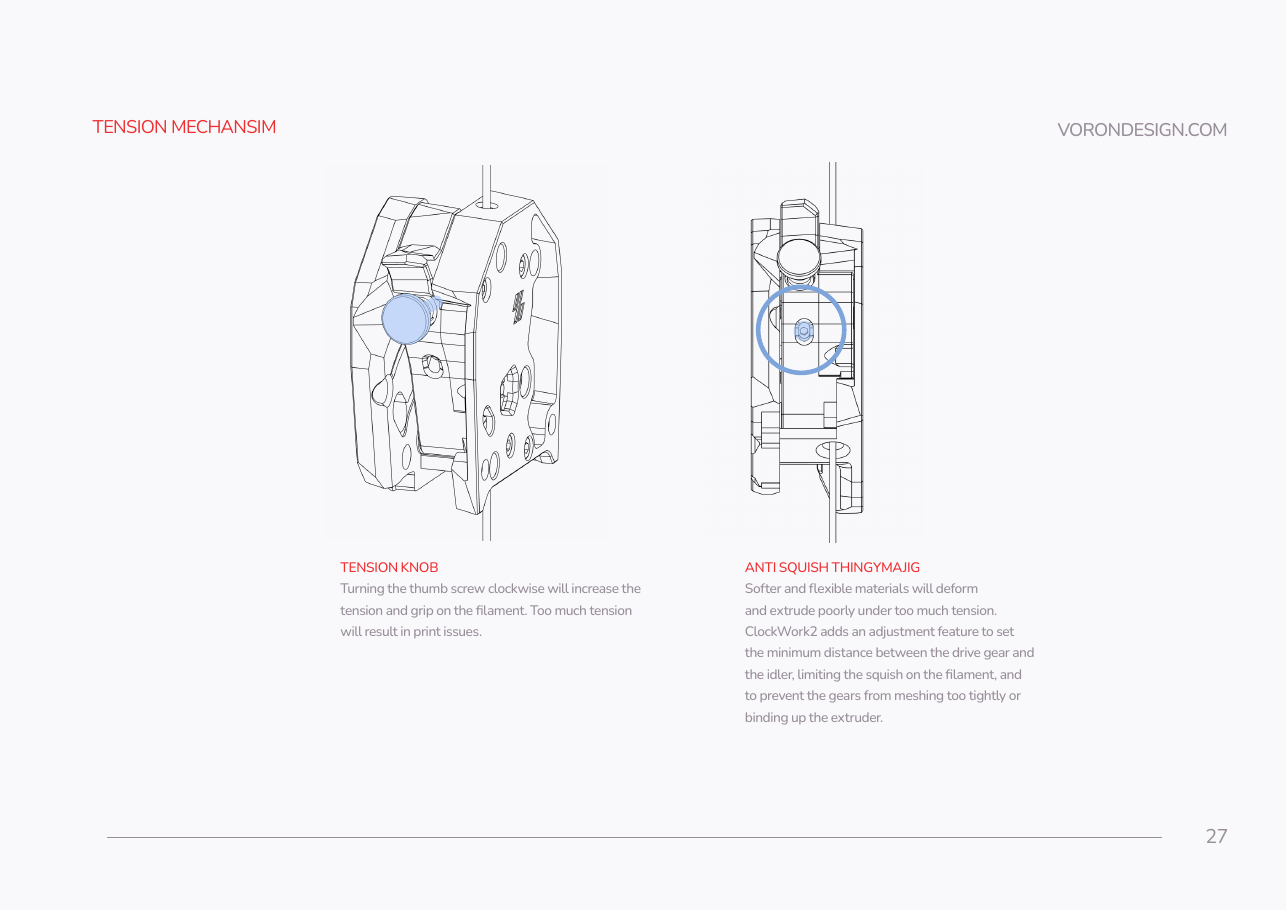
Do: Clockwise on the thumbscrew adds grip; SB p.27 warns that too much tension causes print issues, so start light. Then set the anti-squish screw circled on p.27 so the gears mesh without binding (verify on bench).
 Check
Check
With filament loaded, the arm closes without the gears grinding against each other, and the filament shows shallow tooth marks rather than a flattened track.
What you're looking at
Two independent adjustments meet here. The thumbscrew sets how hard the idler presses; the CW2 anti-squish stop sets the minimum gap, so the gears can never be driven into each other. Shallow tooth marks are correct, a flattened track is not.
Source: SB manual p.27