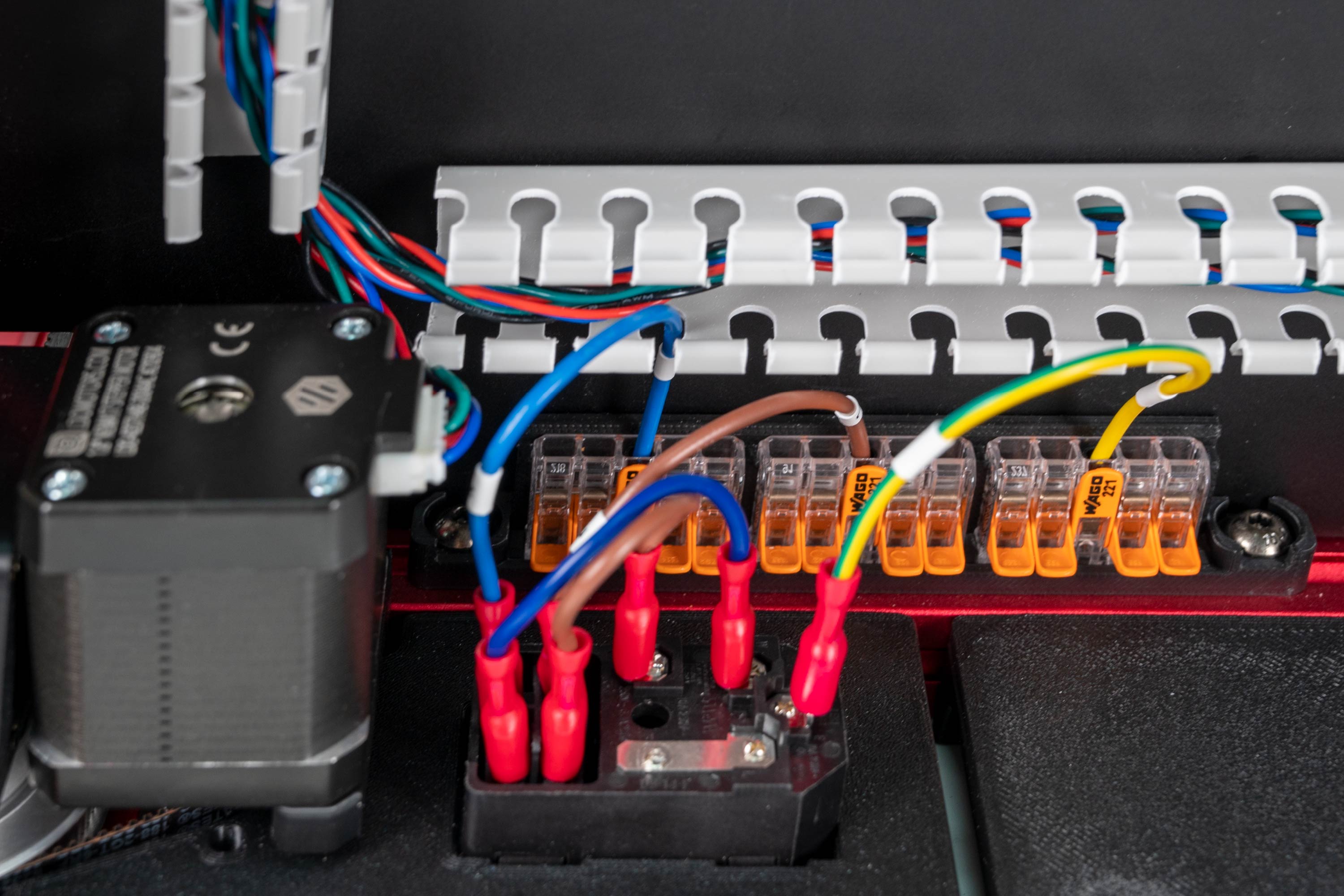
Step 09.11 — Fit the combined IEC inlet module¶
Step 11 of 36 · Chapter 09 — Electronics bay
Parts:
- AC inlet with integrated switch & fuse ×1 · Electronics 1 box
Do: Press the module into the panel from the outside, earth pin at the top when the printer is upright, switch facing out, until its tabs snap behind the panel wall. No screws. Connect nothing to its spade terminals.
Check
Module square in the panel, no rocking, fuse drawer accessible, switch rocks freely. Nothing wired.
What you're looking at
The IEC inlet is where mains enters the machine: one module combining the C14 socket, the on/off rocker and the fuse holder. It is live the moment a cord is in, so nothing touches its spade terminals until Ch 10.
Caution
Rev D+ / LDO: the manual fits two parts here, a filtered inlet and a separate rocker switch; yours is one module containing inlet, switch and fuse. Check its factory wiring by eye only against LDO's inlet layout above: L fused, N direct, PE never switched or fused. Nothing lights up until Ch 10's first power-on. src
Source: LDO wiring guide § Preparing the inlet · image S2_inlet.jpg