Step 09.2 — Read the placement you are actually building¶
Step 2 of 36 with a helper · Chapter 09 — Electronics bay
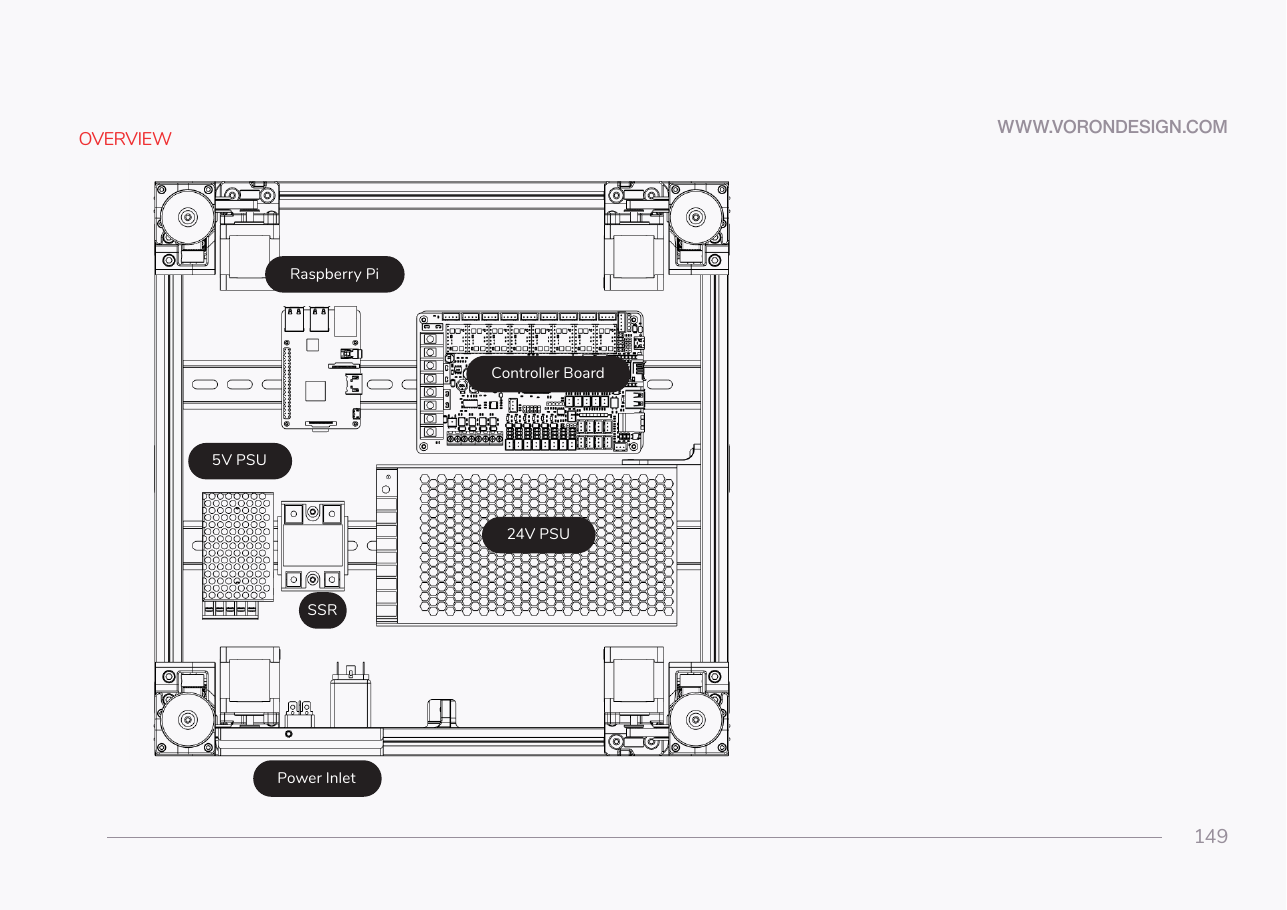
Tap to enlarge
Parts: none.
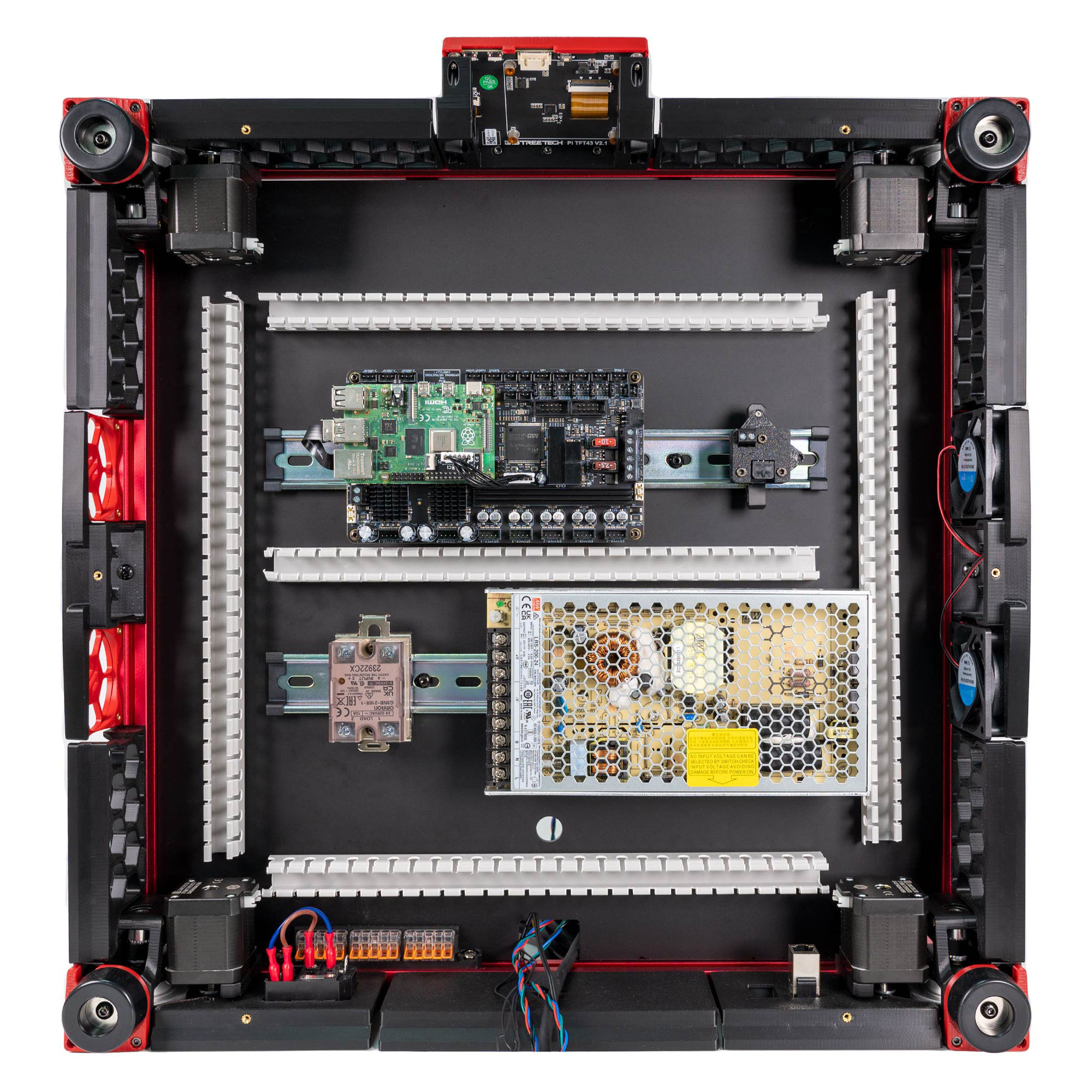
Do: Match the bay against LDO's placement photo S0General_Placement.jpg. Front rail: Leviathan and Pi, USB adapter beside it. Rear rail: SSR left, PSU right, terminal block facing the SSR. Rear-left: inlet panel against the Z-motor mount, mains WAGO right of it.
 Check
Check
You have that photo open on a phone or second screen. You will check the finished bay against it at 09.36.
 Helper Holds LDO's placement photo up and calls out each match: Leviathan, Pi, USB adapter, SSR, PSU and inlet.
What you're looking at
The layout you actually build, not the one drawn. Front rail: Leviathan with the Pi on it, and the USB adapter. Rear rail: the SSR switching the mains bed heater, and the PSU making 24 V. Rear frame: mains WAGO blocks and the IEC inlet.
Caution
Rev D+ / LDO: the manual shows a Raspberry Pi on its own bracket, a BTT Octopus, and a 5 V PSU. Your kit has none of those: the Pi mounts on the Leviathan, the Leviathan replaces the Octopus, and the Leviathan supplies the Pi's 5 V instead. src · wiring guide § General Placement
Source: Voron manual p.149 · LDO wiring guide § General Placement · image S0General_Placement.jpg · LDO Build Notes § Voron 2.4 build FAQ