Ch 093 / 36
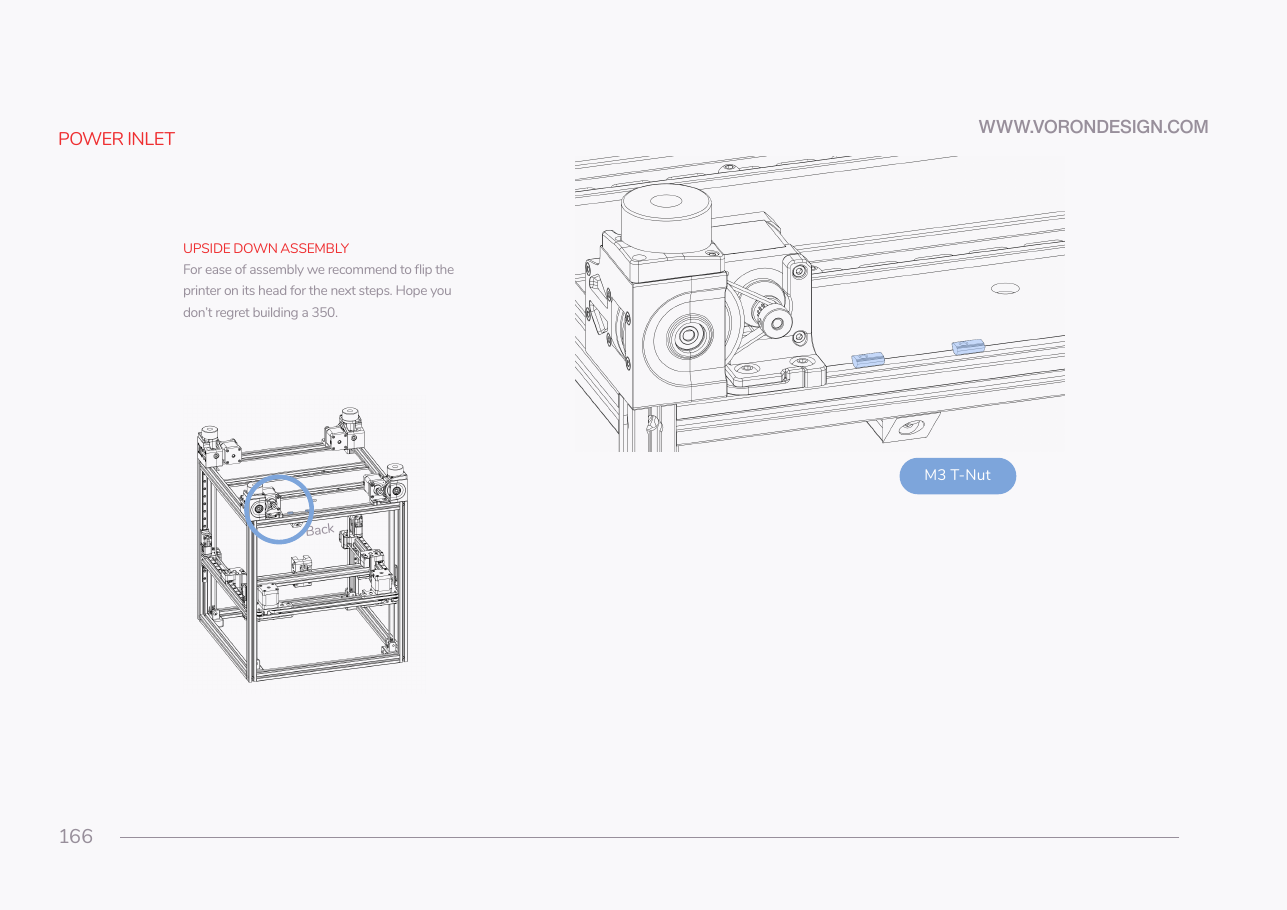
Step 09.3 — Turn the printer over and pre-load the rear T-nuts¶
Step 3 of 36 with a helper · Chapter 09 — Electronics bay
Tap to enlarge
Parts:
- M3 T-nut ×2 · Fasteners, Tools & Misc box
Do:
- Strap the gantry at the top, or clamp the four Z belts.
- Take the flex plate off and invert the printer onto a blanket, two people.
- Drop two M3 T-nuts into the rear extrusion's upward slot.
 Check
Check
Printer stable on its top, gantry strapped with no load on the belts, two M3 T-nuts free to slide in the rear slot.
 Helper Steadies the second side of the frame as it rolls onto the blanket, on a count of three.
What you're looking at
The bay is on the underside of the machine, so this chapter happens with the printer inverted. The two M3 T-nuts go in now because once the inlet panel is against that slot, no nut can be fed in behind it.
Source: Voron manual p.166 · LDO wiring guide § Installing the DIN rails and wire ducts