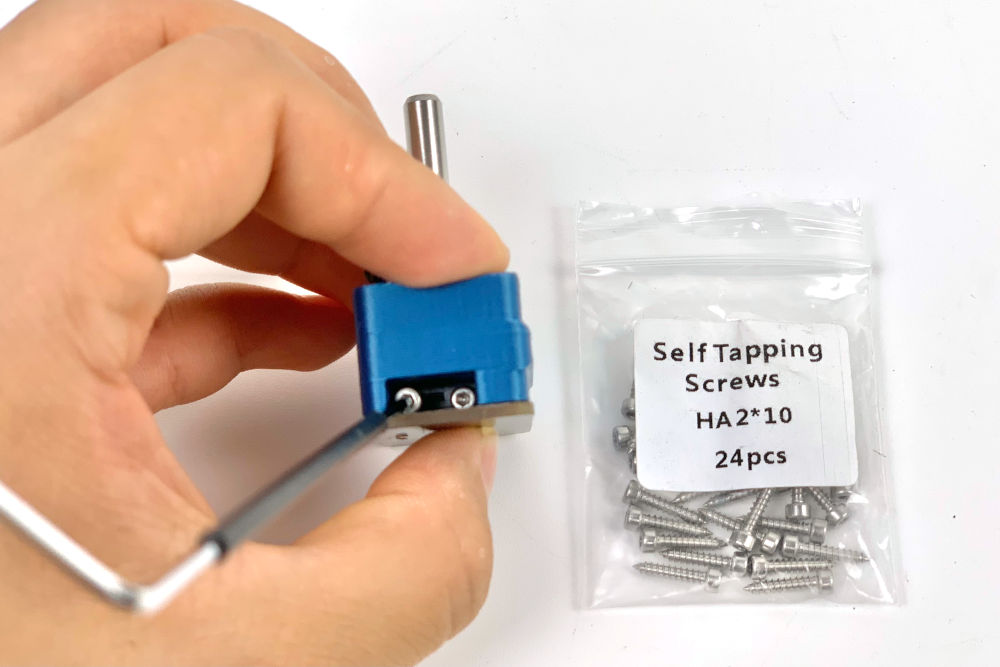
Step 09.28 — Fit the Z endstop PCB¶
Step 28 of 36 with a helper · Chapter 09 — Electronics bay
Parts:
- Z endstop PCB (D2F switch board) ×1 · Electronics 2 box
- M2×10 self-tapping ×2 · Fasteners, Tools & Misc box
Do: Sit the PCB against the printed body so the switch plunger is under the pulley bore. Drive two M2×10 self-tapping screws sideways through the switch's two holes into the printed part. PH1, slow, stop when seated.
 Check
Check
PCB solid, switch square under the bore, plunger free. Pressing the plunger gives a clean audible click and it returns fully.
 Helper Presses the switch plunger and says whether the click is clean and it springs back.
What you're looking at
·
The Z endstop PCB is a small board carrying a D2F microswitch and a plug, so nothing is soldered. Its plunger sits under the shaft's bore: the shaft drops onto it, the switch clicks, and Klipper reads that as Z zero.
Caution
Rev D+ / LDO: p.160 is titled "ALTERNATE Z ENDSTOP" in the manual — for this kit it is the only path. LDO: "Use the LDO Z endstop printed part and PCB." Note it is two screws through the switch, not the four the manual's render shows. There is nothing to solder — the PCB carries a connector. src
Source: Voron manual p.160 · LDO wiring guide § Assembling the nozzle probe · image z_stop_install_3.jpg