Step 09.32 — Fit the XY endstop PCB to the pod¶
Step 32 of 36 with a helper · Chapter 09 — Electronics bay
Tap to enlarge
Parts:
-
[a]_endstop_pod_D2F_switch×1 · bin 05-XY - XY endstop PCB ×1 · Electronics 2 box
- M3×8 SHCS ×2 · Fasteners, Tools & Misc box
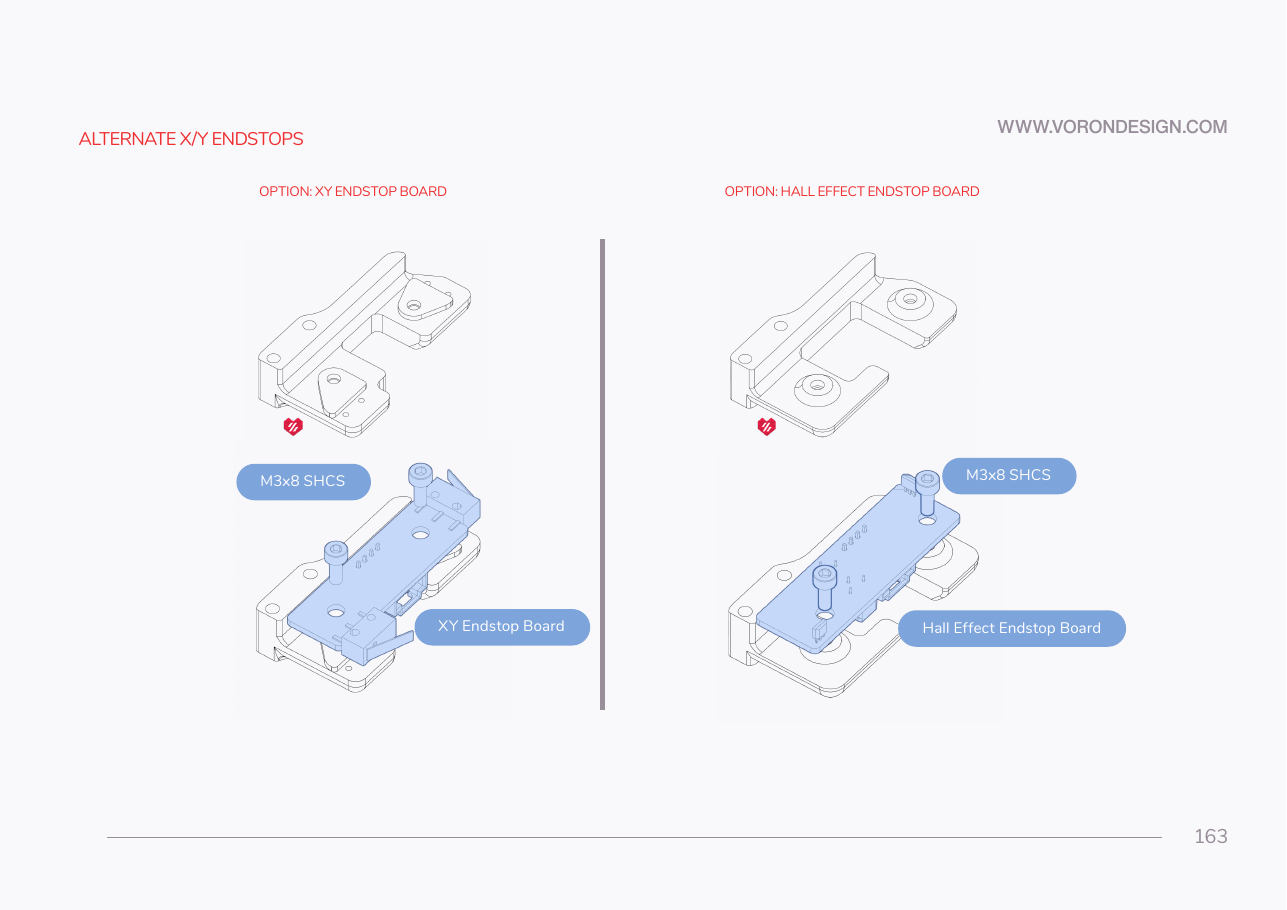
Do: Follow the left-hand option only. Seat the XY endstop board on the pod so both switches face the directions the toolhead and the frame will hit them, and fasten with two M3×8 SHCS.
 Check
Check
Board flat on the pod, both switches proud and clicking cleanly, connector accessible from below.
 Helper Presses both switches on the fitted board and says whether each one clicks cleanly.
What you're looking at
The XY endstop PCB carries both the X and Y limit switches, which tell the machine where each axis physically ends and give G28 a repeatable origin. It bolts into the blue pod printed for Ch 05, which puts the switches in the toolhead's path.
Caution
Rev D+ / LDO: LDO: "Follow only the step for the XY Endstop board." Ignore the hall-effect half of the page. src
Caution
Rev D+ / LDO: check the cable labels before Ch 10. LDO documents a batch whose XY endstop cable is labelled "X Stop / Y Stop" instead of "XES / YES" and needs re-pinning. XY endstop repin guide
Source: Voron manual p.163 · LDO Build Notes § Voron 2.4 build FAQ · LDO XY-endstop repin guide