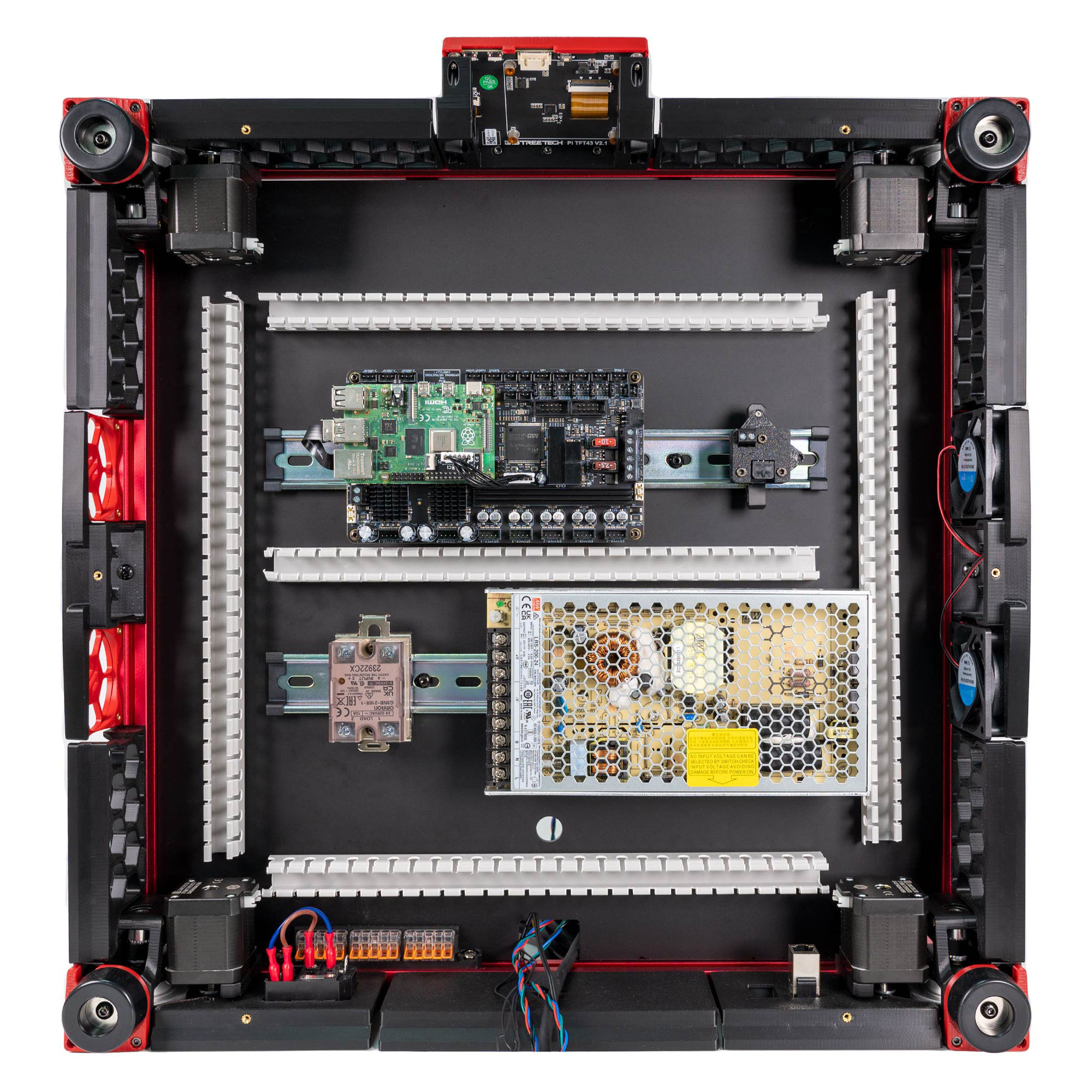
Step 09.36 — Stick down both conduits, then check the bay¶
Step 36 of 36 · Chapter 09 — Electronics bay
Parts:
- the dry-laid DC loop · already on the bench
-
V3L_WIRE_BOX_PORT×1 · bin 09-ducts-AC -
V3L_90DEG_R15×2 · bin 09-ducts-AC -
V3L_34mm_DUCT_HOLE×1 · bin 09-ducts-AC -
CMD_V3_1H_T_SHORT×1 · bin 09-ducts-AC -
V3L_10mm_DUCT×2 · bin 09-ducts-DC, 09-ducts-AC -
CMD_Remix-V3_DUCT-1M_ENDCAP×2 · bin 09-ducts-AC - VHB tape · consumable
- IPA and a lint-free cloth · consumable
- cable tags · consumable
Do:
- VHB the DC loop to its marks on IPA-wiped deck, middle run centred between Leviathan and PSU.
- VHB the AC conduit per the overlay, 34 mm run over the round hole.
- Tag the boards and WAGO blocks.
Check
Middle run 1.5 mm or more off the Leviathan and PSU. PSU 3 mm or more from the SSR run. Stub on the box port.
What you're looking at
Both conduits are bonded last because they must clear the boards, the WAGO bus and the SSR. Then a comparison pass against the v3 overlay and LDO's placement photo, component by component, not pixel by pixel.
Middle run
check its 1.5 mm with the boards on before any VHB goes down; VHB does not let go. If it cannot clear both edges, stop: B11's fallback, stock T junctions and LDO's PVC middle duct, is printed and fitted instead (verify on bench).
Stub
10 mm on the layout; B11.10 set its real length (verify on bench). Seat it on the box port and let the T sit back from the SSR by any remainder; L, N and FG must still enter the SSR run's open end. Never leave a gap in the AC conduit. B11.10
LDO layout
no AC conduit. The mains runs share LDO's rear PVC duct; compare the bay against LDO's S0General_Placement.jpg only, standing at the rear. LDO § General Placement