Step 09.5 — Fit the two DIN rails, running left to right¶
Step 5 of 36 · Chapter 09 — Electronics bay
Tap to enlarge
Parts:
- DIN rail ×2 · Other box
- DIN rail plastic end cap ×4 · Electronics 2 box
- M5×10 BHCS ×4 · Fasteners, Tools & Misc box
- the four deck T-nuts · already on the bench
Do:
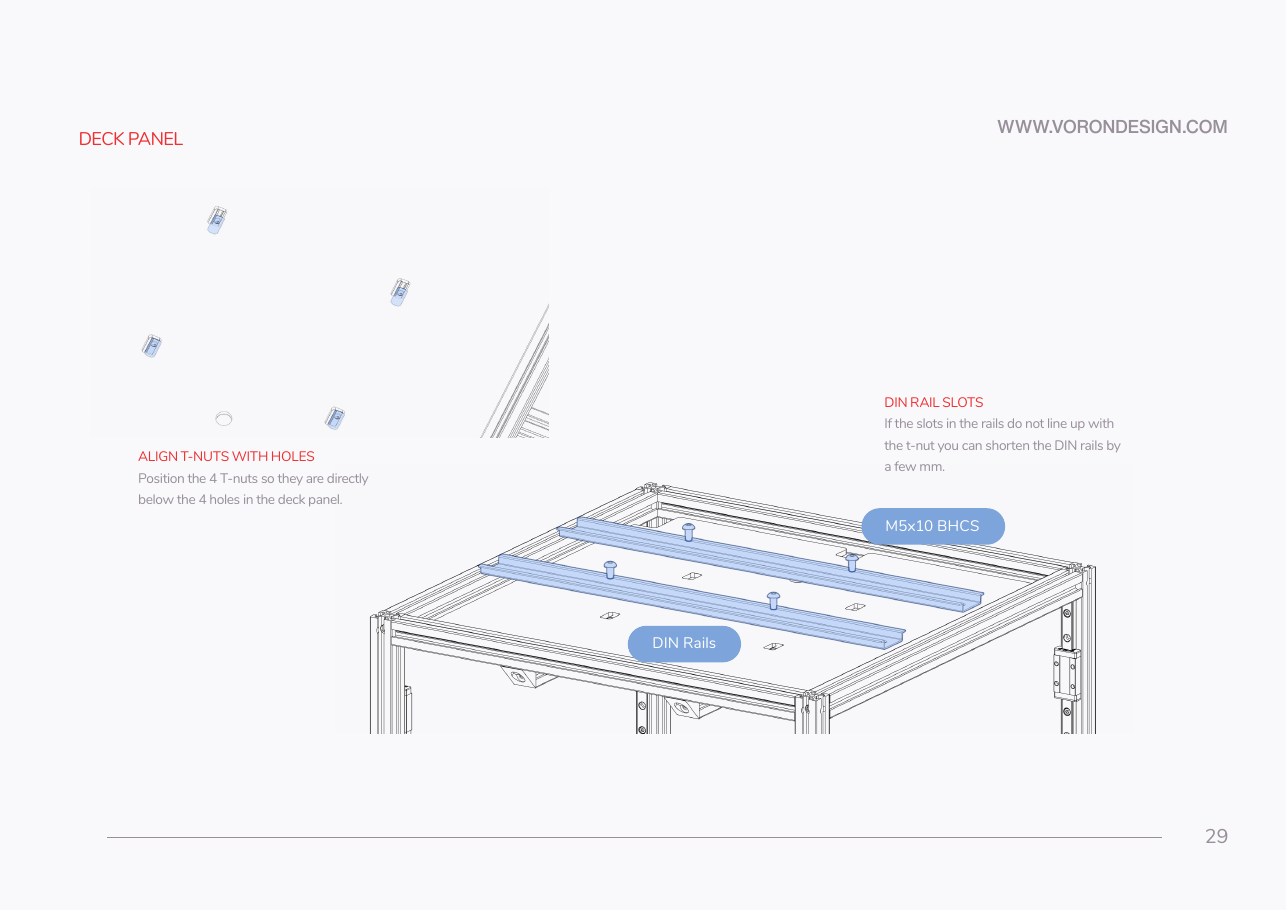
- Slide each deck T-nut directly under one of the deck panel's four holes.
- Lay each rail across both extrusions over two holes, front rail and rear rail.
- Bolt down with M5×10 BHCS, snug, then cap the ends.
 Check
Check
Both rails parallel, left-to-right, two screws each through the deck holes, inside the deck edges, clear of the Z belts, four end caps on.
What you're looking at
The two rails: 35 mm slotted steel top-hat, cut to length. Everything electronic clips onto one of these, so a board can slide along or lift off without touching the deck. They run left to right across both bed extrusions, one screw into each.
Caution
Rev D+ / LDO: no cut length is published for a 350's rails — (verify on bench). Cut both the same, keep them inside the deck panel, and use p.29's escape hatch: if a rail slot does not land on a T-nut, shorten the rail by a few mm rather than moving the nut off the extrusion.
 Good stopping point · ~30 min since the last one
printer on its top, rear T-nuts pre-loaded, deck panel verified, both DIN rails bolted through the deck holes and capped. Nothing is laid on the deck or clipped to a rail yet. Leave the printer where it is if you can; standing it back up costs you the T-nut access.
Source: Voron manual p.29 · LDO wiring guide § Installing the DIN rails and wire ducts · Video: Part 2 @0:56:00