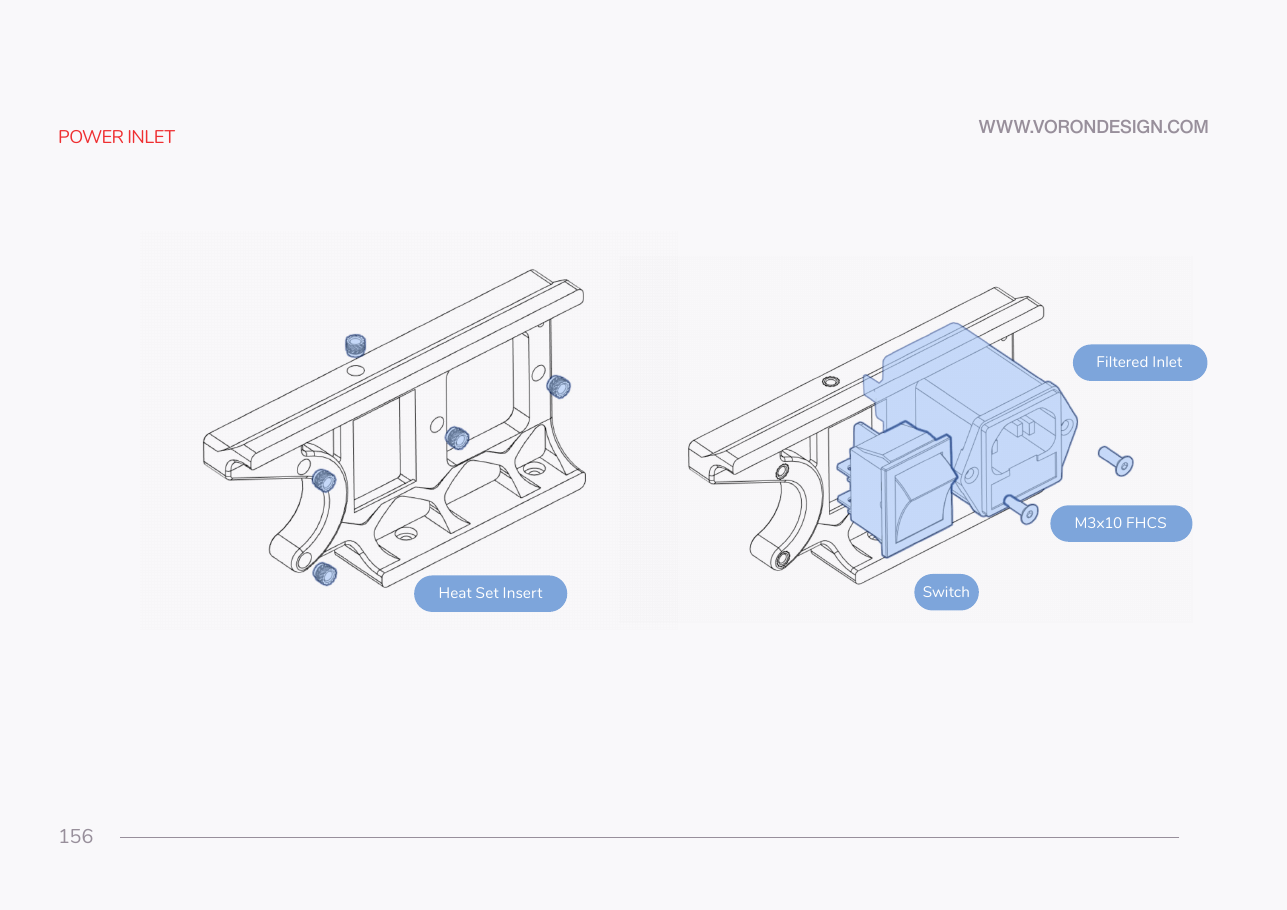
Step 10.4 — Fit the AC inlet into the printed plug panel¶
Step 4 of 80 · Chapter 10 — Wiring and Checkpoint #1
Tap to enlarge
Parts: none.
Do: Nothing to build. On the rear extrusion's panel, confirm the earth pin is at the top with the printer upright, the switch faces out, and the module's tabs are snapped home. If not, go back to Ch 09 Steps 09.10–09.11.
Check
The inlet sits square with no rock, the fuse drawer opens freely, the rocker clicks both ways, and no spade terminal is connected.
What you're looking at
power_inlet_IECGS_1mm is the printed panel that carries mains into the machine. The module in it combines three parts: the C14 inlet, the on/off rocker, and the fuse drawer. The manual page is drawn for the stock separate inlet and does not match your frame.
Caution
Rev D+ / LDO: LDO note p.156 — the panel is power_inlet_IECGS_1mm (1.0 mm AC inlet with integrated switch), never the manual's stock plug panel. src
Good stopping point · ~15 min since the last one
printer on its side, PSU selector set, Leviathan jumpers off, the Ch 09 inlet panel confirmed. No mains wiring started. Do not start the inlet-to-WAGO run until you can finish it: the next segment ends with the whole inlet→WAGO→PSU chain terminated.
Source: Voron manual p.156 · LDO Build Notes p.156 · LDO wiring guide § Preparing the inlet · Video: Part 7 @0:15:11