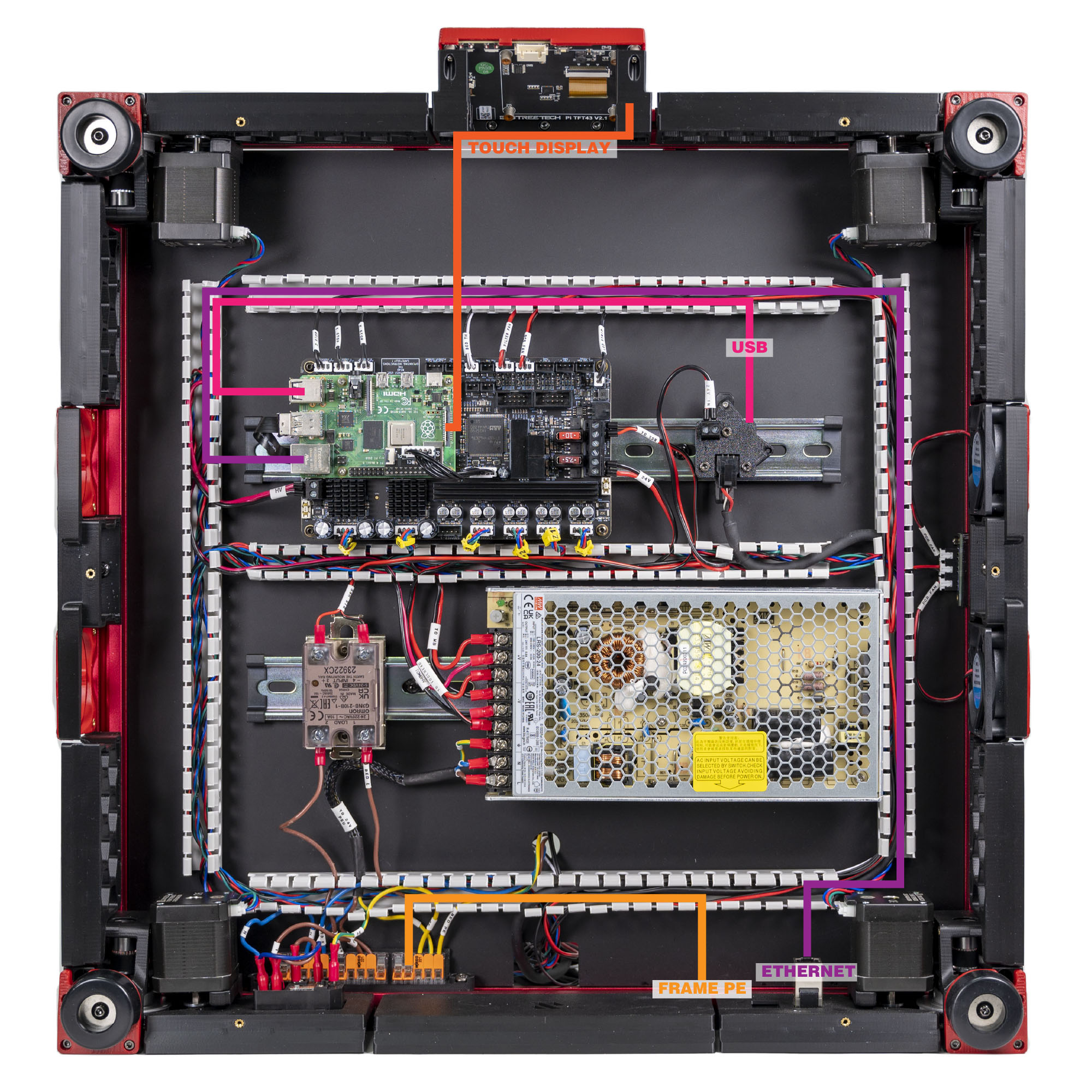
Step 10.50 — DSI ribbon: Raspberry Pi ↔ touchscreen¶
Step 50 of 80 · Chapter 10 — Wiring and Checkpoint #1
Parts:
- FFC ribbon cable ×1 (verify on bench) · the display box
- 4.3" capacitive DSI display ×1 · set out now, fitted later
-
mount.stl×1 · set out now, fitted later -
[a]_faceplate×1 · set out now, fitted later - M3×5×4 heat-set insert ×2 · set out now, fitted later
- M3×8 SHCS ×2 · set out now, fitted later
- M2.5×6 screw ×4 · set out now, fitted later
Do:
- Build the touchscreen module: Ch 11 Steps 11.5–11.6.
- Down to the Pi's DISPLAY: lift the latch, ribbon in contacts forward, blue tab rear, close the latch once.
- Service loop; tape the module to the front extrusion.
Check
Both latches closed evenly, ribbon square, no fold or crease, no bare contacts outside either connector. Match the photo (verify on bench).
What you're looking at
The FFC is the flat flexible ribbon carrying the display signal, DSI, between the Raspberry Pi and the 4.3" touchscreen. It has no polarity key, so the bare metal contacts on one face are the only clue to which way round it goes.
Tip
if the mount is not printed yet, seat the screen end only, tape the Pi end's bare contacts, and connect it at 11.8 instead.
Caution
Rev D+ / LDO: "Incorrect orientation of the FFC cables can result in damage to your Raspberry Pi and/or touchscreen." An FFC has no polarity key — the metal contacts are the only clue. At the Pi, forward is toward the front of the printer. src
Source: LDO Rev D photo VS8 mapping · LDO wiring guide § Setting up the touch screen · LDO BTT 4.3" rotate guide