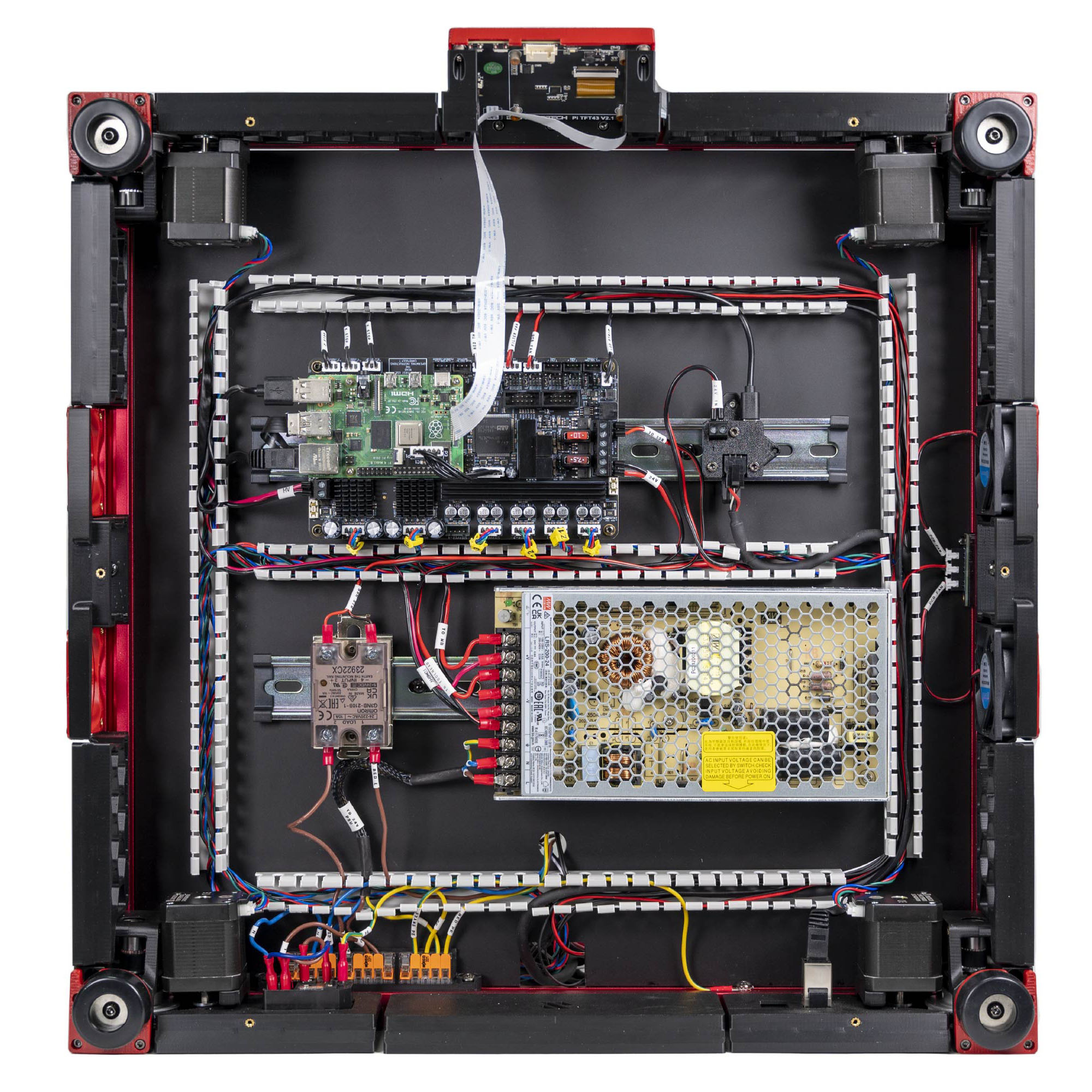
Step 10.51 — Ethernet: Raspberry Pi ↔ rear keystone¶
Step 51 of 80 · Chapter 10 — Wiring and Checkpoint #1
Parts:
- Ethernet patch cable ×1 · the Cable Kit box
- Keystone CAT6 insert ×1 · Electronics 1 box
Do: Plug one end into the Pi's RJ45. Run the cable round the DC loop to the rear-right corner, out through the rear-lower run's tines, and into the keystone insert. Leave the insert loose for Ch 11.
 Check
Check
Both plugs click. The run does not cross the PSU's AC terminals or lie against the SSR.
What you're looking at
A keystone insert is the snap-in module that turns an opening in a printed panel into a proper RJ45 socket on the machine's outside. This step runs the Pi's network cable to it, so no lead dangles out of the bay.
LDO layout
run it through LDO's PVC ducts to the rear-right of the bay, as the photo shows. LDO § Ethernet
Source: LDO Rev D photo VS8 Ethernet/USB wired · LDO wiring guide § Connecting the FFC cable, Ethernet cable, USB cable and frame PE