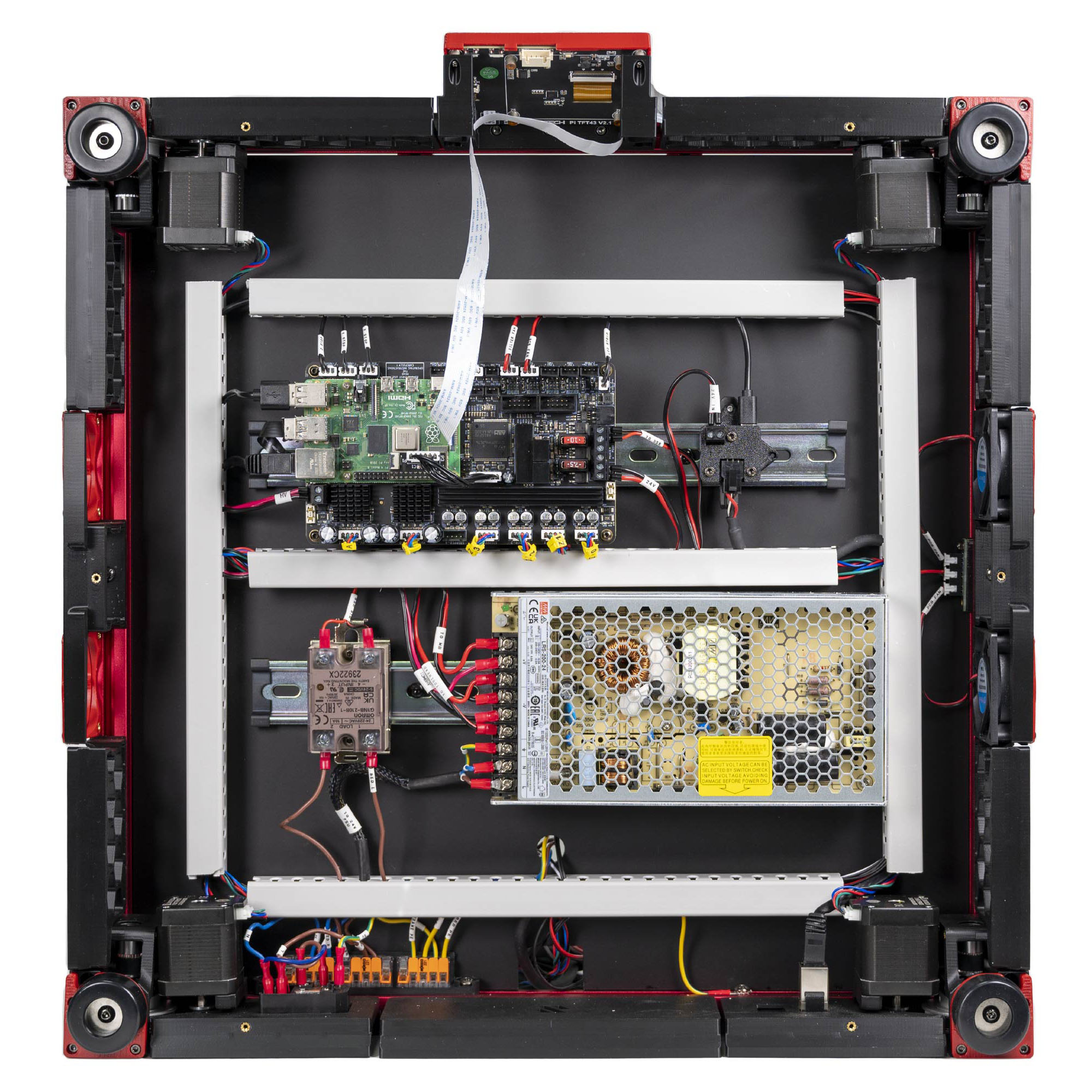
Step 10.72 — Walk the bay against LDO's finished photo¶
Step 72 of 80 with a helper · Chapter 10 — Wiring and Checkpoint #1
Parts: none.
Do:
- Compare your bay to the photo, one cable at a time, in the table's order.
- Any difference from the photo gets explained by a step in this chapter, or fixed.
 Check
Check
Every difference from the photo is one you can name and point to a step for. STEPPER-4, TH0, Z-PROBE, FAN0 and FAN1 stay empty.
 Helper Reads each row of the walk table aloud and ticks it off when the adult points to it.
What you're looking at
LDO's finished Rev D bay again, the photo step 10.1 set as the target, beside the v3 overlay. Yours differs in two ways: the Rev D+ USB adapter with the umbilical, and the printed conduits with the routes they change.
| # | walk this |
|---|---|
| 1 | inlet |
| 2 | WAGO bus |
| 3 | PSU |
| 4 | SSR LOAD and INPUT pairs |
| 5 | bed breakout |
| 6 | the three 24 V feeds |
| 7 | six steppers |
| 8 | TH1 |
| 9 | three endstop headers |
| 10 | FAN2 / FAN3 / LED-Strip |
| 11 | the Pi's three links |
| 12 | the umbilical |
Source: LDO Rev D photo VS9 finished bay · LDO wiring guide § Finish line · review/2026-09-23-bay-mods/layout-v3/overlay-v3.jpg