Step 13.22 — Home X, with an abort ready¶
Step 22 of 54 · Chapter 13 — Initial startup
Parts: none.
Do:
- Two people: one owns the stop, one watches, hands out.
- Test each stop,
FIRMWARE_RESTARTafter each:M112alone on the line, Mainsail's red Emergency Stop, the touchscreen E-stop. - Put
M112typed and unsent in a second window, then sendG28 X.
 Check
Check
Each stop put Klipper in Shutdown. The toolhead lifts 10 mm, travels right to the X endstop, backs off 5 mm and re-touches.
What you're looking at
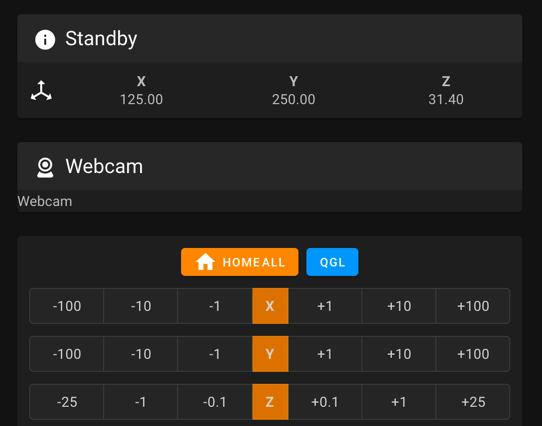
The screenshot is the interface's jog and homing panel. The stop you test first is M112, typed alone on the line: Mainsail sends that as its emergency-stop call, so it goes round the command queue while a move is running. RESTART waits behind the move instead.
Caution
Before G28 X, confirm the gantry is still a third of the way up, where Step 13.17 left it: every homing move before Z is homed lifts it another 10 mm.
 Tip
Tip
the 10 mm lift is [safe_z_home] z_hop: 10. Any other direction: M112, FIRMWARE_RESTART, note what happened, and still test Y before changing anything; you need both results to read the chart.
Source: Voron docs image mainsail_controls.png · Voron startup wizard § XY homing check · Klipper docs § M112 · Mainsail src/store/printer/actions.ts (sendGcode: a line that is exactly M112, trimmed and case-insensitive, is sent as printer.emergency_stop; anything else goes to printer.gcode.script and queues) · Klipper webhooks.py (the emergency_stop endpoint calls invoke_shutdown directly, without the G-code mutex)