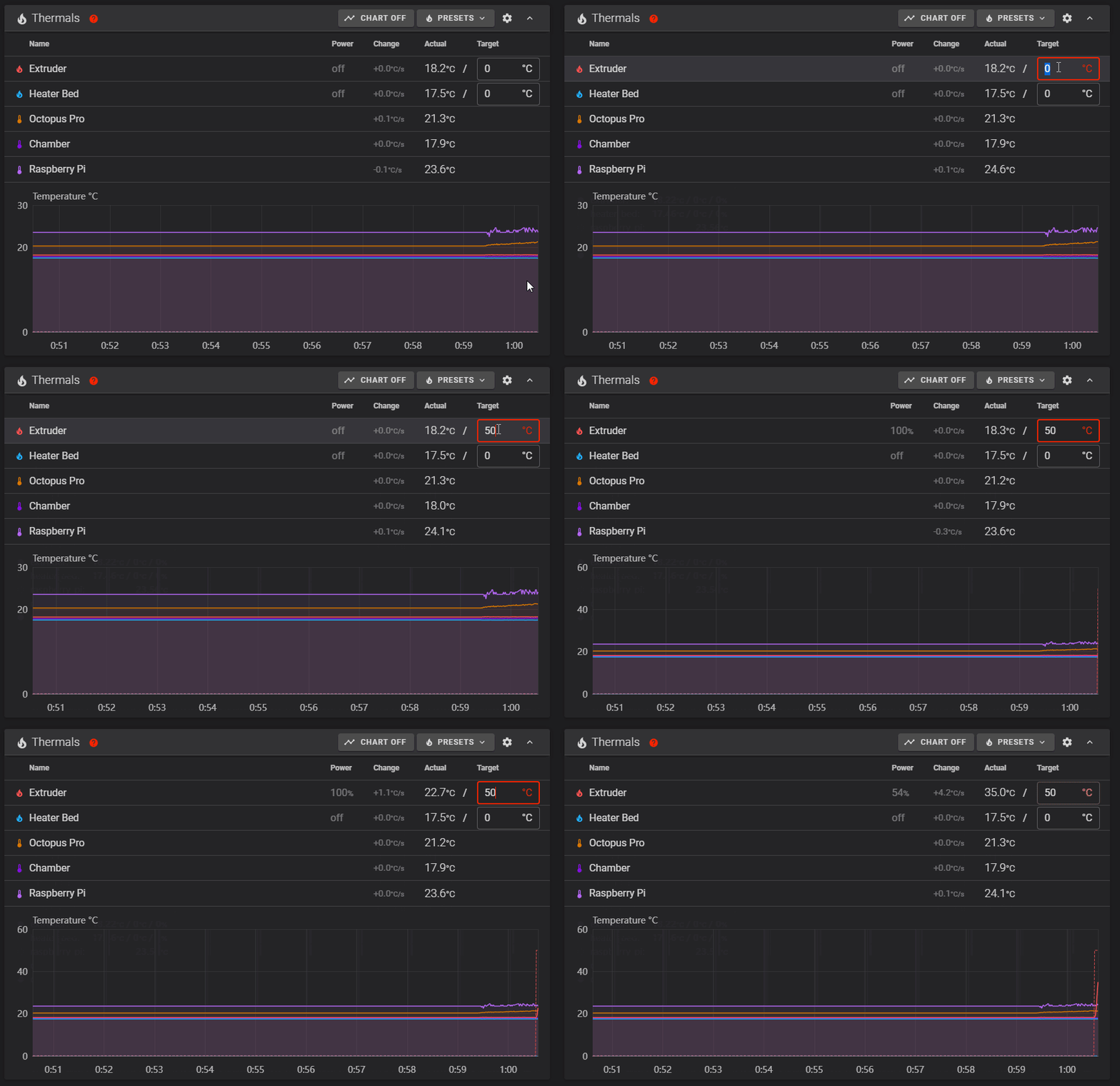
Step 13.7 — Short heat test: hotend to 50 °C¶
Step 7 of 54 · Chapter 13 — Initial startup
Parts: none.
Do: Hand back on the power switch. Set the Extruder target to 50 and press enter. Watch the graph and the toolboard's HE0 LED.
 Check
Check
The extruder temperature climbs within about 10 s and the HE0 LED is lit; set the target to Off and it decays toward room temperature.
What you're looking at
The animation shows a heater climbing on the graph once a target is set. 50 °C is chosen deliberately: hot enough to prove the heater and its thermistor are the same pair, cool enough to be harmless if they are not.
Caution
If a different sensor heats, the thermistor or heater pairs are swapped. HE0 lit with no climb is the heater side: cartridge lead, ferrules, the HE0 screw terminal. HE0 dark is the pin or config side: [extruder] heater_pin: nhk:PA7.
Source: Voron docs image heaters.gif · Voron startup wizard § Verify heaters